


Font-style doesn't work, its ribbed

I'm making a website with the font-style called Arizonia, but when testing it in Firefox the font looks ribbed, just awful. I think I tried almost everything to solve the problem, making changes in Firefox and used @Font-face in different ways, but nothing seems to work. It works in all browers except in Firefox, so I think there's where the problem is.
Upravil uživatel DavidNED dne
Všechny odpovědi (7)
Can you post a link to a publicly accessible page (i.e. no authentication or signing on required) where we can check this?
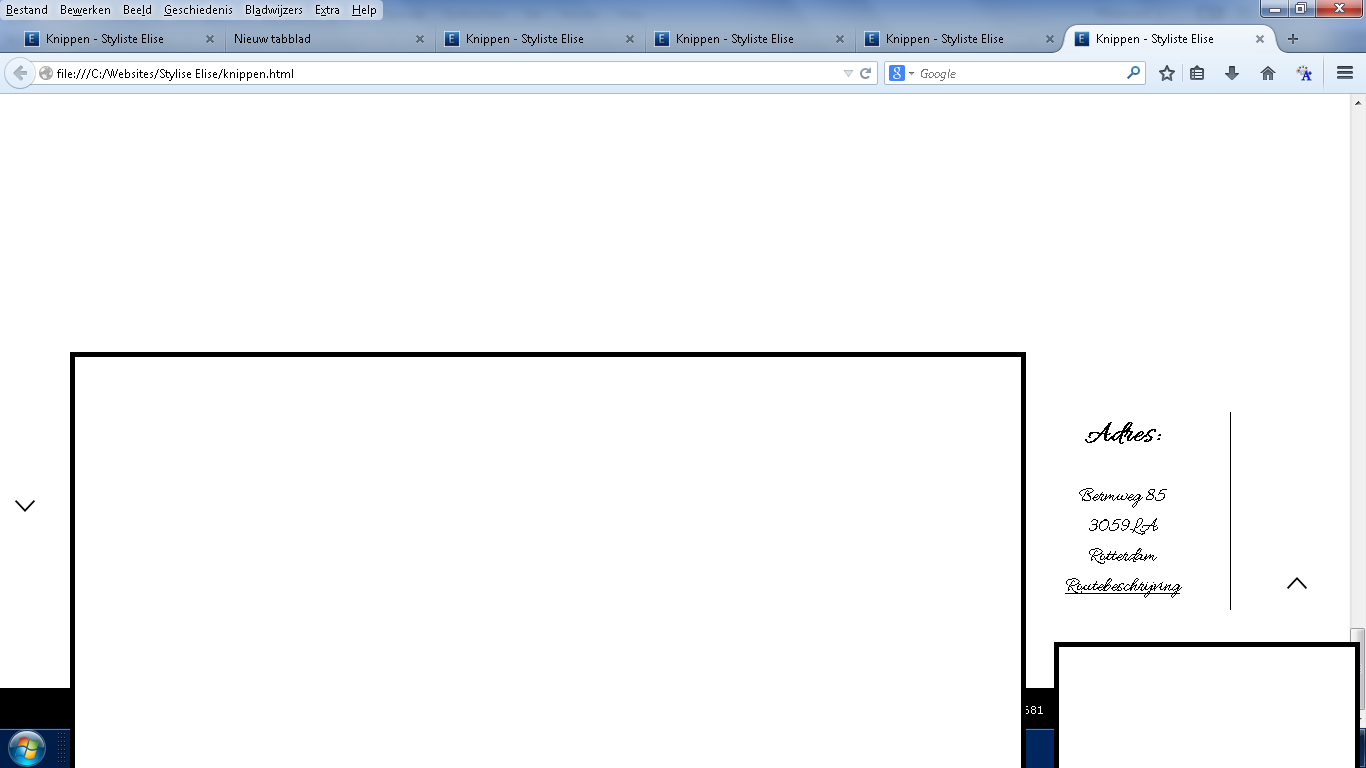
Can you attach a screenshot, so we can see what you are talking about?
- http://en.wikipedia.org/wiki/Screenshot
- https://support.mozilla.org/kb/how-do-i-create-screenshot-my-problem
Use a compressed image type like PNG or JPG to save the screenshot.
Start Firefox in Safe Mode to check if one of the extensions (Firefox/Tools > Add-ons > Extensions) or if hardware acceleration is causing the problem.
- Switch to the DEFAULT theme: Firefox/Tools > Add-ons > Appearance
- Do NOT click the Reset button on the Safe Mode start window
I dont have a link, but here's a image:
Upravil uživatel DavidNED dne
Did you already try to disable hardware acceleration?
You can also try to create a new Boolean pref on the about:config page via the right-click context menu with the name layout.paint_rects_separately and set the value to true and leave hardware acceleration enabled.
That way you still have the benefit from hardware acceleration, but may not suffer from rendering issues.
Thanks for the suggestion, I tried it, but it didn't help. The font is still ribbed. Tried some other fonts, but none of the more 'unknown' fonts work in Firefox, only the standard ones.
You may have zoomed the page(s) by accident.
Reset the page zoom on pages that cause problems.
- View > Zoom > Reset (Ctrl/Command+0 (zero))
Seems to be looking fine here.
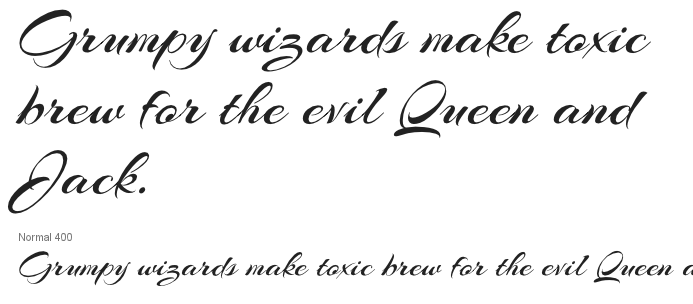
No, I haven't zoomed the pages, but it looks oke there so maybe I'm just doing something wrong but I tried ALOT
Upravil uživatel DavidNED dne
You can try to use the Inspector (Firefox/Tools > Web Developer) to check what CSS rules are applied.