After latest update, Firefox will not play video on NPR.org

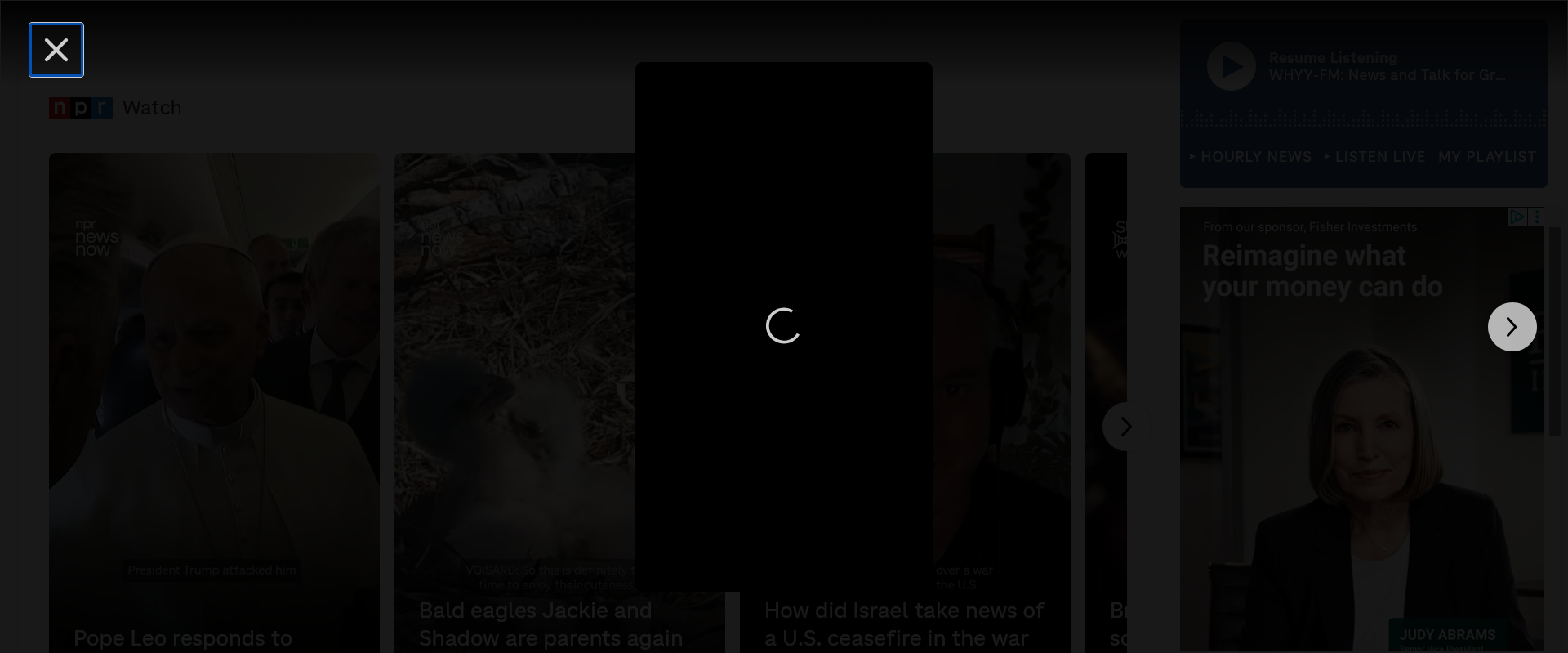
I'm using Firefox esr, the latest version 149.0.2. Since this update, I can no longer load the videos on NPR.org's home page. Something pops up, but then the wheel/circle thingie just goes round and round, and never loads the video.
My ad blocker was already off for this site. I've tried restarting Firefox in Troubleshooting mode, and changing the various security settings mentioned in this article: https://support.mozilla.org/en-US/kb/fix-common-audio-and-video-issues#w_check-some-firefox-settings, such as adding it to the "Allow popups" exceptions (never necessary before) and other settings. I've reloaded the page multiple times, restarted Firefox, etc.
Can anyone suggest anything else to try?
I'm using Firefox esr, the latest version 149.0.2. Since this update, I can no longer load the videos on NPR.org's home page. Something pops up, but then the wheel/circle thingie just goes round and round, and never loads the video.
My ad blocker was already off for this site. I've tried restarting Firefox in Troubleshooting mode, and changing the various security settings mentioned in this article: https://support.mozilla.org/en-US/kb/fix-common-audio-and-video-issues#w_check-some-firefox-settings, such as adding it to the "Allow popups" exceptions (never necessary before) and other settings. I've reloaded the page multiple times, restarted Firefox, etc.
Can anyone suggest anything else to try?