


I cannot access my bookmarks nor history system and I also don't know how to restart Firefox per the Fix Article.

I'm getting the following error message:
The bookmarks and history system will not be functional because one of Firefox's files is in use by another application. Some security software can cause this problem.
I don't know what prompted this concern on my Windows 11-based laptop, but I only noticed this last night doing some research for another issue. I don't have any of my bookmarks showing up in the bookmarks section, nor will it allow me to click the star on any tab to bookmark the page. I have restarted and shut down my laptop several times and this is not solving the concern. Let me know if you need more information or if I need to start this inquiry again elsewhere, but again it sounds like the same concern.
I have included a screenshot of the exact error for accuracy's sake. Like everyone else here, I'm trying to get my bookmark and history access back up and running but not sure how to go about it.
I couldn't get past the first fix suggestion because I am not sure how to restart Firefox (https://support.mozilla.org/en-US/kb/fix-bookmarks-and-history-will-not-be-functional?as=u&utm_source=inproduct&redirectslug=The+bookmarks+and+history+system+will+not+be+functional&redirectlocale=en-US). I have restarted my laptop several times but the issue still persists.
Please advise.
Ironically, I am not having this issue on my older PC that is still operating on Windows 10. I can view history and access or add bookmarks with no concern to my knowledge.

All Replies (9)
Hi,
Thanks for starting this thread. Please feel free to skip the first two suggestions ("restart Firefox" & "restart your computer") since you've already tried them. Updating Windows Security definitions is still worth trying, though I don't really believe that it'll help, so you'll most likely end up creating a new database. That step is supposed to resolve (almost) all the related problems, so I hope it will work.
Thanks for responding. I haven't attempted to restart Firefox, only restarted the laptop. It's saying to try both right? So how do I restart Firefox, unless restarting the laptop should have essentially restarted Firefox as well. That's a bit confusing to me so please clarify.
I'll try updating Windows security definitions in the meantime. Screenshot attached. Norton 360 is already updated.
Is creating a new database basically starting over again? I hope not; no telling what bookmarks I'll lose if that's the case. I'm certainly trying to avoid starting from scratch if possible.
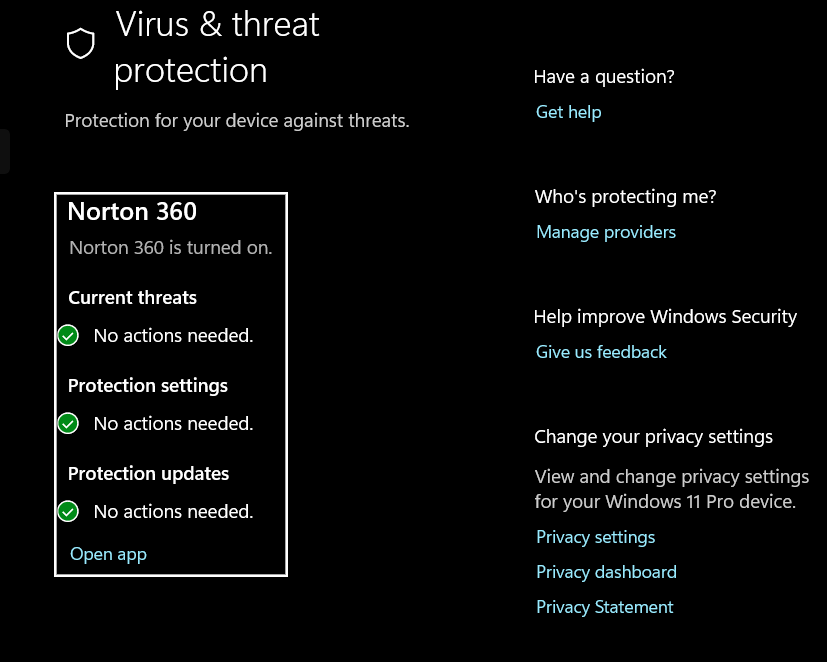
Modified by thatwdbme
Hm, I guess restarting the device should be enough, but to be 100% sure you can exit Firefox (menu > Exit) and then reopen it.
Creating a new database will remove your history, but will keep your bookmarks. (Under the hood, it starts from scratch, and then just restores bookmarks from backup, but there's no mechanism to restore history.) You'll keep your current files with data anyway (just make sure to rename files instead of deleting, as mentioned in the article), so you'll be able to return to using them again in case something goes terribly wrong. (And you'll also always have access to the old data... which is not very useful in terms of history, but still.)
Modified by Denys
Thanks again. I will wait until I get another unrelated concern addressed before following the create a new database steps. I'd rather not lose or have to find these tabs I need again or heaven forbid I lose these tabs and can't get back to them. But at least I'm aware of what this does now. I will follow up once I've been able to complete these steps.
How did this happen in the first place? Is it related to Windows 11 Updates or something? My other concern is directly related to recent updates.

I've repeatedly, and relatively recently, had the same problem (Win10) The inconsistent fix has been to disable my anti-virus & restart. This time, used the Menu > Exit option and worked like a charm without restarting laptop (which takes forever!) and without losing multiple open windows, each with multiple open tabs. Thanks - hopefully will work consistently.
Denys said
Hm, I guess restarting the device should be enough, but to be 100% sure you can exit Firefox (menu > Exit) and then reopen it. Creating a new database will remove your history, but will keep your bookmarks. (Under the hood, it starts from scratch, and then just restores bookmarks from backup, but there's no mechanism to restore history.) You'll keep your current files with data anyway (just make sure to rename files instead of deleting, as mentioned in the article), so you'll be able to return to using them again in case something goes terribly wrong. (And you'll also always have access to the old data... which is not very useful in terms of history, but still.)
Yeah I tried the menu & quit option and that didn't work either. What could possibly be using Firefox's files though? I have Norton 360, does that conflict with Firefox somehow? It looks like creating a new database is my only option at this point, but I'm lost on how I ended up here. I tend to clear history after some time anyway. it's just the inconvenience of having to recreate the database and the frustration of not understanding why this is happening.
Follow up - The create a new database steps seemed to work. As feedback, I'd recommend perhaps recommending taking a screenshot of the instructions before starting since you have to close Firefox to complete the process.
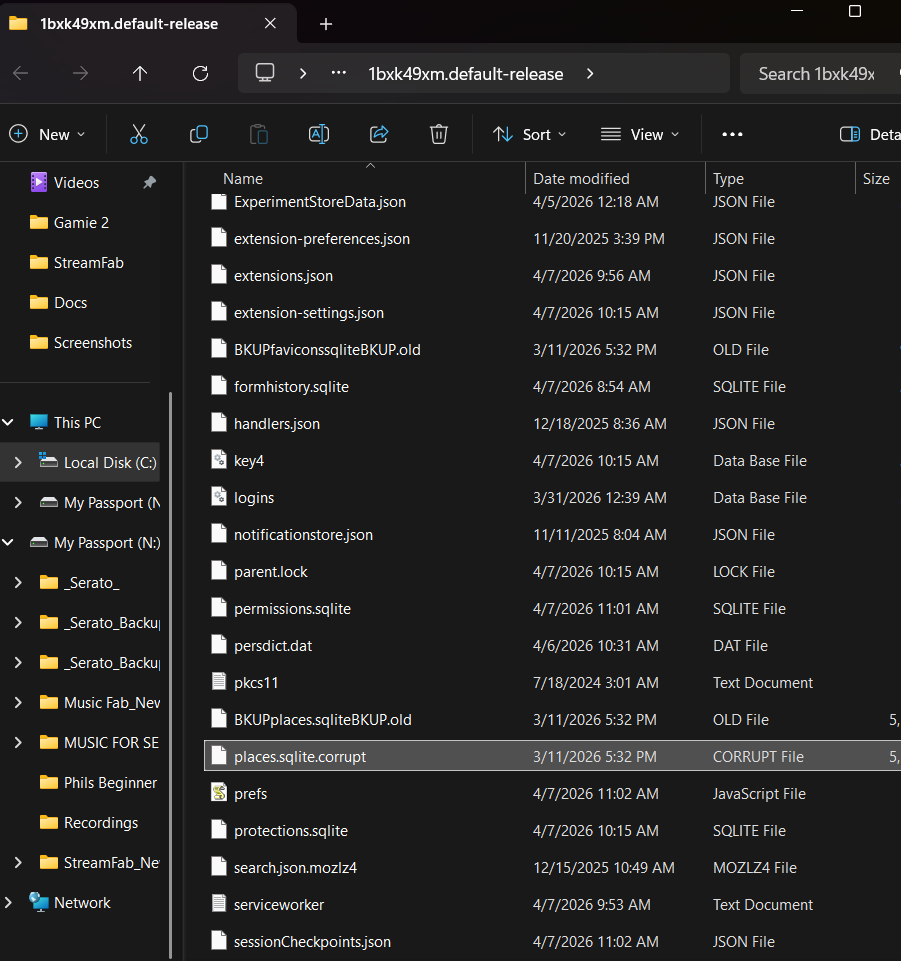
I came across this corrupt file in the profile folder I had to open per the instructions. Is this a normal file? I didn't delete it, but just wondering its purpose. Please advise.
Thanks for the assistance.
Hi,
I'm not really an expert in this, but such a file confirms my suspicions: the root cause is (most likely) your database being corrupted because of a bug, not the files being used by other apps. I'm not sure how (and whether) such kind of things are investigated... feel free to file a bug on Bugzilla, Mozilla's bug tracker. Since you have all the files, maybe someone will look into.