


Problems with the trash bin / where are all my mails/data

hello togehther, im using thunderbird for over ten years. In all that time i never deleted my trash, because it was very helpful to have acess to all the mails and data
this morning there was the notice that there is not enough space to get the new mails from the server, so i started to delete some of the oldest mails.
since then i don´t know why, the programm is very slow when you delete a mail, it takes ca 5 seconds to work again. the delete mails can not be found in the trash and all the old deleted mails can also not be found in the trash
also thunderbirds often hangs up now an needs a restart.
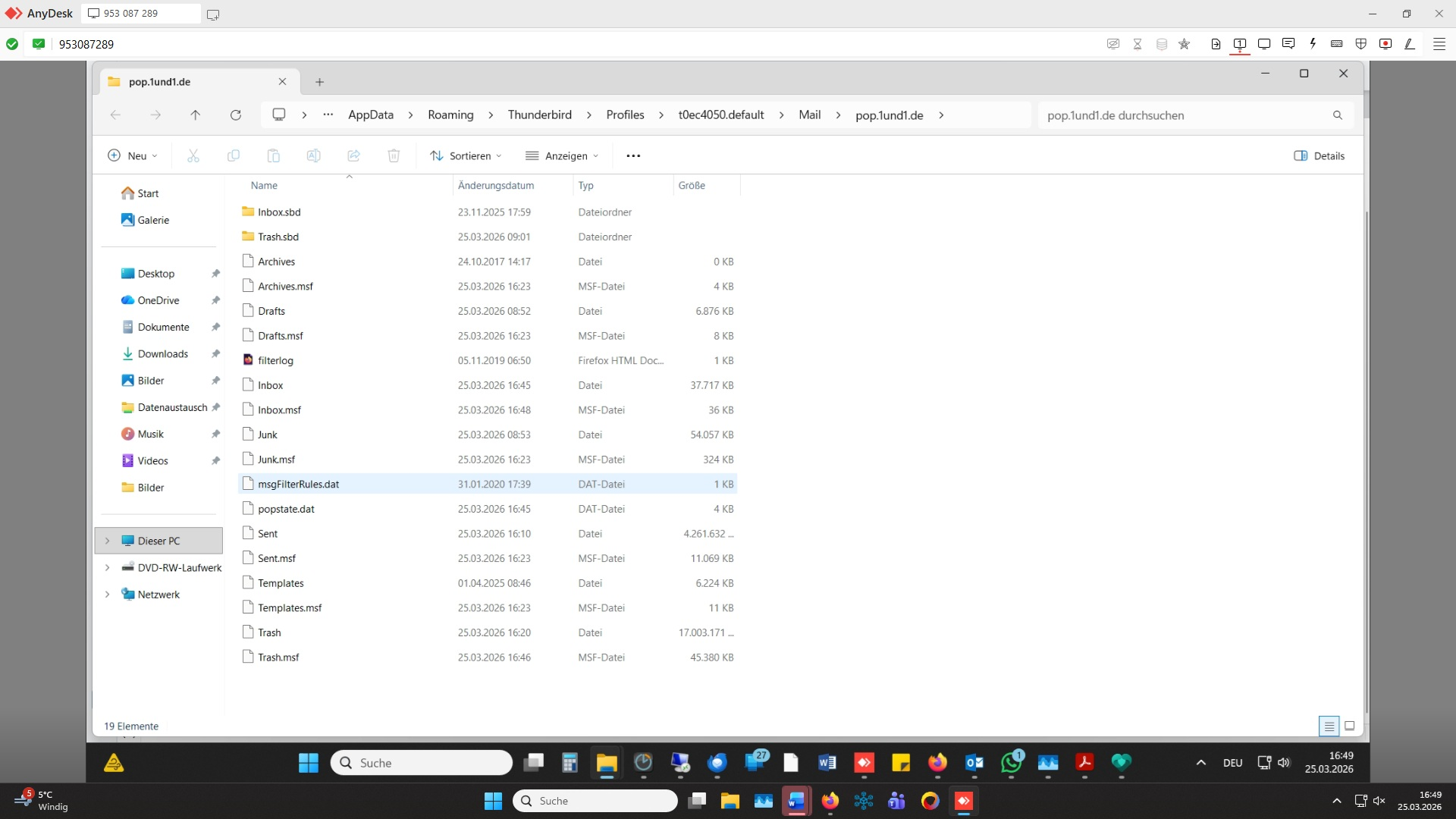
there is a file trash.sbd with 1,7 GB but theres also a file only named trash which has 17 GB so i think the mails are still there
All Replies (2)
A Trash folder is not meant to be an "All Mail" folder. Mailbox files of this size can get corrupt. If you want to keep messages forever save them in Local Folders.
To recover a fluid Thunderbird I propose the following actions: • in TB go to Help > Troubleshooting information > Profile Folder > Open Folder...., then quit TB • in the profile folder go to Mail and open pop.1und1.de • rename the Trash file in Trash-old and delete the Trash.msf file • now when you restart TB it will automatically create a new empty Papierkorb folder in your 1und1 account • I assume that TB will again run fluently and and you can delete messages which will go to the new Papierkorb
As for the fate of all those old messages stored in the presumably corrupt Trash (now Trash-old) file: on restart TB automatically has created an new index file for the Trash-old folder and maybe you can again select and read messages in Trash-old in TB. If not and if you really no longer need those old messages, go back in the profile folder and delete the 17 GB Trash-old file.
If you really need those old messages and you had a Mac you could split the big 17 GB mailbox file in let's say 17 smaller mailbox files with 1 GB each in less than a minute via a simple command line in the Terminal. Since you are using a Windows PC you'd have to search a mbox splitting tool in the web. When such a tool is freeware it won't be able to split a text file as big as yours, those which can split very big files are fee-paying.
Alternatively you might try to split manually your big 17 GB Trash-old text file in several smaller text files, but first you'd have to look for a very powerful text editor and secondly manually cutting this big file in smaller text portions (select > copy> paste) is a very strenuous activity.
Modified by Mapenzi

I do not keep my Trash full; but I am not seeing deleted messages going into Trash so I can later review them for full deletion. Since updating to Thuderbird 153.00, no messages have gone into Trash when I delete them. It makes managing my messages more complicated since I now have to pause during a busy day to consider removing an email message forever rather than review my deletions when it is convenient.