


Windows 10 reached EOS (end of support) on October 14, 2025. If you are on Windows 10, see this article.

Search Support

Avoid support scams. We will never ask you to call or text a phone number or share personal information. Please report suspicious activity using the “Report Abuse” option.

Learn More

Calendars keep disappearing!

  • No replies
  • 0 have this problem

I never had this problem and only been experiencing it recently.

After turning my computer off, turning back on and loading up Thunerbird, my calendars are not displaying again. I have to keep removing and readding again.

I am using Google Calendar that is linked to my phone and pc. The phone is fine and always displayings my appointments. I am using the "Provider for Google Calendar" extension on Thunderbird.

I at first though it could be OneDrive interfering with the data, but that does not make much sense as its a calendar hosted on Google, but still I configured and checked the OneDrive.

I am at a loss and getting fed up of having to readd my calendars back every day. So, I don't know if this was an update that did it, a broken extension, etc. But, I am desperate for a solution.

Regards
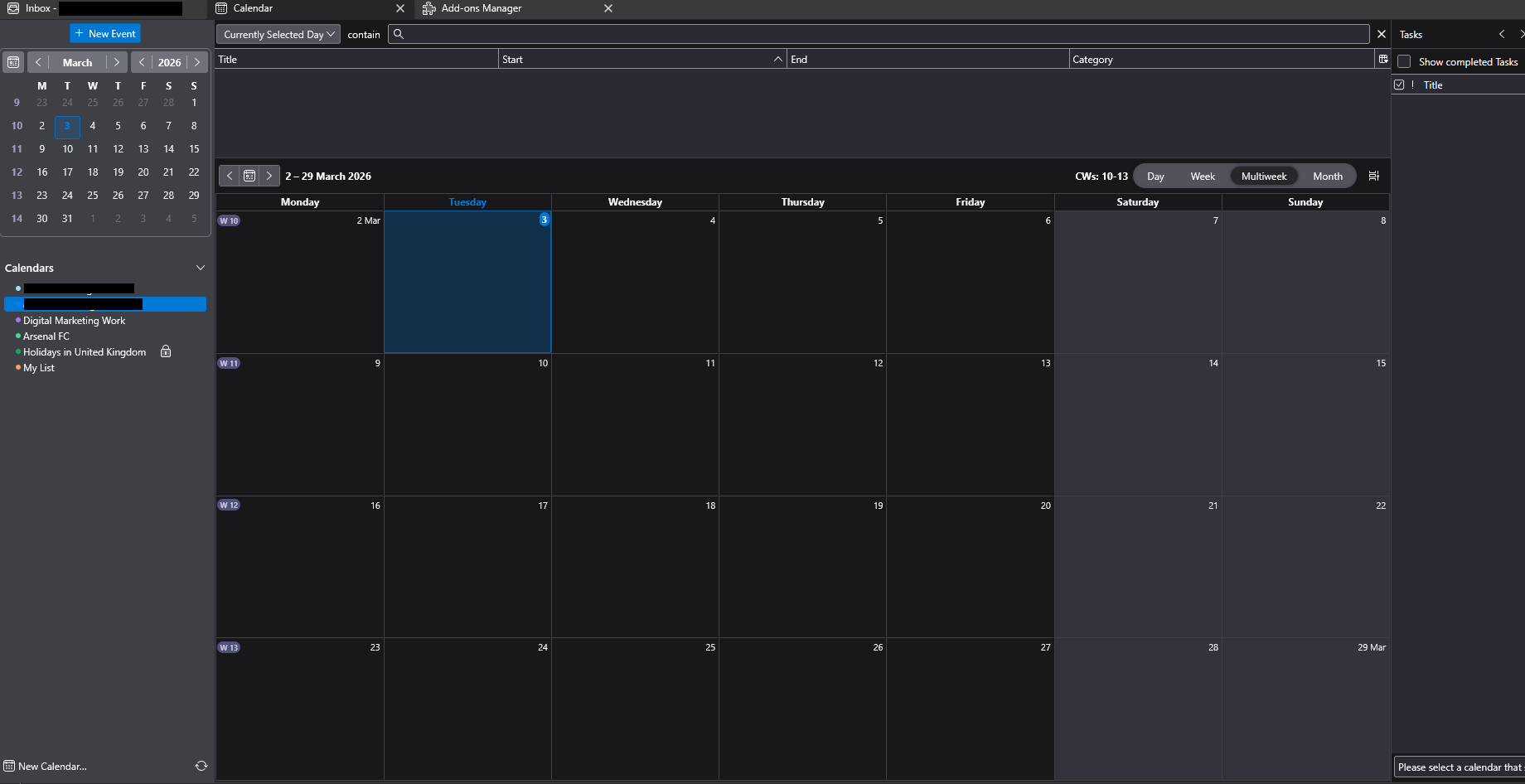
I never had this problem and only been experiencing it recently. After turning my computer off, turning back on and loading up Thunerbird, my calendars are not displaying again. I have to keep removing and readding again. I am using Google Calendar that is linked to my phone and pc. The phone is fine and always displayings my appointments. I am using the "Provider for Google Calendar" extension on Thunderbird. I at first though it could be OneDrive interfering with the data, but that does not make much sense as its a calendar hosted on Google, but still I configured and checked the OneDrive. I am at a loss and getting fed up of having to readd my calendars back every day. So, I don't know if this was an update that did it, a broken extension, etc. But, I am desperate for a solution. Regards
Attached screenshots

You must log in to your account to reply to posts. Please start a new question, if you do not have an account yet.