Thunderbird wiped out the tabs of emails at the top of the page again

I keep email tabs open if I am going to have to reference the email for some reason -- shipping product tracking emails, legal documents, threads of conversations that are ongoing. Every so often, Thunderbird decides to open with all of the tabs blank. It's unrecoverable, and I have to search each of the tabs I really needed to open up again after spending time X ing the blank ones.
I've been filing about this bug for years now. Mostly what I get is a bored moderator/mentor telling me why that isn't a priority, and how I should change my emailing behavior. I just lost track of several legal documents and am anticipating working for hours to get them back on top.
I'm very sick of it.
All Replies (1)
I've been filing about this bug for years now.
Where did you file those bugs? In https://bugzilla.mozilla.org/home ?
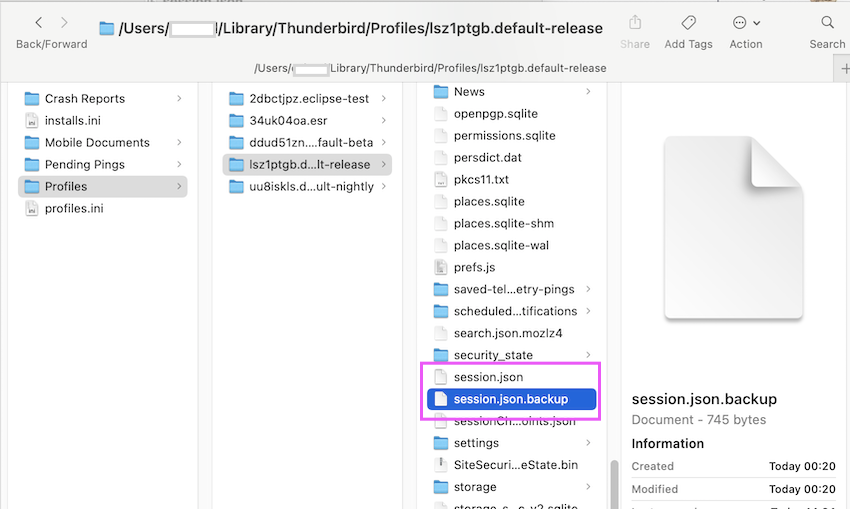
When you quit Thunderbird it stores data of open tabs in the session.json file which is located in the Thunderbird profile folder. At the same time the "former" session.json file is renamed in session.json.backup (see image) The next time when this happens open the Thunderbird profile folder https://support.mozilla.org/en-US/kb/profiles-where-thunderbird-stores-user-data and make a copy of the session.json.backup file which you keep on your desktop. Then quit Thunderbird, return to the profile folder, delete the actual session.json file, rename the session.json.backup file on your desktop in session.json' and move it in the profile folder. Then restart Thunderbird.