Windows 10 reached EOS (end of support) on October 14, 2025. If you are on Windows 10, see this article.

সহায়তা খুঁজুন

Avoid support scams. We will never ask you to call or text a phone number or share personal information. Please report suspicious activity using the “Report Abuse” option.

আরও জানুন
Open

Websites load slow or not at all despite fast internet connection

Cal replied
Cal

I find that my desktop browser firefox is very slow or doesn't work at all on a lot of websites like amazon or fortnine.

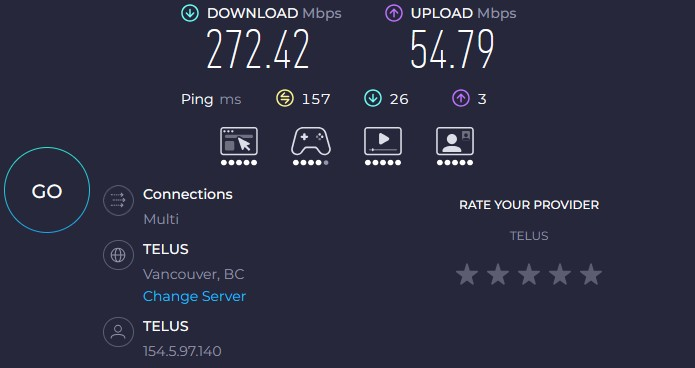
My internet connection and computer are not the issue: 270Mbps (wired connection) Processor AMD Ryzen 7 9800X3D 8-Core Processor (4.70 GHz) Installed RAM 32.0 GB (31.1 GB usable) Graphics card NVIDIA GeForce RTX 4070 Ti SUPER (16 GB) Storage 3.58 TB of 10.92 TB used System type 64-bit operating system, x64-based processor (Windows 11)

My old PC and my mobile phone runs these website fine.

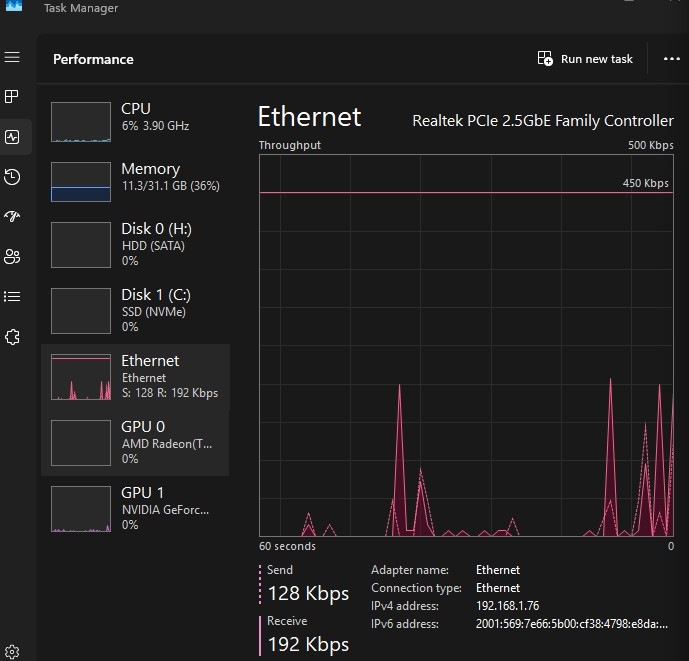
Sometimes the website will work for a moment, but stop and just load for ever after I open a new tab or clink a link. My task manager doesn't show any ethernet usage despite the tabs indicating they are trying to load. Refreshing the tabs does nothing and no matter how long I leave them they don't load. All my drivers, OS and programs are up to date. I have disabled my enhanced tracking protection and I don't have any adblockers. I have tried using the CMD "ipconfig -renew" and using ccleaner to clear out my cookies and cache but, nothing seems to have any lasting effect.

I am losing my mind trying to fix this. Why can I not browse the internet on my PC?

Any help on this would be amazing and much appreciated.

Sincerely, Calvin
I find that my desktop browser firefox is very slow or doesn't work at all on a lot of websites like amazon or fortnine. My internet connection and computer are not the issue: 270Mbps (wired connection) Processor AMD Ryzen 7 9800X3D 8-Core Processor (4.70 GHz) Installed RAM 32.0 GB (31.1 GB usable) Graphics card NVIDIA GeForce RTX 4070 Ti SUPER (16 GB) Storage 3.58 TB of 10.92 TB used System type 64-bit operating system, x64-based processor (Windows 11) My old PC and my mobile phone runs these website fine. Sometimes the website will work for a moment, but stop and just load for ever after I open a new tab or clink a link. My task manager doesn't show any ethernet usage despite the tabs indicating they are trying to load. Refreshing the tabs does nothing and no matter how long I leave them they don't load. All my drivers, OS and programs are up to date. I have disabled my enhanced tracking protection and I don't have any adblockers. I have tried using the CMD "ipconfig -renew" and using ccleaner to clear out my cookies and cache but, nothing seems to have any lasting effect. I am losing my mind trying to fix this. Why can I not browse the internet on my PC? Any help on this would be amazing and much appreciated. Sincerely, Calvin
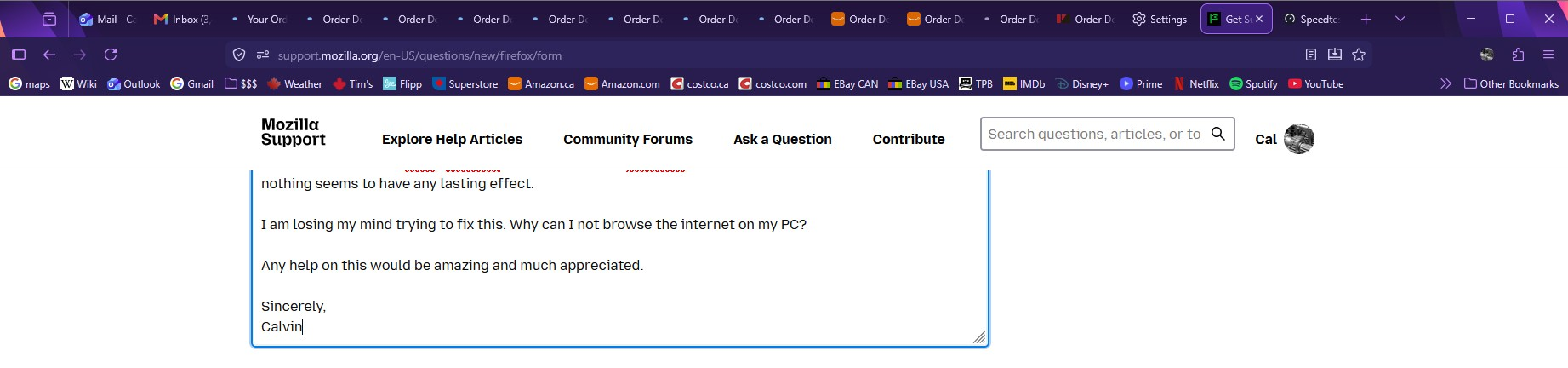
স্ক্রিনশটসমূহ সংযুক্ত হয়েছে

All Replies (1)

I have also disabled the green "efficiency mode" thing that would show up in task manager for firefox with no benefit.

একটি প্রশ্ন জিজ্ঞাসা করুন

You must log in to your account to reply to posts. Please start a new question, if you do not have an account yet.