


Firefox does not save all my bookmarks !

Hi,
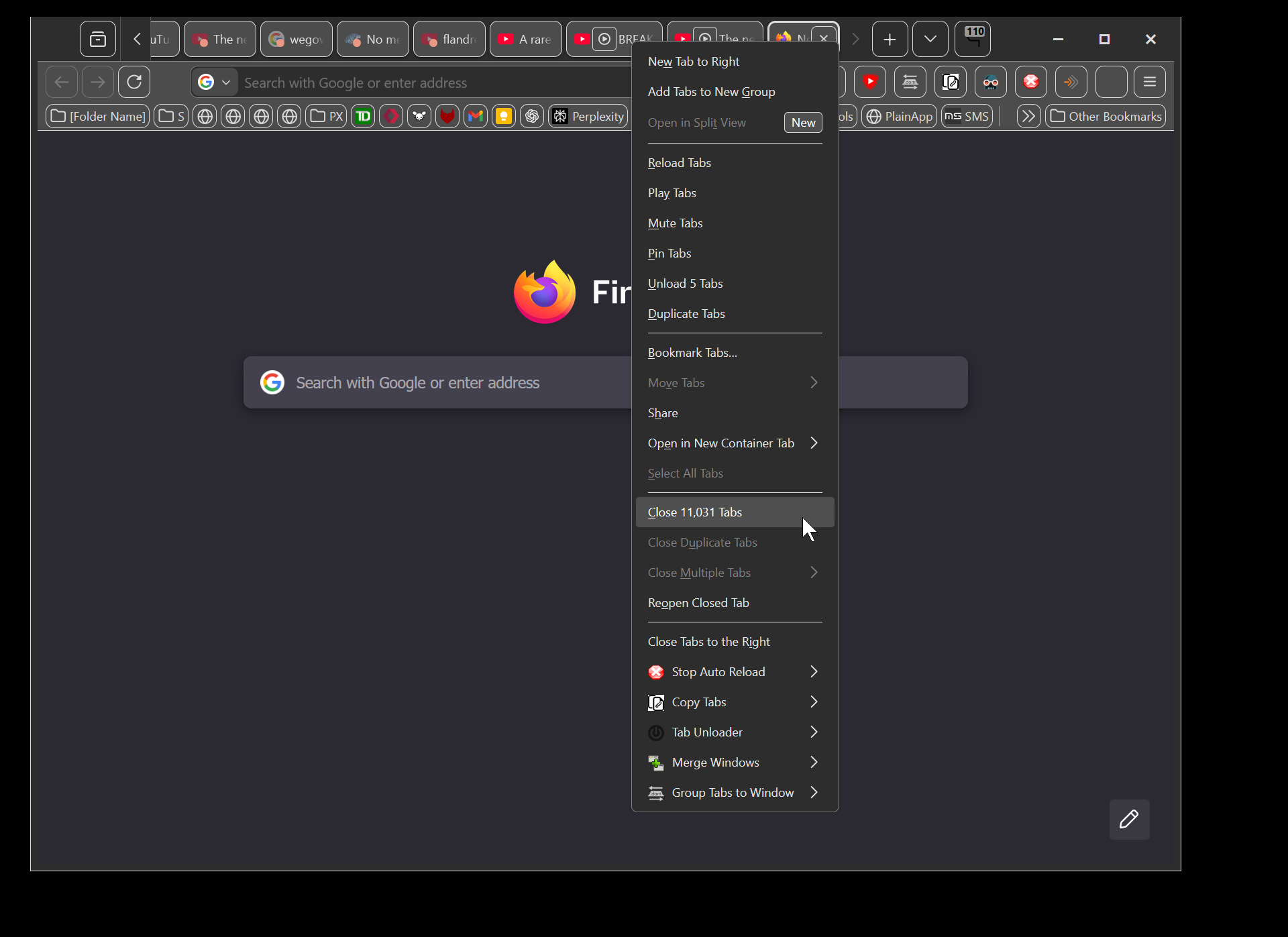
I had 11031 tabs open. I decided to save all of them because my browser was getting slow.
Just running "select all" was taking minutes, and resizing the window was very very sluggish.
So I selected them all
(screenshot 1)
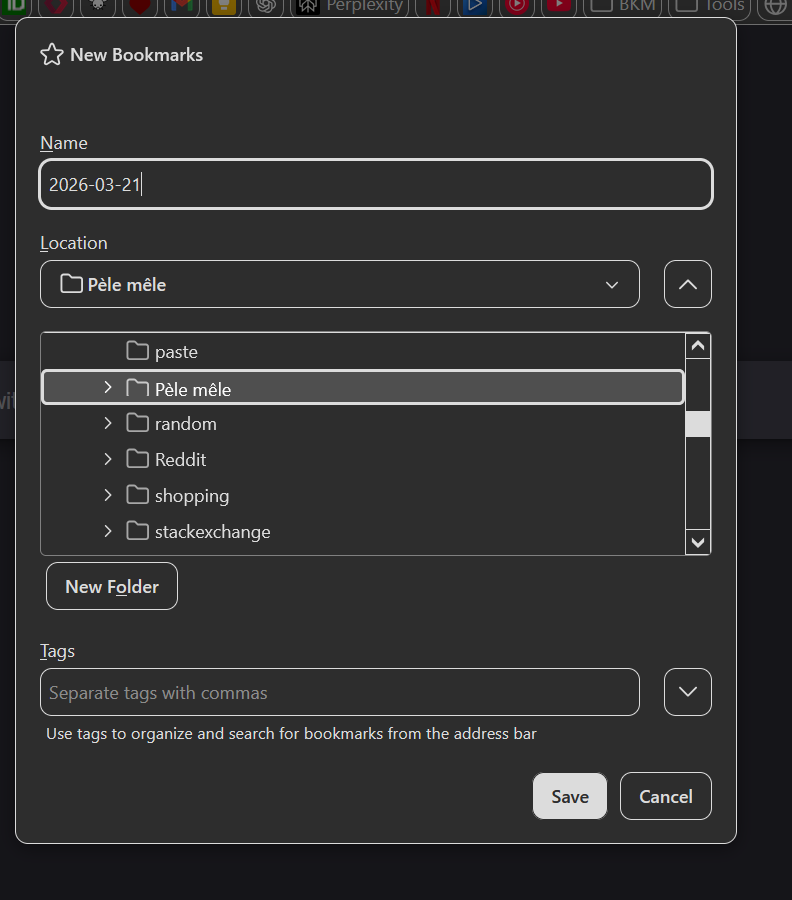
then I added them to a bookmark folder
(screenshot 2)
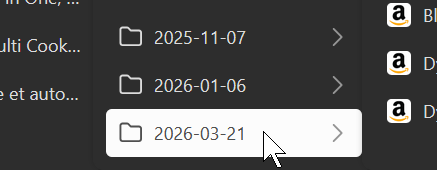
Then I went in the toolbar where that bookmark folder was created, and I middle-clicked on it to open all tabs again.
(screenshot 3)
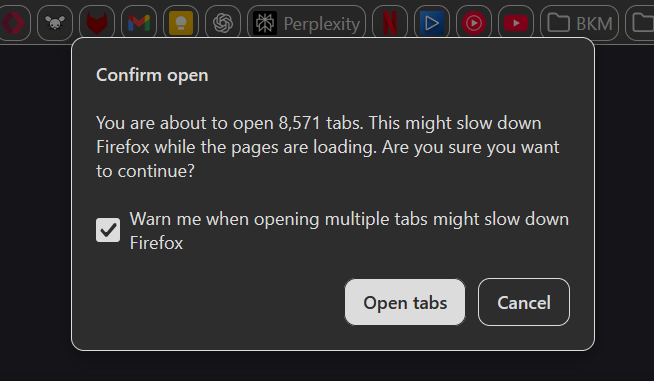
And then the warning "you are about to open X tabs" appears
(screenshot 4)
And the problem is that the number is 8571 not the 11031
Why is firefox losing 2460 of my tabs ?
Also, bookmarking all the tabs, took 4 seconds, while selecting all tabs too minutes. I think the "select all" function could do well to have some optimization as it starts getting slow with as few as 1000 tabs. And
All Replies (2)
How big is your sessionstore.jsonlz4 file?
Do you have tab open to the same URL and are all tabs regular webpages as some tabs might not be included with bookmark all tabs?
If you still have a sessionstore file that has all your tabs then you could try to restore this sessionstore file. Maybe is it a good idea to try this in a new profile.
Backup the session files in the sessionstore-backups folder in the Firefox profile folder to make sure you do not lose possible important session data. Do NOT close Firefox when Firefox is already running.
You will normally find these files in the sessionstore-backups folder:
- previous.jsonlz4 (cleanBackup: copy of sessionstore.jsonlz4 from previous session that was loaded successfully)
- recovery.jsonlz4 (latest version of sessionstore.jsonlz4 written during runtime)
- recovery.baklz4 (previous version of sessionstore.jsonlz4 written during runtime)
- upgrade.jsonlz4-<build_id> (backups created during a Firefox update)
You can copy a file with Firefox closed from the sessionstore-backups folder to the main profile folder and rename the file to sessionstore.jsonlz4 to replace the current file.
- make sure to backup the current sessionstore.jsonlz4
You can look at this tool to inspect a compressed jsonlz4 sessionstore file. I don't know whether this tool can handle the amount of tabs you have. This tool works locally, no uploading is done.
I recently posted a script for the Browser Console to use the built-in Firefox functionality to decompress LZ4 compressed files.
Here is another script for the Browser Console to save the current session state, using this in the Browser Console you get PB mode windows included. You can save as a compressed (use .jsonlz4) or uncompressed (use .json) file. You can restore a session with this line in the Browser Console, paste the session data in the prompt.
- if(ssj = prompt('Restore Session','?')){SessionStore.setBrowserState(ssj)}
/* Save Session data to .json or .jsonlz4 - IOUtils */
var ssj = SessionStore.getBrowserState();
if(ssj){
 async function writeFile(aFile,ssj){
  await IOUtils.writeUTF8(aFile,ssj,/lz4$/.test(aFile) ? {compress:true} : {compress:false});
 }
 function dts(d){
  return(d.getFullYear()+"-"+(d.getMonth()+1).toString().padStart(2,"0")+"-"+d.getDate().toString().padStart(2, "0")+"_"+d.toTimeString().replace(/:/g,"-").split(" ")[0])
 }
 var fp = Cc["@mozilla.org/filepicker;1"].createInstance(Ci.nsIFilePicker);
 fp.init(window.browsingContext, "Save Session", Ci.nsIFilePicker.modeSave);
 fp.appendFilter("JSON/LZ4 Files", "*.json*");
 fp.defaultString = "sessionstore-"+dts(new Date())+".jsonlz4";
 fp.open(aResult => {
  if (aResult == Ci.nsIFilePicker.returnOK || aResult == Ci.nsIFilePicker.returnReplace) {
   try {
    writeFile(fp.file.path, ssj);
    alert("Saved as:\n" + fp.file.path);
   } catch (err) {alert(err);}
  } else {alert("CANCELED");}
 });
}