


after 28.0a1 18nov update, firefox does not display pages, background color only

no proxy setting in nighlty, no Windows firewall or thirdy part active
Избрано решение
Tools > Add-ons should pop open the Add-ons window.
Променено на от guigs
Всички отговори (4)
Hello ddinno,
Thank you for contacting Mozilla Support. We are sorry that the Nightly version of Firefox is not working correctly for you. Please remember that this version is still being tested and it is possible that these issues will be corrected at a later date.
If you want to leave feedback for Firefox developers, you can go to the Firefox Help menu and select Submit Feedback... or use this link. Your feedback gets collected at http://input.mozilla.org/, where a team of people read it and gather data about the most common issues.
Cheers, Patrick
Create a new profile as a test to check if your current profile is causing the problems.
See "Creating a profile":
- https://support.mozilla.org/kb/profile-manager-create-and-remove-firefox-profiles
- http://kb.mozillazine.org/Standard_diagnostic_-_Firefox#Profile_issues
If the new profile works then you can transfer some files from an existing profile to the new profile, but be cautious not to copy corrupted files to avoid carrying over the problem.
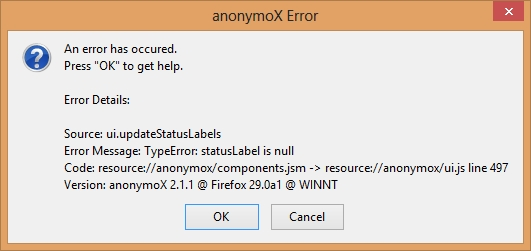
so the problem is anonymoX 2.1.1 add-ons not firefox profile, how to uninstall it? (I can not see the add-ons window) thank you in advance
Променено на от ddinno
Избрано решение
Tools > Add-ons should pop open the Add-ons window.
Променено на от guigs