


I've created a problem for myself regarding .swf files

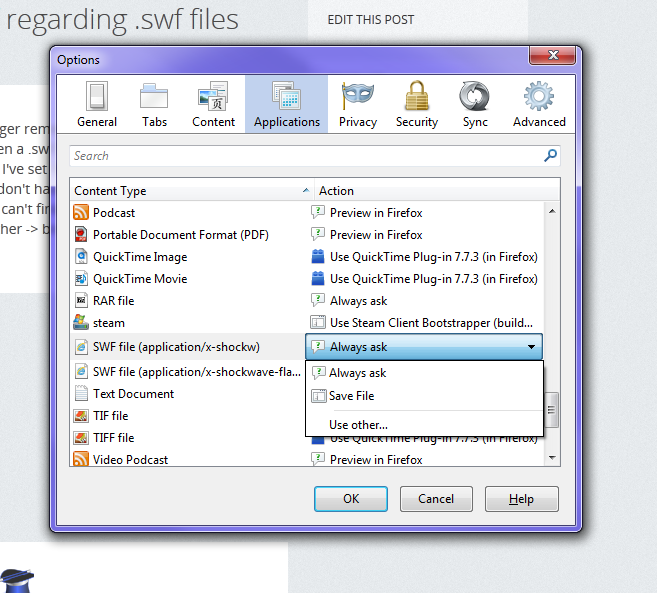
At some point, for reasons I can no longer remember, I changed the way in which Firefox handles being told to open a .swf file. By default, it used to use Shockwave Flash, in a Firefox tab. Now I've set it to "Always ask" in the Options -> Applications window, and I don't have an option to change it back to "Use Shockwave Flash (in Firefox)". I can't find the Shockwave plugin anywhere on my system under "Use other -> browse" in the options. Can anyone help?
At some point, for reasons I can no longer remember, I changed the way in which Firefox handles being told to open a .swf file. By default, it used to use Shockwave Flash, in a Firefox tab. Now I've set it to "Always ask" in the Options -> Applications window, and I don't have an option to change it back to "Use Shockwave Flash (in Firefox)". I can't find the Shockwave plugin anywhere on my system under "Use other -> browse" in the options. Can anyone help?
Всички отговори (2)
Image of the problem.
You can delete the mimeTypes.rdf file in the Firefox Profile Folder to reset all file actions.