


Windows 10 reached EOS (end of support) on October 14, 2025. If you are on Windows 10, see this article.

Търсене в помощните статии

Избягвайте измамите при поддръжката. Никога няма да ви помолим да се обадите или изпратите SMS на телефонен номер или да споделите лична информация. Моля, докладвайте подозрителна активност на "Докладване за злоупотреба".

Научете повече
Open

Viewing particular Mails freezes Thunderbird

julian46 replied
julian46

For a few days I'm having trouble with Asana mails (notification mails informing me about replies, comments, etc).

Clicking on the mail to view it freezes Thunderbird for a good 5 seconds while one CPU core spins at 100%. This only happens with Asana mails (or at least I haven't found any other problematic senders).

I guess it's a problem with validation or parsing of the mail's HTML content. But I don't know how to debug this.

I can't pinpoint exactly when it started happening, but it was around the time I've switched to the [new snap release track](https://support.mozilla.org/en-US/kb/channel-choices-thunderbird-snap-and-flatpak#w_snap-channel-changes-in-2026). But since this happens with Snap and Flatpak I think the culprit may be the 153.0 update.

Things I've tried:

  • Clearing cache and msf files.
  • Troubleshooting mode with add-ons disabled.
  • Reinstallation. Creating new profile + importing old data.
  • Switching from Snap to Flatpak
  • Switching Message Body display to Plan Text or Simple HTML.
  • Disabling HW acceleration.
  • Checking console for suspicious output.

Anything I can do to create handle the problem or collect information for a proper bug report?

For a few days I'm having trouble with Asana mails (notification mails informing me about replies, comments, etc). Clicking on the mail to view it freezes Thunderbird for a good 5 seconds while one CPU core spins at 100%. This only happens with Asana mails (or at least I haven't found any other problematic senders). I guess it's a problem with validation or parsing of the mail's HTML content. But I don't know how to debug this. I can't pinpoint exactly when it started happening, but it was around the time I've switched to the [new snap release track](https://support.mozilla.org/en-US/kb/channel-choices-thunderbird-snap-and-flatpak#w_snap-channel-changes-in-2026). But since this happens with Snap and Flatpak I think the culprit may be the 153.0 update. Things I've tried: * Clearing cache and msf files. * Troubleshooting mode with add-ons disabled. * Reinstallation. Creating new profile + importing old data. * Switching from Snap to Flatpak * Switching Message Body display to Plan Text or Simple HTML. * Disabling HW acceleration. * Checking console for suspicious output. Anything I can do to create handle the problem or collect information for a proper bug report?

Променено на от julian46

Всички отговори (2)

I've asked Julian to email me a copy of a problem email.

I've sent the information.

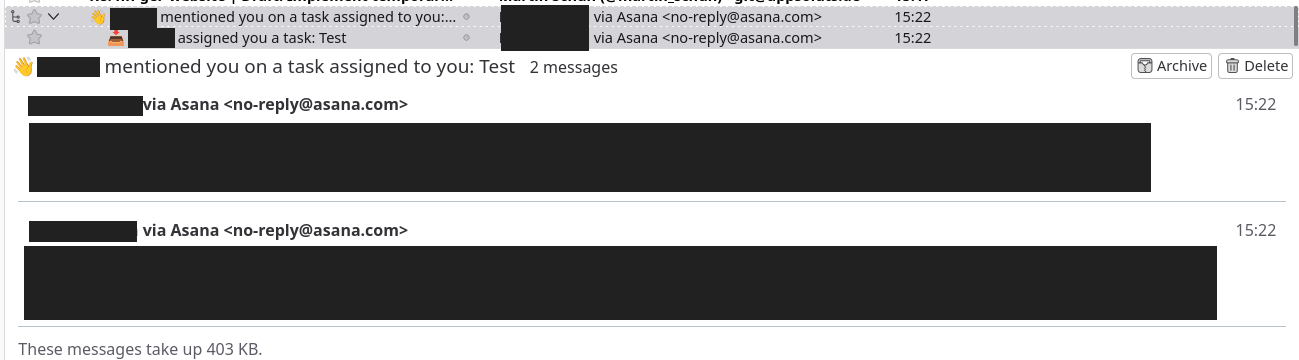
On that note, I also found out that the freeze does not occur when selecting several of the emails at once. Likely because the messages only show a summary rather than the full contents. See screenshot for what I mean.
Задаване на въпрос

You must log in to your account to reply to posts. Please start a new question, if you do not have an account yet.