


TB for Mac - lost connection to all my email accounts and all my email records

I had to restart my Mac. When TB restarted during relaunch of the Mac, it was like TB starting fresh. It didn't display my email accounts, or my folders with saved emails, etc.
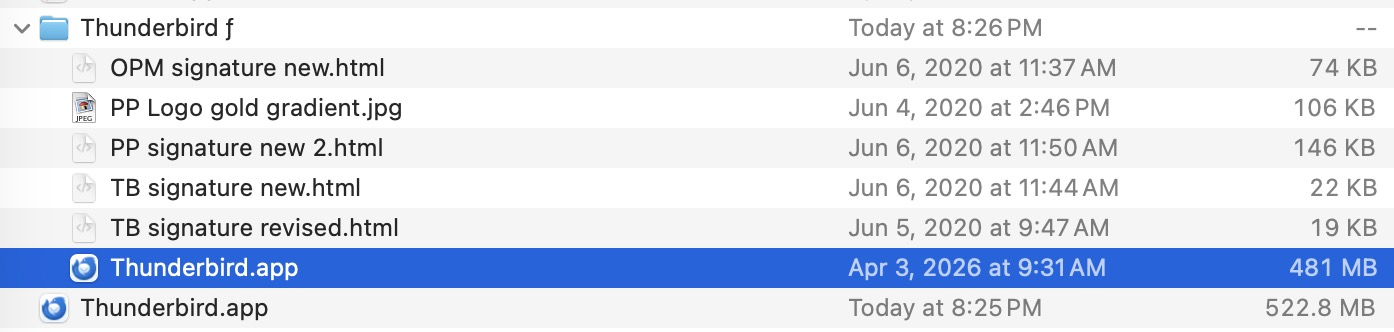
I quit TB and looked for it in my Applications folder - and I found two versions of TB. Inside the Thunderbird folder was version 140.9.0esr. Outside the Thunderbird folder was version 150.0. See attached screen grab.
I thought I should try launching the newer version (which was outside the folder). So I moved the 140.9.0 version to the trash, then launched the newer version – and it had the same problem. It looked like I was starting TB from scratch.
Next I quit TB (the newer version) and moved the older version out of the trash and back into the TB folder and double-clicked on it. A dialog box popped up saying that the file is damaged and can't be launched.
So I tried launching the newer version again, and it still looks like starting from scratch.
I really hope somebody can help me solve this. I can't access any of my email accounts or any of my stored emails. I use email for work (as most of us do), so this is crippling me.
Thanks in advance for any help.
Избрано решение
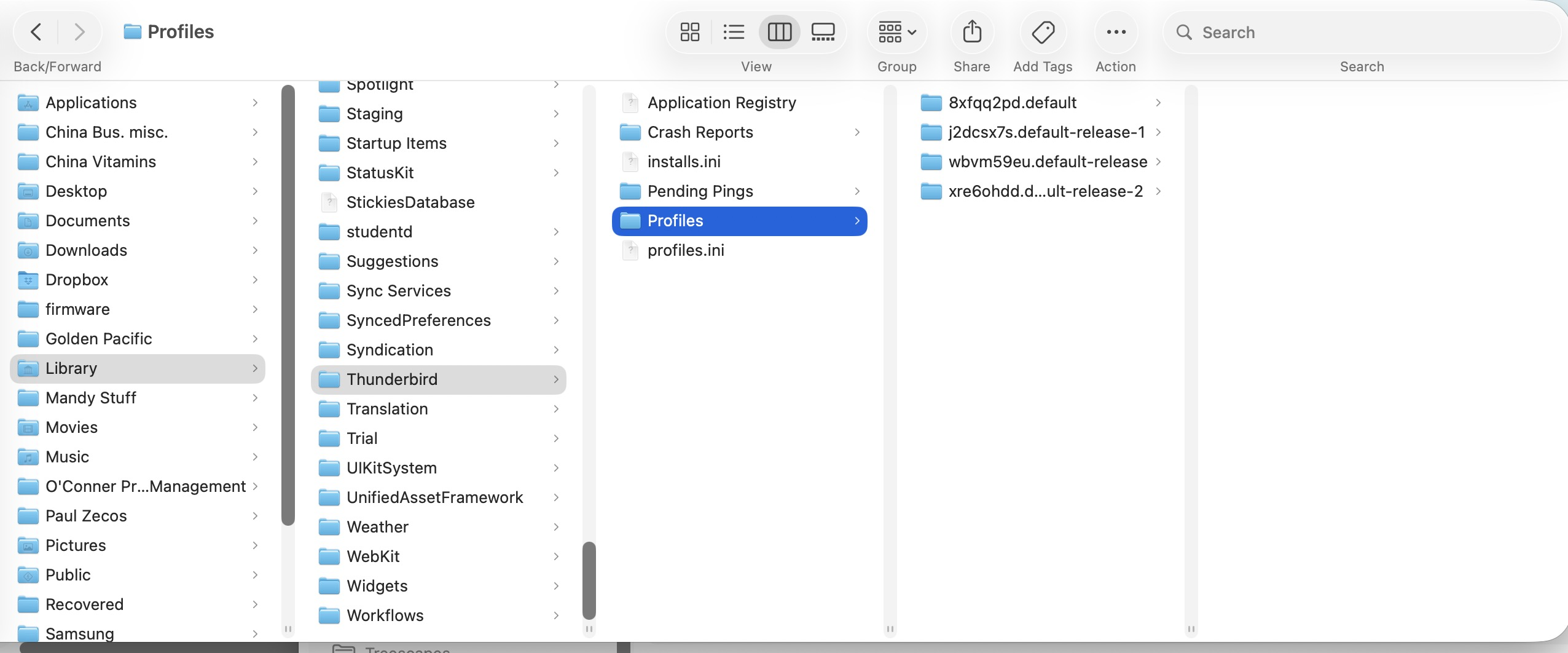
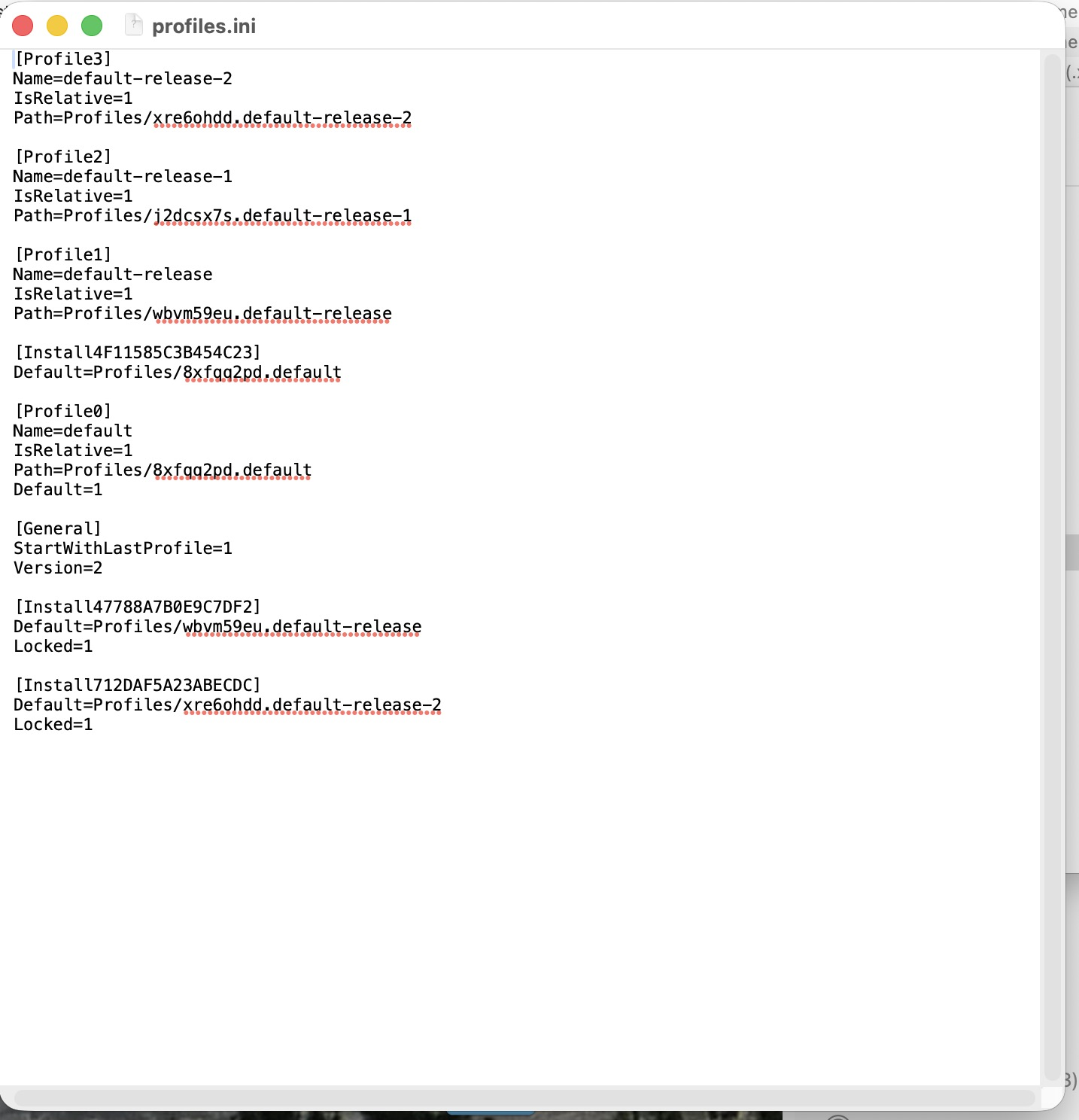
Thanks for the pictures. I think that your original profile is in the 8xfqq2pd.default folder, but actually Thunderbird on startup automatically opens one of the other profiles. To open Thunderbird in another profile we'll start the TB profile manager with the following workaround: Quit Thunderbird with the ⌘ + Q shortcut. • Open the user library as described above, go to Thunderbird and open the profiles.ini file in TextEdit. • In the line StartWithLastProfile=1 replace the number 1 with a 0 (zero) and save the modification (image). • Now when you start Thunderbird it will open a small window containing the profile manager (2nd image) • select the "default" profile and hit Start Thunderbird • Thunderbird will open the profile "default", verify if all your email accounts are displayed.
If this is not your old profile, quit TB again. Then restart and choose the profile default-release in the profile manager.
Прочетете този отговор в контекста 👍 0Всички отговори (17)
Maybe on the Thunderbird (TB) restart after rebooting your Mac the prefs.js file in the Thunderbird profile got damaged and was replaced by a new virgin pref.js file which doesn't contain any account settings. Which would explain that TB on startup prompts to "set up your existing email address". It is rather difficult to understand the follow-up of your mishaps. I am also intrigued by your screen shot showing a "Thunderbird f" folder in Applications. I guess that actually when you launch the Thunderbird 150 version it tries to open the profile folder which had been used with the version 140.9.0esr. This doesn't work since each TB version can run only with its dedicated profile https://support.mozilla.org/en-US/kb/dedicated-profile-thunderbird-installation
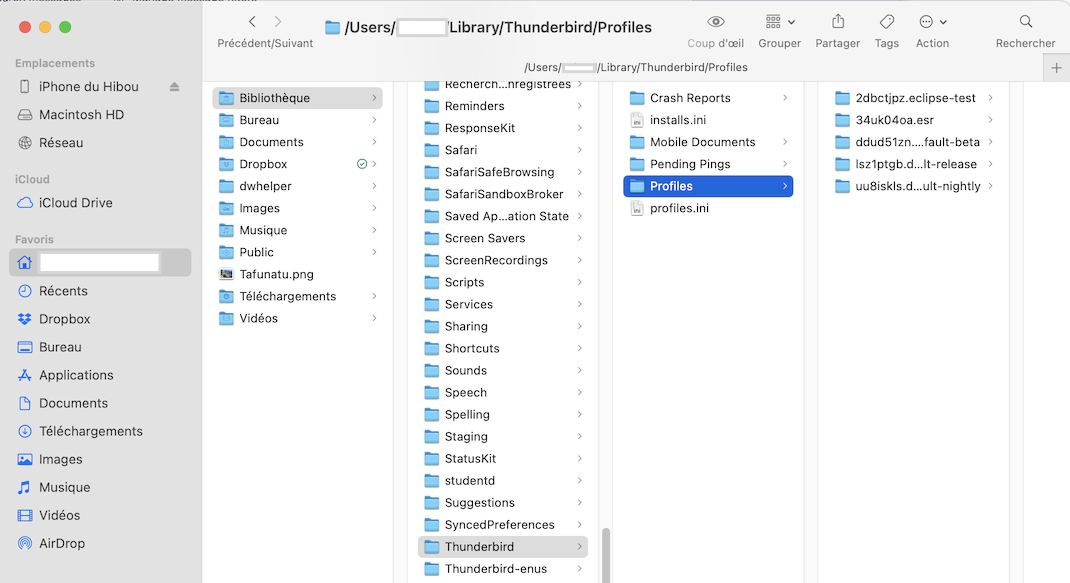
To be able to help you I need some screen shots to have an idea about your actuel profile mismatch. Verify that Thunderbird is completely closed (⌘ + Q) To begin with I want you to open a Finder window and select your "Home" folder in the left pane. Then display your - normally hidden - "User Library" in this Finder window as described here https://support.native-instruments.com/hc/en-us/articles/360020012418-Accessing-the-Hidden-User-Library-macOS You'll see a Finder window similar to mine in my added image. Please make a screen shot of the contents of the "Profiles" folder. Then open the file "profiles.ini" with TextEdit.app and make a screen shot of its contents.
If there are several profile folders in "Profiles" open each one and look for any prefs-1.js, prefs-2.js .... prefs-x.js or invalidprefs.js files.
Променено на от Mapenzi
Hi Mapenzi,
Thanks for your reply. I did what you said. I attached screenshots of the two images that you requested.
Does this give you any information that will help me re-connect TB to all my email accounts and storage?
BTW, when I launch TB, it doesn't ask me to set up new mail accounts. I attached a screenshot of what I see when I launch TB. It shows the oldest email account that I have, but not the other three that I use. And none of the folders that store email history are present.
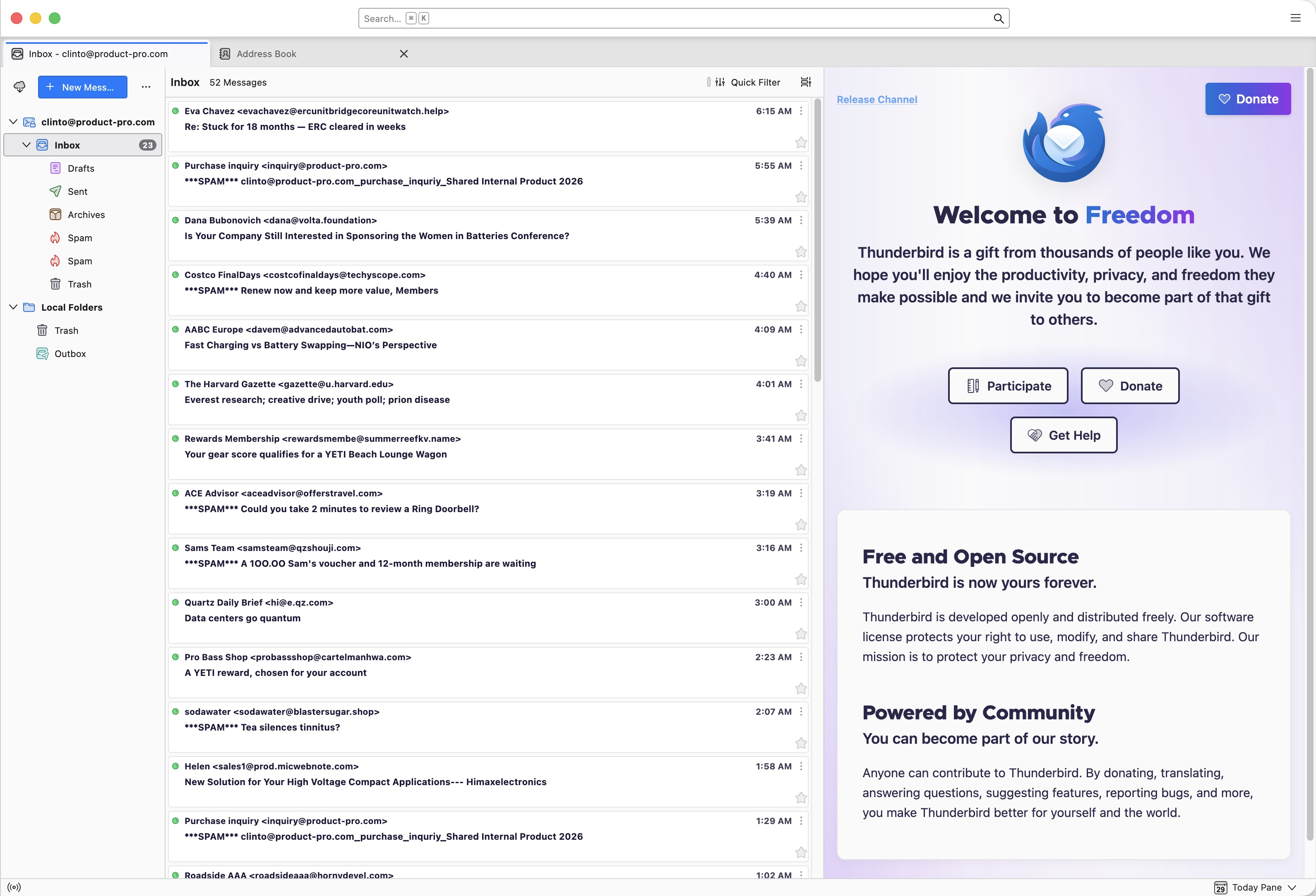
Променено на от clintoconner2
Избрано решение
Thanks for the pictures. I think that your original profile is in the 8xfqq2pd.default folder, but actually Thunderbird on startup automatically opens one of the other profiles. To open Thunderbird in another profile we'll start the TB profile manager with the following workaround: Quit Thunderbird with the ⌘ + Q shortcut. • Open the user library as described above, go to Thunderbird and open the profiles.ini file in TextEdit. • In the line StartWithLastProfile=1 replace the number 1 with a 0 (zero) and save the modification (image). • Now when you start Thunderbird it will open a small window containing the profile manager (2nd image) • select the "default" profile and hit Start Thunderbird • Thunderbird will open the profile "default", verify if all your email accounts are displayed.
If this is not your old profile, quit TB again. Then restart and choose the profile default-release in the profile manager.
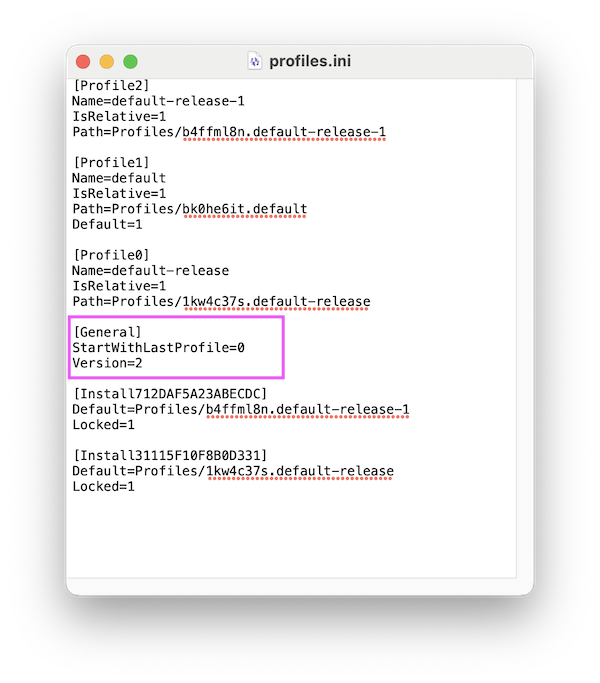
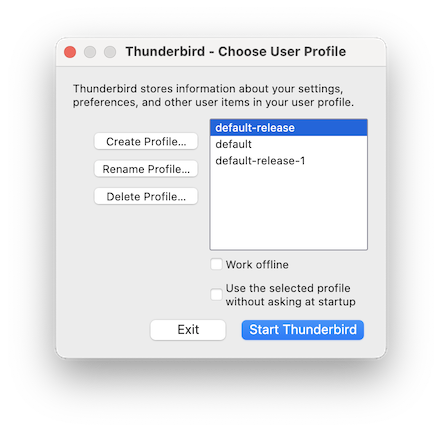

So the "default" profile really is your old working profile and all your accounts and messages are back? Now the next time you start TB and the profile manager opens you can set a check-mark before "Use the selected profile without asking at startup". This way TB will automatically open your default profile without first open the profile manager window.
<<So the "default" profile really is your old working profile and all your accounts and messages are back?>> Yes! <<Now the next time you start TB and the profile manager opens you can set a check-mark before "Use the selected profile without asking at startup". >> Will do! Thanks again.
You're welcome! I'm glad i could help you restoring your original TB profile.

I'm having the same issue but the solution is not working for me. I did log back in to one of my email accounts before searching for the solution and that is the profile that keeps opening, not my older one with all my accounts and extensions.
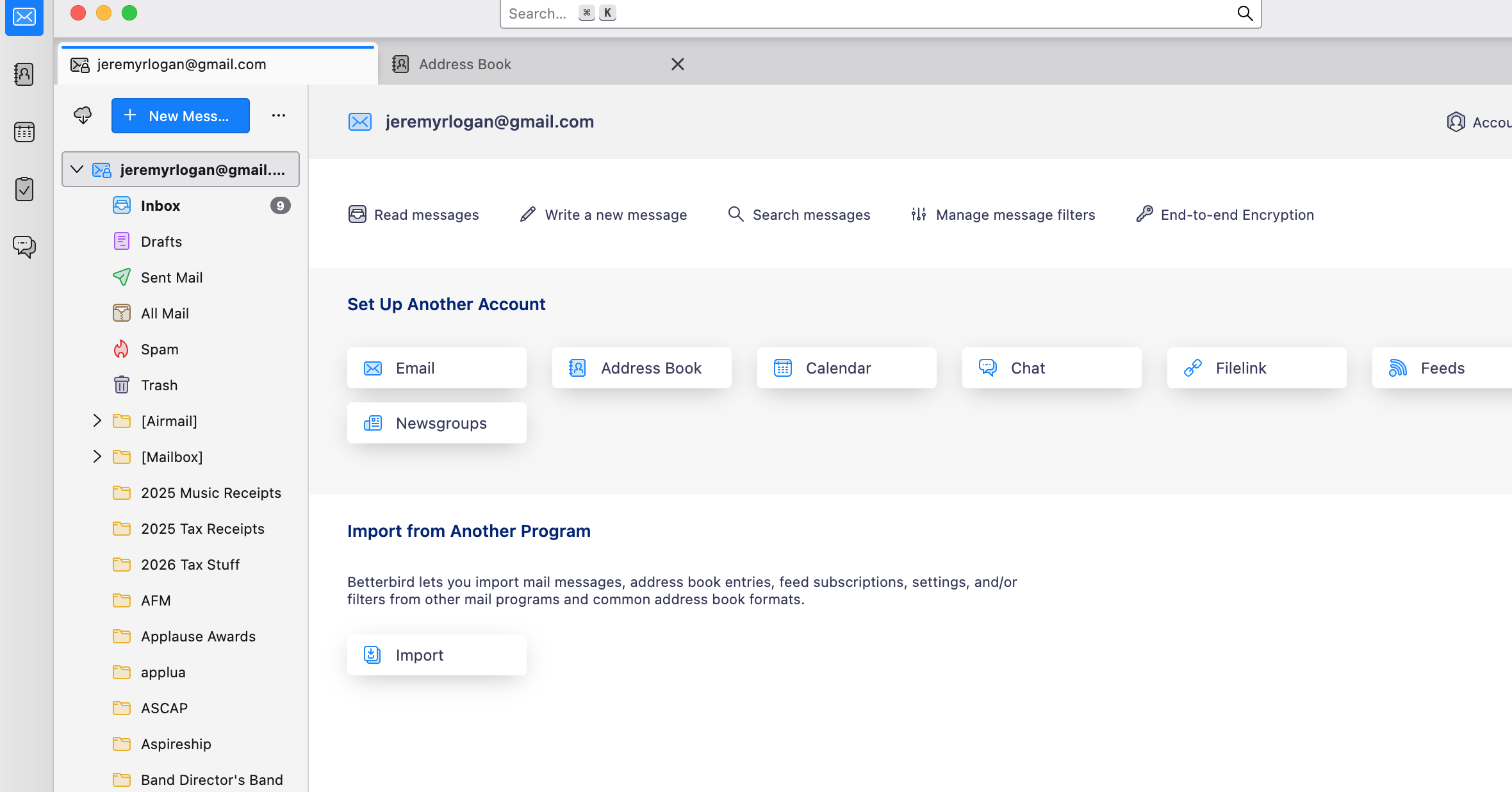
@Jeremy, Not sure that your problem is the same as the thread starter's since you don't give any information about what happened before you "lost" your old profile. Did you install a new version of Thunderbird? Did you experience a crash of Thunderbird or of your Mac? Did Thunderbird on startup suddenly open in a window prompting to "set up your existing email address"?
Please show the same screen shots with the contents of the "Profiles" folder and the profiles.ini file which I had asked clintoconner2 to do.
Sorry, was typing quick before a class came in.
I had Thunderbird open, I went to filter something to search for an email, nothing loaded. I clicked back to my inbox, but nothing would come up in the unified inbox (only when I clicked on individual inboxes), so I cmd + Q quit. When I opened it back up seconds later it was like a fresh install.
I am new to Thunderbird and have only been using it for about a week so I'm still learning the ins and outs.
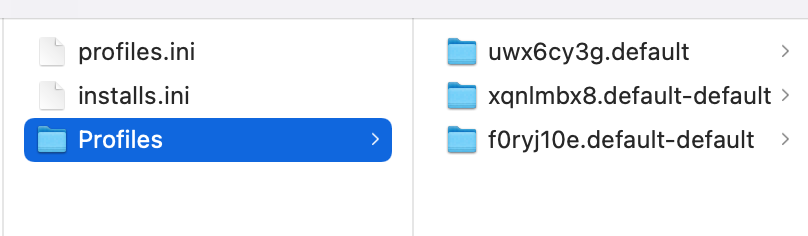
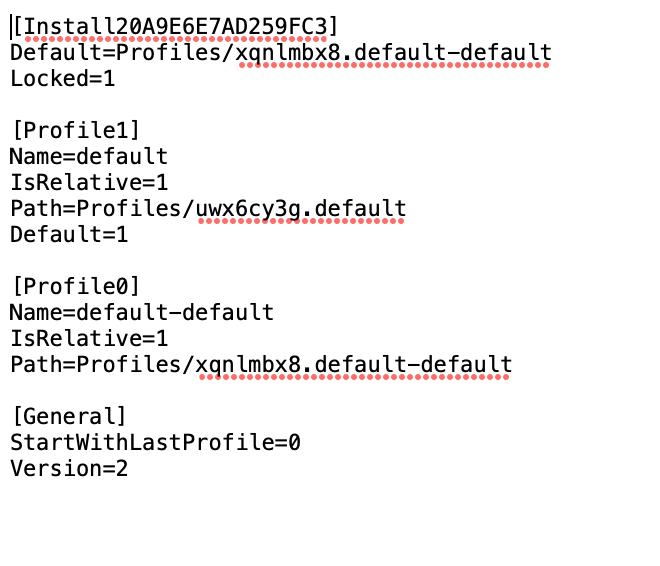
Променено на от Jeremy Logan
Your problem is a bit more tricky since you have two *******.default-default profile folders in "Profiles".... ...... From here I wiped out my initial reply since I think that I had misjudged your problem. So please read my new reply beyond.
Променено на от Mapenzi
Jeremy Logan said
When I opened it back up seconds later it was like a fresh install.
Was it then when Thunderbird opened like in a fresh install, prompting to "set up your existing email address", that you created the gmail account shown in your first screen shot? IF YES, I think that the prefs.js file in your profile got corrupted and has been renamed in prefs-1.js (or invalidprefs.js) whilst Thunderbird ad hoc created an new virgin prefs.js file which doesn't contain any account settings. So please open your profile folder xqnlmbx8.default-default, search for the prefs.js file and look up its size. Also search for any other bigger prefs-x.js file with the actual date
Mapenzi said
Jeremy Logan said
When I opened it back up seconds later it was like a fresh install.Was it then when Thunderbird opened like in a fresh install, prompting to "set up your existing email address", that you created the gmail account shown in your first screen shot? IF YES, I think that the prefs.js file in your profile got corrupted and has been renamed in prefs-1.js (or invalidprefs.js) whilst Thunderbird ad hoc created an new virgin prefs.js file which doesn't contain any account settings. So please open your profile folder xqnlmbx8.default-default, search for the prefs.js file and look up its size. Also search for any other bigger prefs-x.js file with the actual date
It's 10 KB. I don't see other prefs files anywhere int he folder.
Yes, when it opened for the fresh install is when I recreated the gmail account in my first screenshot.
Jeremy Logan said
It's 10 KB. I don't see other prefs files anywhere int he folder.
This is really odd since your profiles.ini file indicates that Thunderbird is using the xqnlmbx8.default-default profile folder. A small 10 kB prefs.js file corresponds to a profile with one email account, not a profile with three email accounts. Are you 100% sure that in xqnlmbx8.default-default there is no prefs-1.js or invalidprefs.js file with a bigger size? In the meantime let's try a different approach to get more info: click on the App ≡ button in the upper right corner and select "Account Settings" (image) In Account settings go to Server Settings > Message Storage > Local Directory and make a screen shot of the path to the directory with your account folder - pop.xxx.xx or imap.xxx.xx - see my second image.
Did you use the POP or the IMAP protocol for your email accounts?
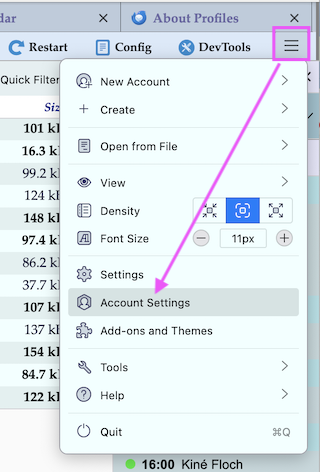
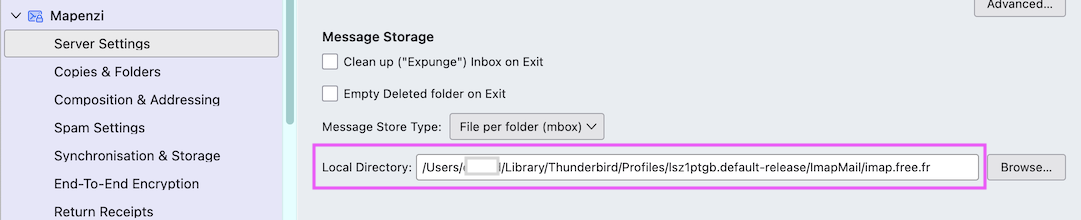
Променено на от Mapenzi
Mapenzi said
Jeremy Logan said
It's 10 KB. I don't see other prefs files anywhere int he folder.This is really odd since your profiles.ini file indicates that Thunderbird is using the xqnlmbx8.default-default profile folder. A small 10 kB prefs.js file corresponds to a profile with one email account, not a profile with three email accounts. Are you 100% sure that in xqnlmbx8.default-default there is no prefs-1.js or invalidprefs.js file with a bigger size? In the meantime let's try a different approach to get more info: click on the App ≡ button in the upper right corner and select "Account Settings" (image) In Account settings go to Server Settings > Message Storage > Local Directory and make a screen shot of the path to the directory with your account folder - pop.xxx.xx or imap.xxx.xx - see my second image.
Did you use the POP or the IMAP protocol for your email accounts?
Imap, and here is the screenshot of that folder and the pathway.
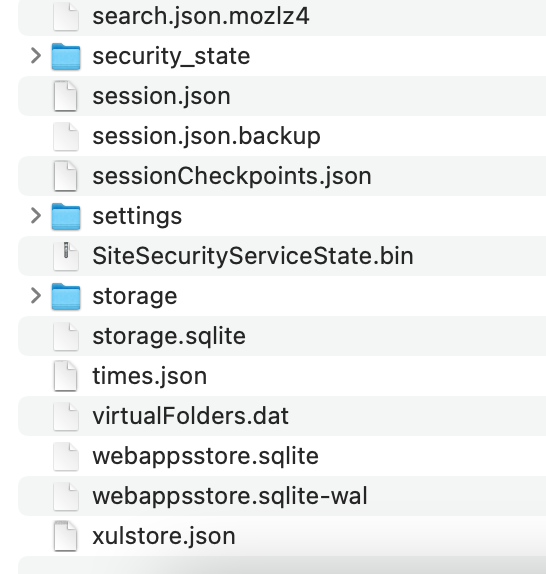

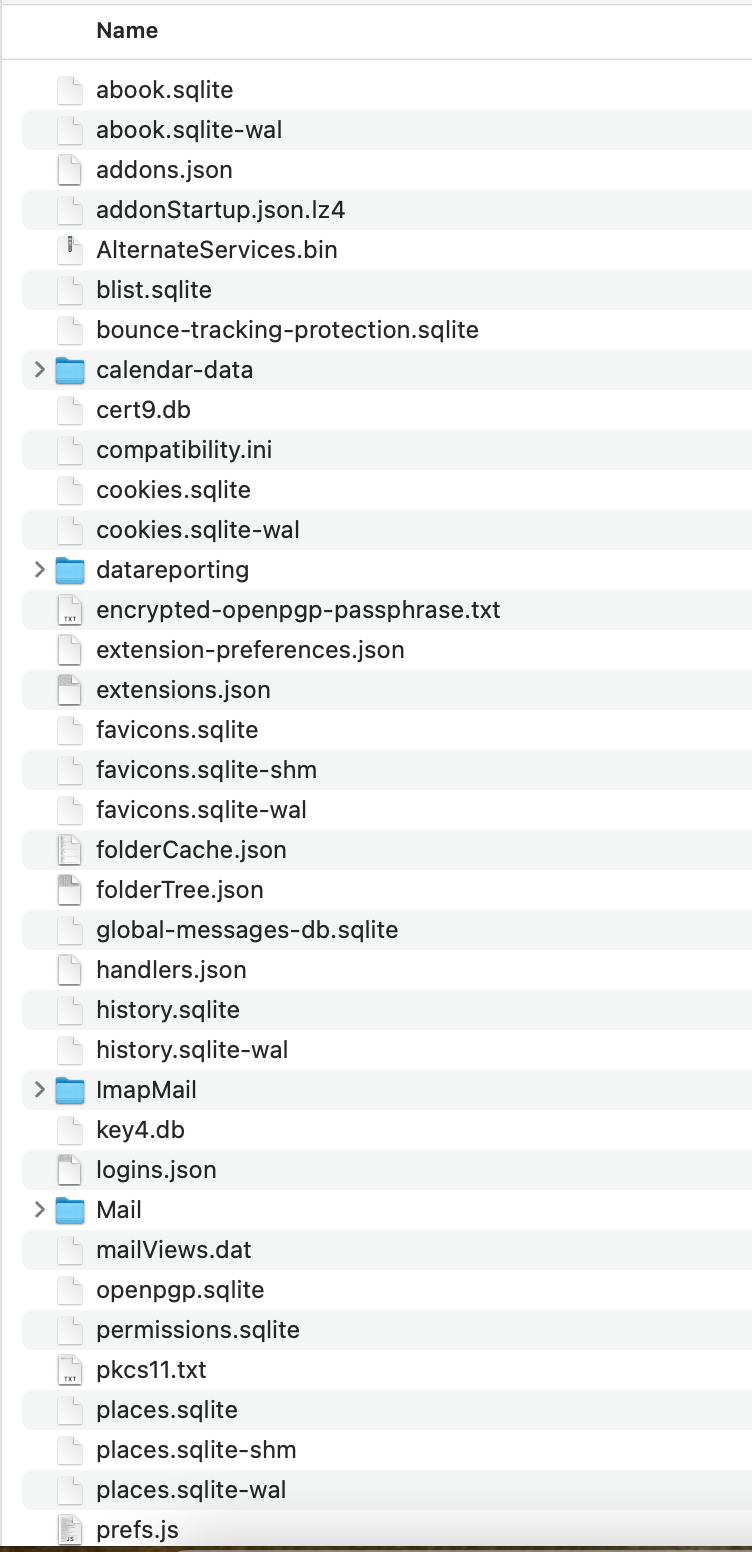
I still don't understand what made your email accounts disappear. Also it's unusual that profiles are named ******.default-default, I have never seen that before. By default profiles are named *******.default-release (Thunderbird release version) respectively *******.esr-release (Thunderbird ESR version).
Anyhow, since you used to run your email accounts with the IMAP protocol, your messages should still be on the server. Actually the simple solution to restore your accounts should be to recreate them via File > New > Email Account.... Creating the two still missing accounts will synchronise them automatically with the server(s) and you should see your missing folders and messages again.
Mapenzi said
I still don't understand what made your email accounts disappear. Also it's unusual that profiles are named ******.default-default, I have never seen that before. By default profiles are named *******.default-release (Thunderbird release version) respectively *******.esr-release (Thunderbird ESR version). Anyhow, since you used to run your email accounts with the IMAP protocol, your messages should still be on the server. Actually the simple solution to restore your accounts should be to recreate them via File > New > Email Account.... Creating the two still missing accounts will synchronise them automatically with the server(s) and you should see your missing folders and messages again.
Yea, I feel like that's just what I'm going to have to do. The annoying part for me is all the extensions I had running. Those have disappeared as well. Oh well, just gotta download them again.