Mozilla update november 2025: search queries in url bar is no good.

Hello. I searched a solution for some time now, how to remove any typing of a search in google for instance, to be displayed in url bar. I read some articles with words I don't understand, like userchromecss or whatever : I do not work in computer science or anything about it. I would like some well defined user friendly options or just don't mix two different things that will alter our experience using your product. Could you just correct the search procedure so url is url, and query is query? I would love this to be corrected. Search queries on the page, and internet addresses in url bar. Thank you.
Всички отговори (1)
Hello
Is it this subject. You can try, add the search bar to your Firefox toolbar. https://support.mozilla.org/en-US/kb/add-search-bar-firefox-toolbar
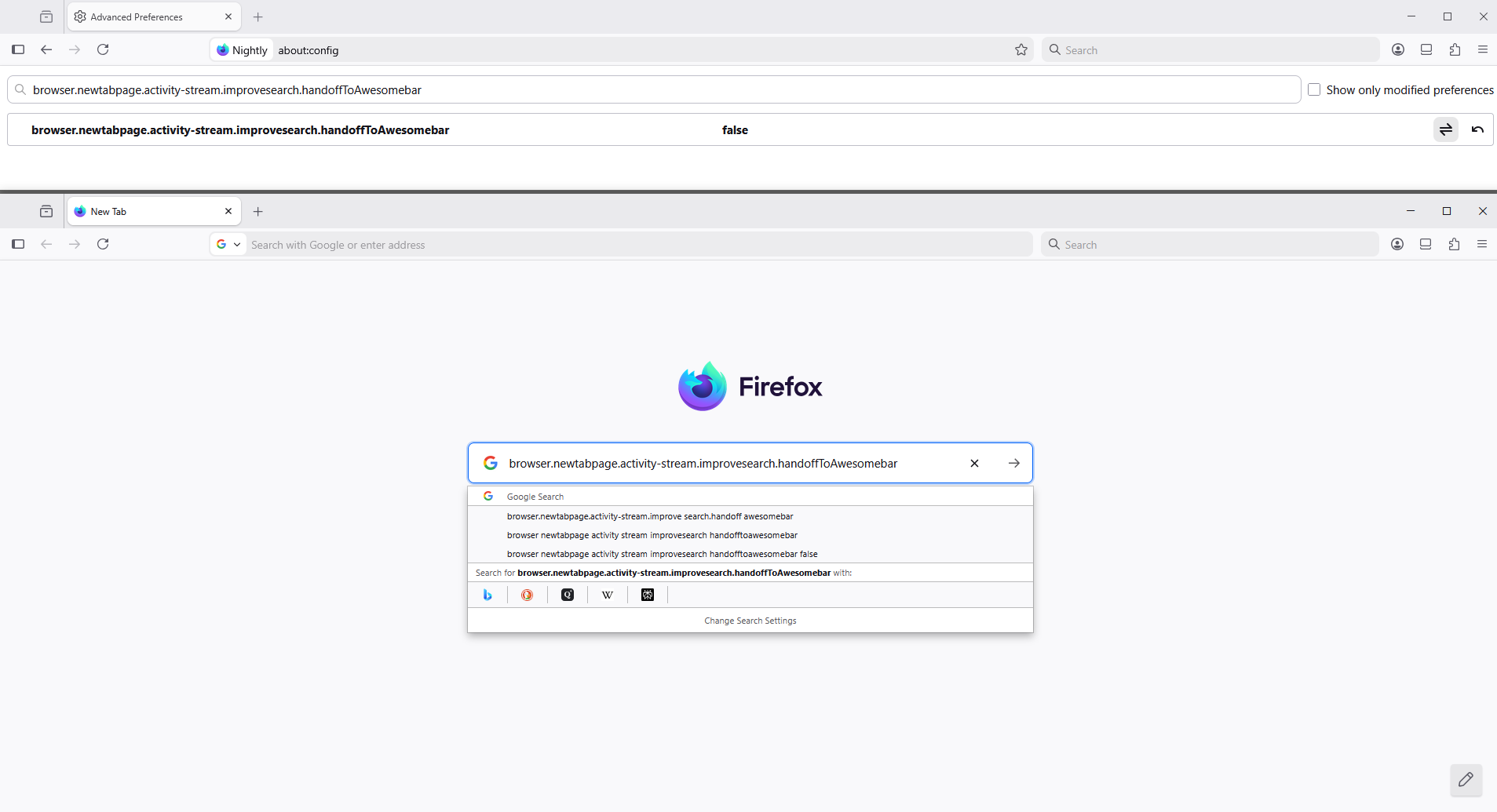
Other subject. Is it, about, browser.newtabpage.activity-stream.improvesearch.handoffToAwesomebar. https://connect.mozilla.org/t5/ideas/please-use-the-searchbox-but-not-the-address-bar-in-new-tabs/idi-p/4720 You can try. 1 - Go to configuration editor for Firefox https://support.mozilla.org/en-US/kb/about-config-editor-firefox 2 - Enter a search term browser.newtabpage.activity-stream.improvesearch.handoffToAwesomebar Double-click on the preference, to set its value to false