


Browser has excessive programs running in the background
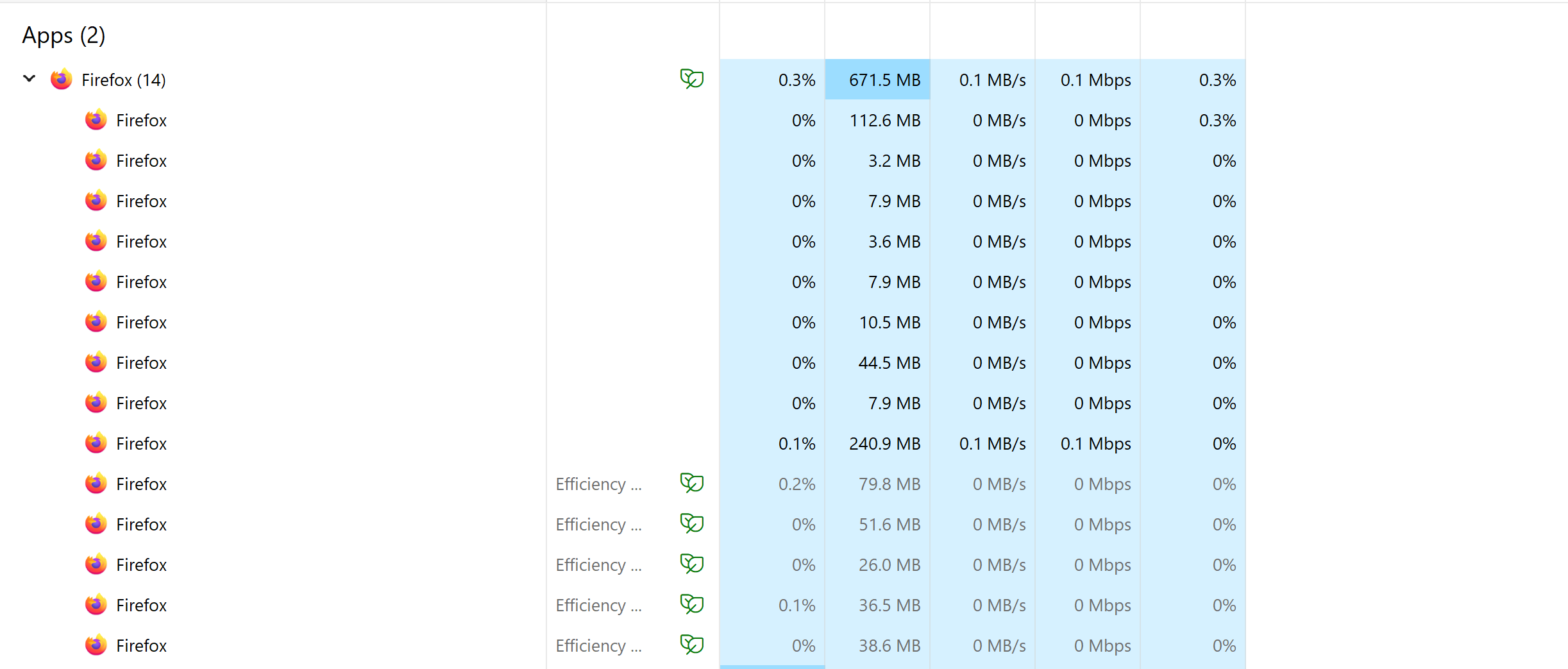
When I open one tab on Firefox, my task manager shows multiple programs running along side it. I know some extra processes are needed but this seems like an unusual amount. I have included a screenshot of the tasks that appear. When I try to delete these, they reappear. I have tried various online solutions such as uninstalling and reinstalling, and checking various settings. It is affecting my computer's performance and I am not sure how to solve this. Thank you!
Всички отговори (1)
Hi, could you compare Firefox's built-in Task Manager (Shift+Esc)? It should list the same processes and show what they are used for, such as GPU or a specific website. Generally speaking, different sites are rendered in different processes to better ensure isolation from one another.
If the number of processes doesn't match up, there may be a hidden instance of Firefox running on your system that we can help you investigate.