


Windows 10 reached EOS (end of support) on October 14, 2025. If you are on Windows 10, see this article.

Търсене в помощните статии

Избягвайте измамите при поддръжката. Никога няма да ви помолим да се обадите или изпратите SMS на телефонен номер или да споделите лична информация. Моля, докладвайте подозрителна активност на "Докладване за злоупотреба".

Научете повече
Архивирани

Firefox sync unable to sign in

Rob

I have set up a new Windows 11 PC (brand new installation). I installed Firefox and tried to sync, because I want to copy settings, history etc. from my Windows 10 PC.

However, it fails. I enter my password, then it asks me to enter a code sent to my email. I enter that code, and it says "Bad request" and "Something went wrong. Please close this tab and try again."

It's not the most helpful error message. All I can do is retry, but after 20+ attempts, I think there is something wrong with the 2FA.

I'm able to successfully log in to https://accounts.firefox.com/ on the browser without any issue. That uses a 2FA code from the authenticator app on my phone.

Any ideas? Is there a better way of copying my browser to the new computer? I was thinking of just copying the Firefox profile folder, but I don't want to end up with it duplicated since my Windows 10 PC is still active.
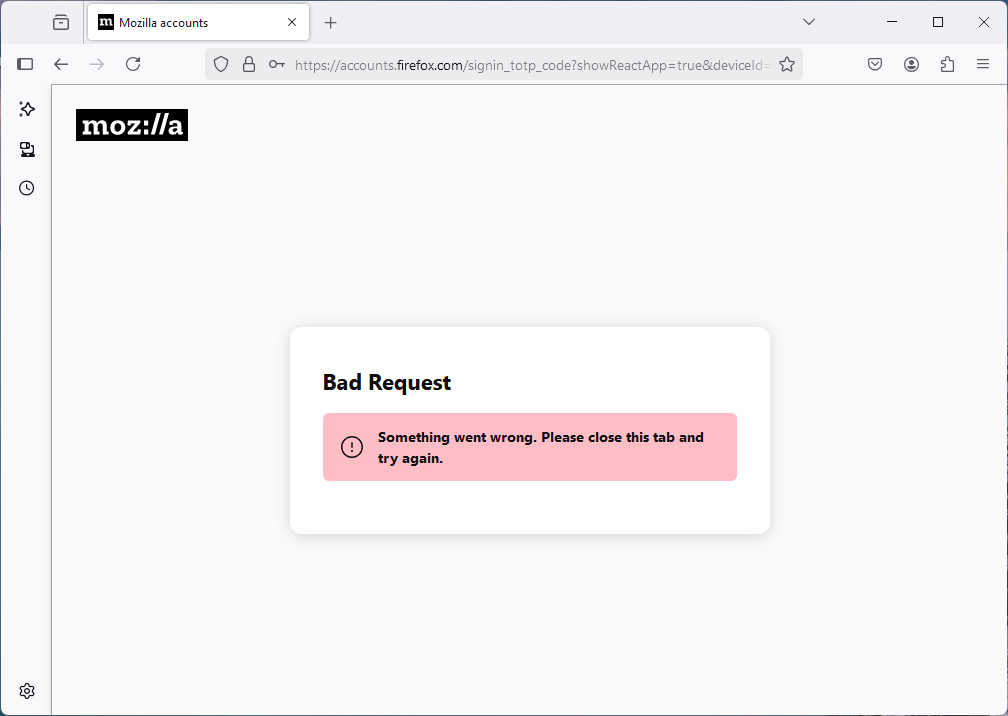
I have set up a new Windows 11 PC (brand new installation). I installed Firefox and tried to sync, because I want to copy settings, history etc. from my Windows 10 PC. However, it fails. I enter my password, then it asks me to enter a code sent to my email. I enter that code, and it says "Bad request" and "Something went wrong. Please close this tab and try again." It's not the most helpful error message. All I can do is retry, but after 20+ attempts, I think there is something wrong with the 2FA. I'm able to successfully log in to https://accounts.firefox.com/ on the browser without any issue. That uses a 2FA code from the authenticator app on my phone. Any ideas? Is there a better way of copying my browser to the new computer? I was thinking of just copying the Firefox profile folder, but I don't want to end up with it duplicated since my Windows 10 PC is still active.
Прикачени екранни снимки

Всички отговори (1)

I tried again today, and instead of sending a code to my email, it just asked for the 2FA from my phone, which worked.