


No QR code option showing in Android Firefox sync
I want to sync my new laptop to Firefox on my Android mobile. I am asked to:
1. Open Firefox on your mobile device. 2. Go to the menu ( on iOS or on Android) and tap Synchronise and save data 3. Tap Ready to Scan and hold your phone over this code
But this command #3 is simply is not there in the Android FF settings. I see only Synchronise Now/ Device Name / Sign Out, plus Choose What to Synchronise. Nothing else. Any ideas?
Всички отговори (9)
Hi Martin
What version number of Firefox for Android is installed on your device?
Thanks for the query! It's FF version 107.2.0, & Android 10.
Hi Martin
What happens when you select "Ready to scan" as per the attached image?

That's rather my point - I don't see 'Ready to scan'.
All I see is Synchronise Now/ Device Name / Sign Out...
Are you able to share a screenshot of what you are seeing?
Here's what I see:
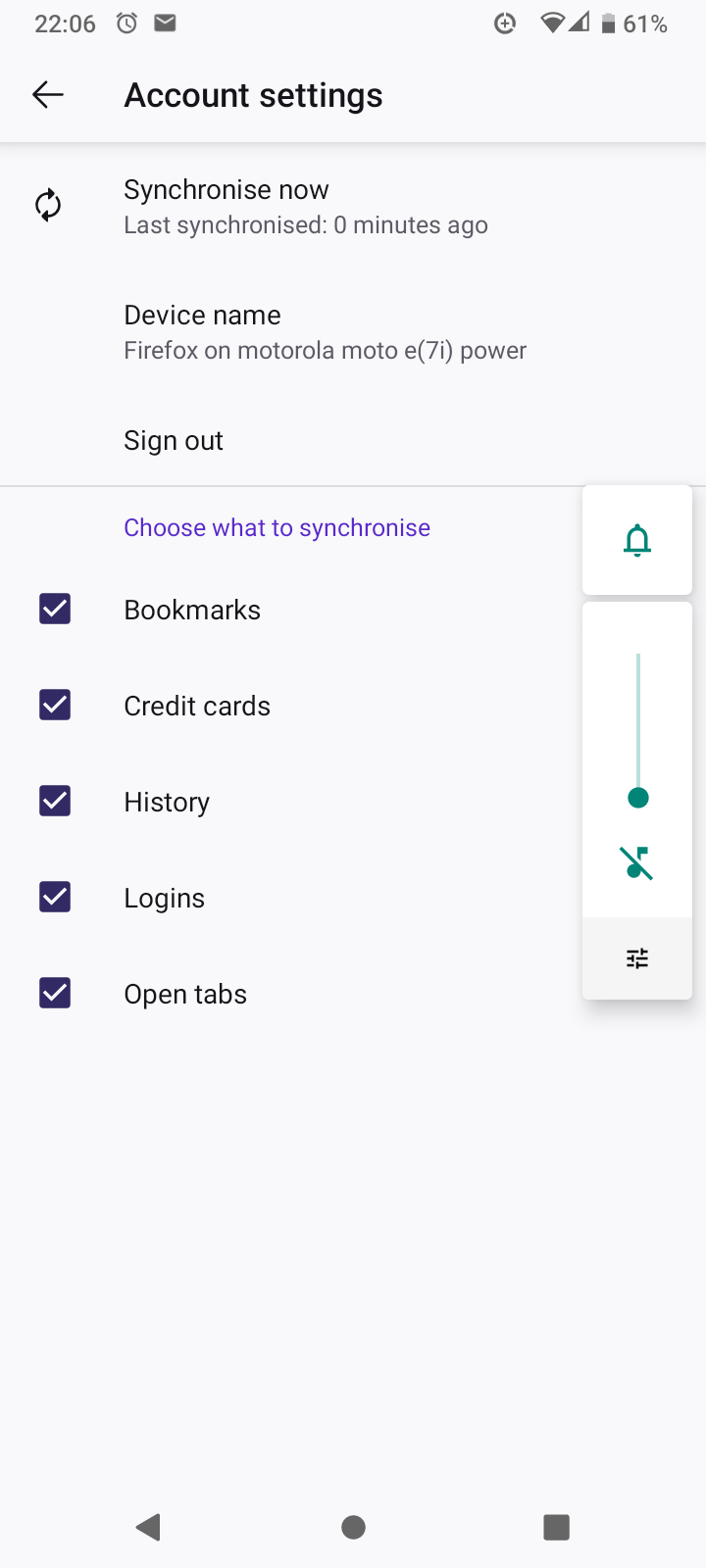
That looks like your copy of Firefox for Android is already connected to your Firefox Account.
It does indeed. It seems, on close inspection, that I have accidentally achieved what I wanted to achieve, despite not having the option to scan a QR code. Thanks for your input!
No problem, happy to help.