


Printing

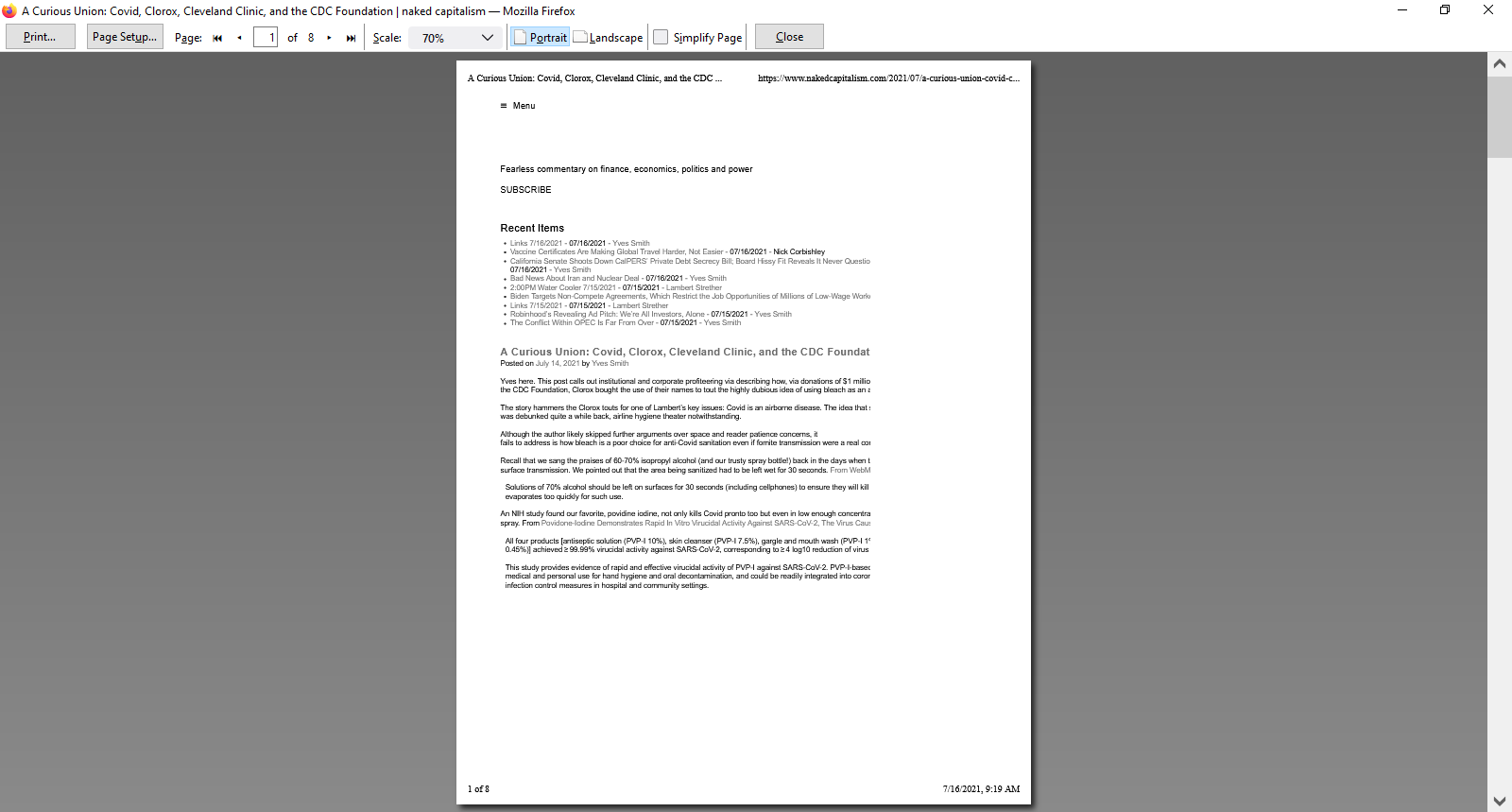
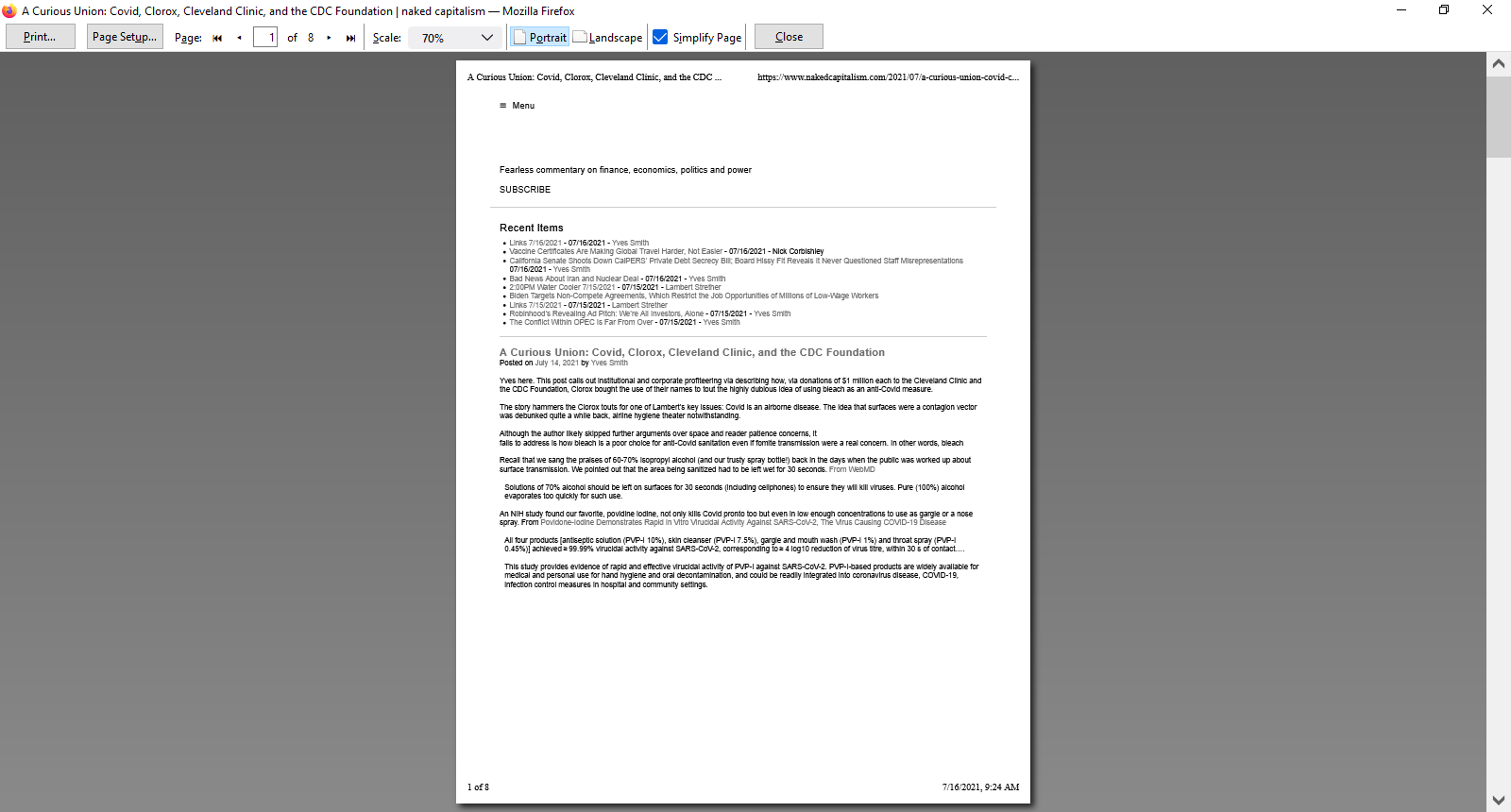
Since this past Wednesday, 7/14/21, printing at any scale less than 100% results in cut-off printing, along the right hand and bottom margins. In the past I have been able to print at 70% with no problems.
When I restart Firefox in Troubleshoot Mode the problem goes away, but when I restart normally the problem is back.
I have tried all of the following but still have the problem:
- Disabled plug-ins and extensions
- Rebooted computer
- Refreshed Firefox
- Deleted Firefox preference file
- Created new Firefox profile
- Reinstalled Firefox
I have attached two screenshots, one named "Firefox", which shows the problem, and the other named "Firefox troubleshot mode", which shows how it looks under troubleshoot Mode, which is the way it should look and used to look before Wednesday.
Всички отговори (2)
Sorry, but yes, this is a bug in Firefox 90. Several reports have been submitted to the developers and we are waiting to hear when this might be fixed.
This is very interesting:
vpro1 said
When I restart Firefox in Troubleshoot Mode the problem goes away,
I wonder which setting change is giving you the different results. Must research...
Thank you, I am happy to know its not just me, hopefully a solution will be found.