


Windows 10 reached EOS (end of support) on October 14, 2025. If you are on Windows 10, see this article.

Търсене в помощните статии

Избягвайте измамите при поддръжката. Никога няма да ви помолим да се обадите или изпратите SMS на телефонен номер или да споделите лична информация. Моля, докладвайте подозрителна активност на "Докладване за злоупотреба".

Научете повече

Search not working correctly in v89.0 (64 bit)

  • 2 отговора
  • 1 има този проблем
  • 333 изгледи
  • Последен отговор от davidcrighton99
  • Разрешен

I recently updated Mozilla to v 80.0 (64 bit) I have Mozilla set so that it does not search from the address bar, and I use the optional search bar.

When I create a new tab the default page contains a google search box, as per the attached screen shot. But if I type in that search box, the search term appears in the address bar, and then Mozilla tells me the address doesn't look right.

Why is the search term automatically entered in the address bar? Since I have the seaparate search bar my search term should appear there.

BTW I hate searching from the address bar. If I want to search I type it in the search box, or in the search box in new tab. Separating the search and address bars is one of my favorite features of Mozilla vs the other browsers.
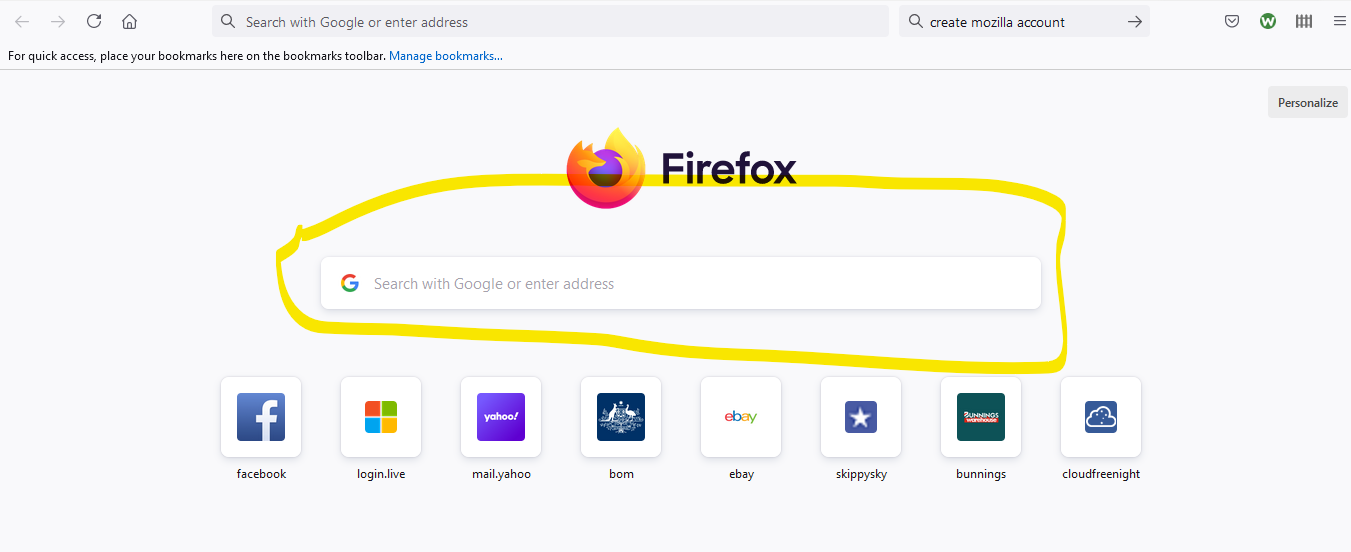
I recently updated Mozilla to v 80.0 (64 bit) I have Mozilla set so that it does not search from the address bar, and I use the optional search bar. When I create a new tab the default page contains a google search box, as per the attached screen shot. But if I type in that search box, the search term appears in the address bar, and then Mozilla tells me the address doesn't look right. Why is the search term automatically entered in the address bar? Since I have the seaparate search bar my search term should appear there. BTW I hate searching from the address bar. If I want to search I type it in the search box, or in the search box in new tab. Separating the search and address bars is one of my favorite features of Mozilla vs the other browsers.
Прикачени екранни снимки

Избрано решение

You can turn it off by going to about:config and switching browser.newtabpage.activity-stream.improvesearch.handoffToAwesomebar to false.

Прочетете този отговор в контекста 👍 1

Всички отговори (2)

Избрано решение

You can turn it off by going to about:config and switching browser.newtabpage.activity-stream.improvesearch.handoffToAwesomebar to false.

Thanks heaps for the fast response. That fixed it  :)