


"warn when you close multiple tabs" preference is unchecked but I still get warned. Why?

The preference "warn you when closing multiple tabs" is unchecked, but I still always get warned when I try to close multiple tabs (i.e. click on "close other tabs"). Why am I still getting warned?

Избрано решение
You have to change browser.tabs.warnOnCloseOtherTabs to false. It worked for me, refer screenshot. No relaunch is required, so it should work right away. Just verified it myself

Променено на от CJit
Всички отговори (9)
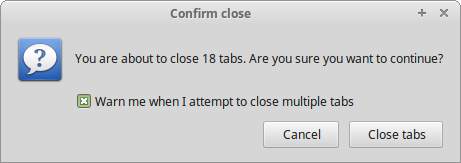
When you are warned, untick the box that says warn me when I'm about to click multiple tabs, as shown in the screen shot attached to this reply. If this reply solved your problem, please mark as solution so others can fix it for themselves. Thank you!
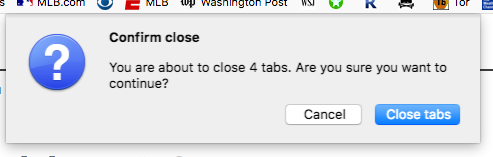
I don't get a box like in MkII's attachment. see my box attached
Hi Steven,
Could be a few things. The settings may not be sticking, or the setting is being overridden as it's synced from another copy of Firefox you're signed in to.
In the address bar type in about:config accept the warning when it appears
Hit Ctrl-F to find, and search for WarnOnClose
There should be 3 options here. Are the values set to true, or false?
Tim
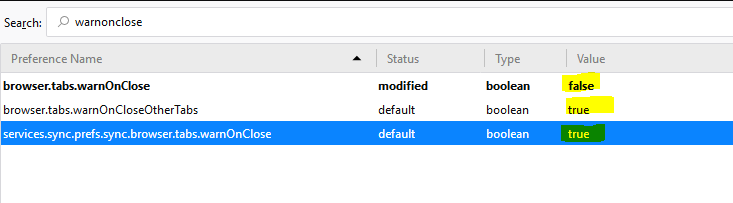
all 3 are true
Right click browser.tabs.warnonclose and select toggle.
Close out of Firefox and relaunch it.
Let me know how you go.
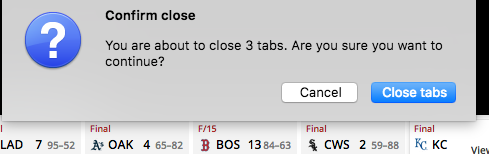
still getting warning. see attachments

Избрано решение
You have to change browser.tabs.warnOnCloseOtherTabs to false. It worked for me, refer screenshot. No relaunch is required, so it should work right away. Just verified it myself
Променено на от CJit
You solved it. Thanks CJit.
Hi there
I'm having same problem. But my "browser.tabs.warnOnCloseOtherTabs" is already set to "false", but I keep still getting warning.
UPDATE: oh wait, I've worked it out, sorry please ignore this post.
Променено на от Rob