


Tool box won't close

Two subpanes have appeared on the bottom of the screen when viewing web pages. I beleive the subpanes are part of the 'Developer tool box'. Since these subpanes have appeared i have expereeinced a constant flickering on all webpages (including the sub panes). any idead how i close down the sub panes and stop the screen from flickering. Its beyond frustrating.
I look forward to your help as my eyes are likely to explode if it continues.
thanks
john
Всички отговори (3)
Can you attach a screenshot?
- https://support.mozilla.org/en-US/kb/how-do-i-create-screenshot-my-problem
- use a compressed image type like PNG or JPG to save the screenshot
Panes that are part of the developer tools usually have a a close button at the top right. You can also toggle some of the panes via the *"3-bar" menu button or Tools -> Web Developer menu.
There is a close button top right of the developer screen which works sometimes. However when the sub pane appears the whole screen flickers when this happens its nigh on impossible to close. For some reason the sub pane does not appear on all pages to start but once it does its on everything and i just have to shut down the PC before i kill it.
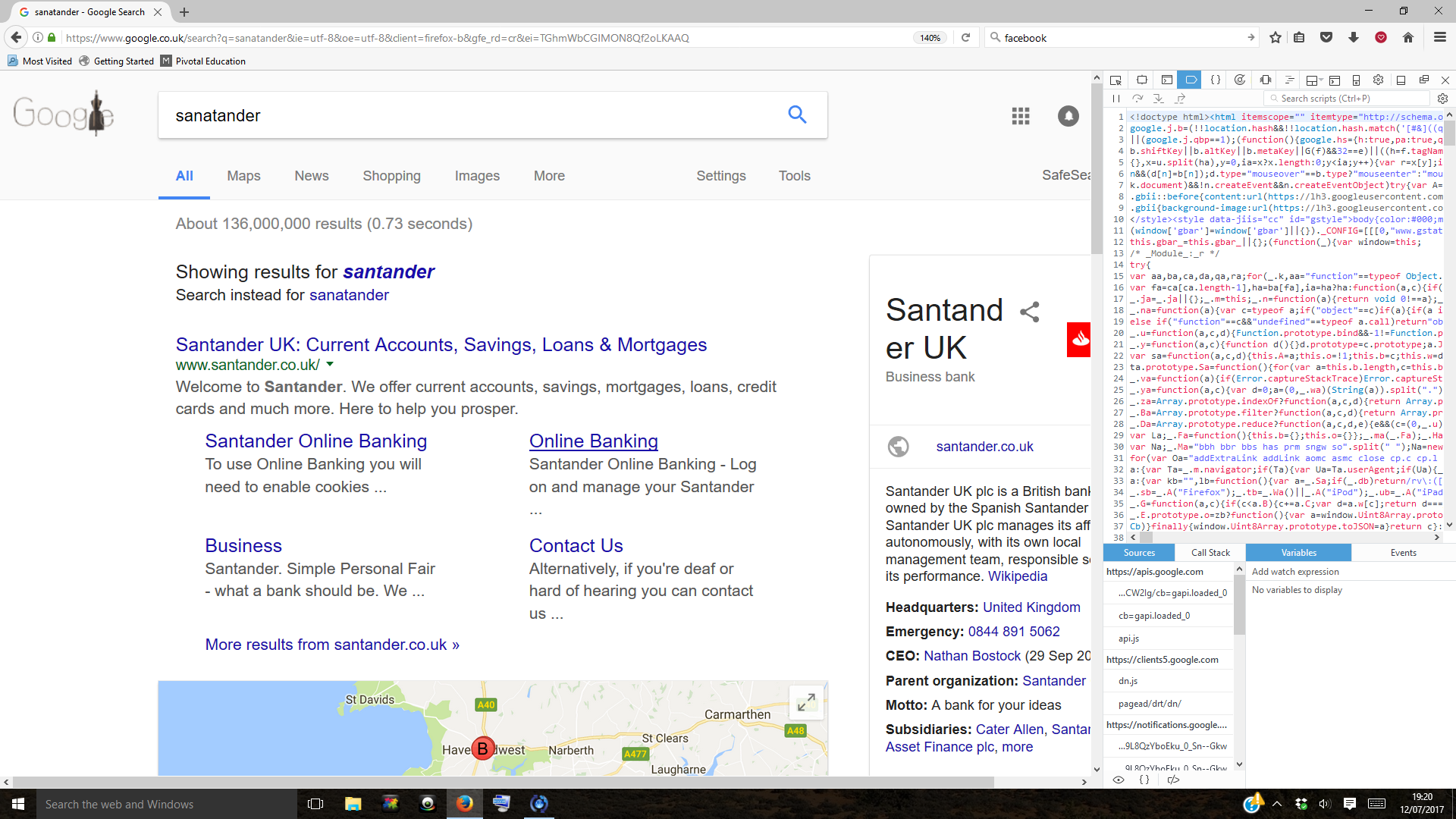
That looks like the debugger, but the debugger shouldn't open automatically.
You can check the devtools.debugger prefs on the about:config page to see if any are user set (bold).
You can open the about:config page via the location/address bar. You can accept the warning and click "I'll be careful" to continue.