


Google Custom Search opens blank page

I have a Wordpress site. I installed Google Custom Search on my website.
In all browsers except Firefox it opens a blank page.
How can i fix this?
Всички отговори (6)
Wordpress support is here: http://en.forums.wordpress.com/
The issue is that the google custom search opens a blank page in Firefox but no other browser.
I am looking for help to get my preferred browser - firefox - to show results from the google custom search button on my website.
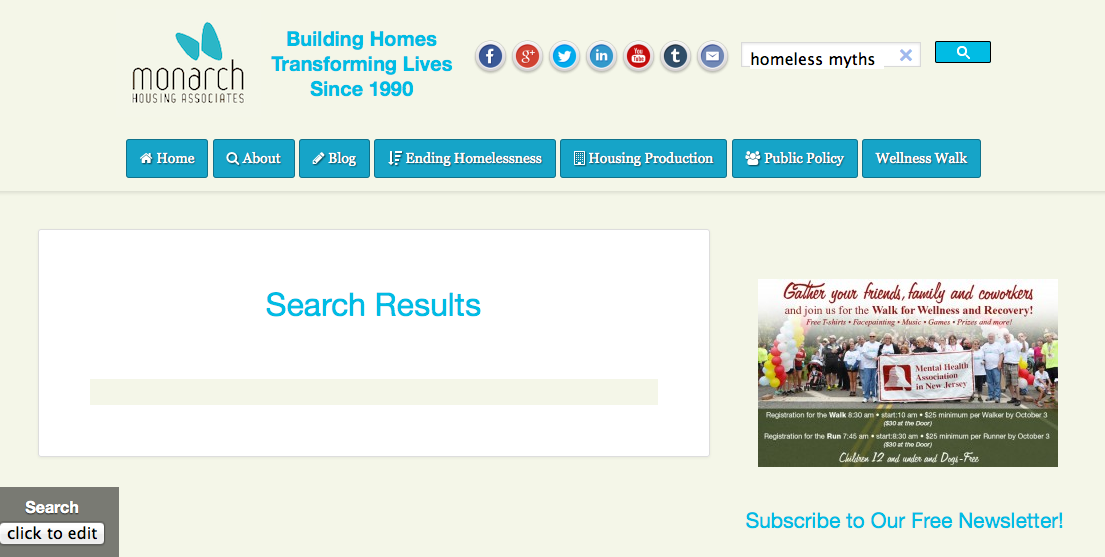
Are there any (security) errors in the Web Console (Firefox/Tools > Web Developer)?
This is the error message:
TypeError: google.search.Search.apiary7059 is not a function v1element:2 Use of getPreventDefault() is deprecated. Use defaultPrevented instead. notes-widget.min.js:2 Use of getPreventDefault() is deprecated. Use defaultPrevented instead.
Is that what you wanted?
The first error would indicate a problem with one of the Google scripts.
- http://monarchhousing.org/gcs-results/?q=homeless%20myths
It looks that this callback isn't working with Firefox (the apiary862 part can vary):
- https://www.googleapis.com/customsearch/v1element?key=AIzaSyCVAXiUzRYsML1Pv6RwSG1gunmMikTzQqY&rsz=filtered_cse&num=10&hl=en&prettyPrint=false&source=gcsc&gss=.com&sig=9e22f16779b322c4438bf7968124f7f9&cx=004659255641490361228:mv_18qspja4&q=homeless%20myths&sort=&googlehost=www.google.com&callback=google.search.Search.apiary862
I don't know that much about JavaScript to know how to troubleshoot this and this happens in all Firefox versions that I tried, so it could be a compatibility issue in Firefox with this Google script.
Is there anyone else or any other option?
I do not want to have to stop using Firefox and tell our readers not to use the best possible browser!