


iframe keeps breaking out and going to source website

I have an iframe that is "breaking out" of the iframe and going to the source page directly in FireFox. It works the way it is intended in Chrome. The problem demonstrates itself here: www.jamestalbott.com/nayte.html
It should stay in jamestalbott.com/nayte.html, but goes to the source page.
I have the sandbox parameter in the iframe, but that does not seem to help.
Thank you for your assistance, Jay Talbott
All Replies (3)
You forgot one 't': src="htp://www.msn.com" -> src="http://www.msn.com"
<iframe src="htp://www.msn.com"> </iframe>
Modified by cor-el
Thanks for your quick response. That was just me trying anything in frustration. What I really want to do is to be able to execute the html in the attached file and not have it break out to the source page:
Thanks again.
Jay
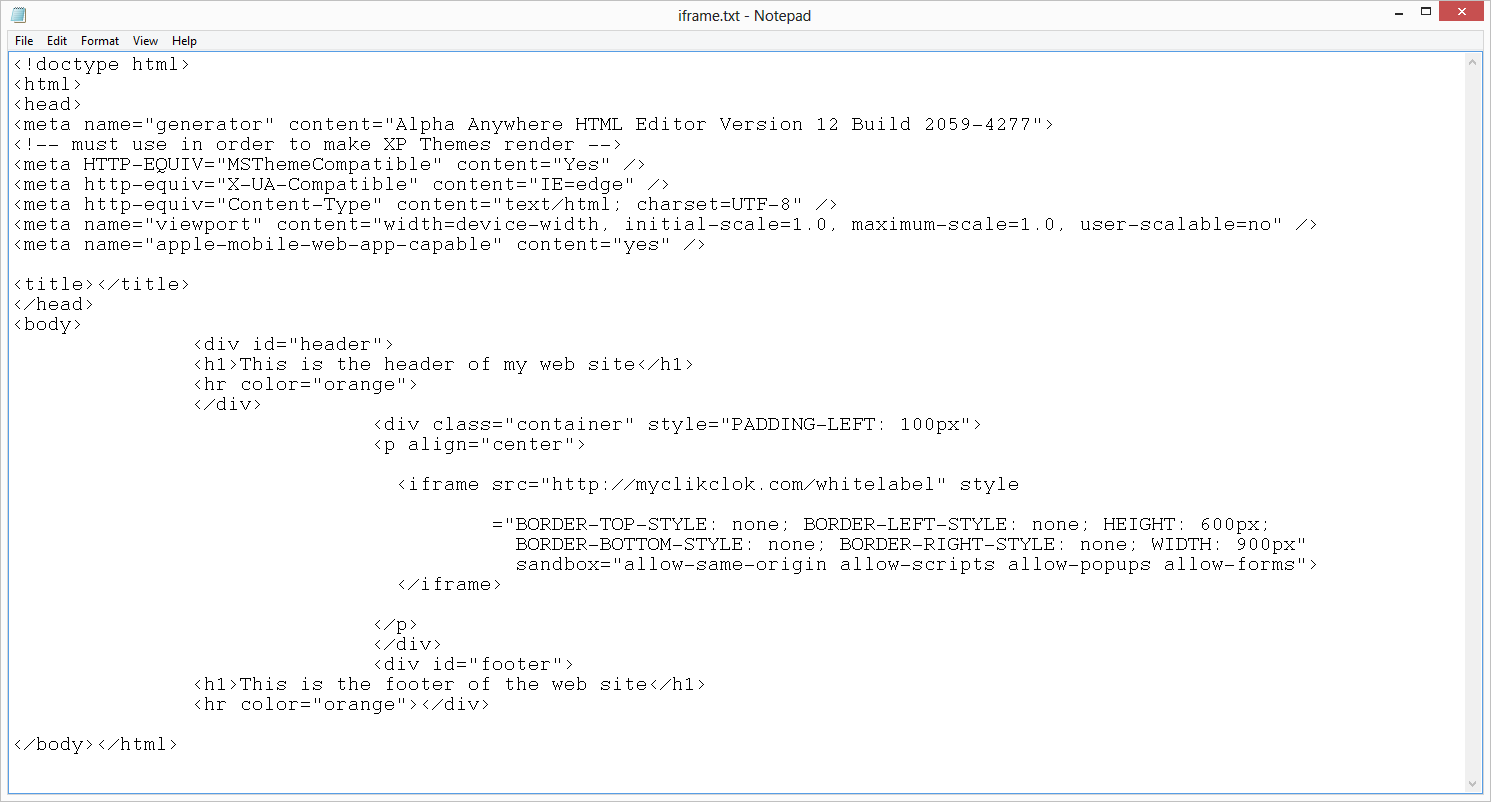
Modified by JamesTalbott
There is code on the myclikclok.com/whitelabel/ page to reload the page in its own tab.
<script language="JavaScript" type="text/javascript">
<!--
if(window.top!=window.self){
window.top.location = '/whitelabel/';
}
function linkSubmit (action)
{
  document.LOGIN.linkaction.value = action ;
  document.LOGIN.submit() ;
}
-->
</script>