Open
Firefox doesn't block autoplay

Despite setting Settings>permissions>autoplay to block, I still get annoying videos playing automatically.
Despite setting Settings>permissions>autoplay to block, I still get annoying videos playing automatically.
All Replies (1)
Hello
Allow or block media autoplay in Firefox https://support.mozilla.org/en-US/kb/block-autoplay
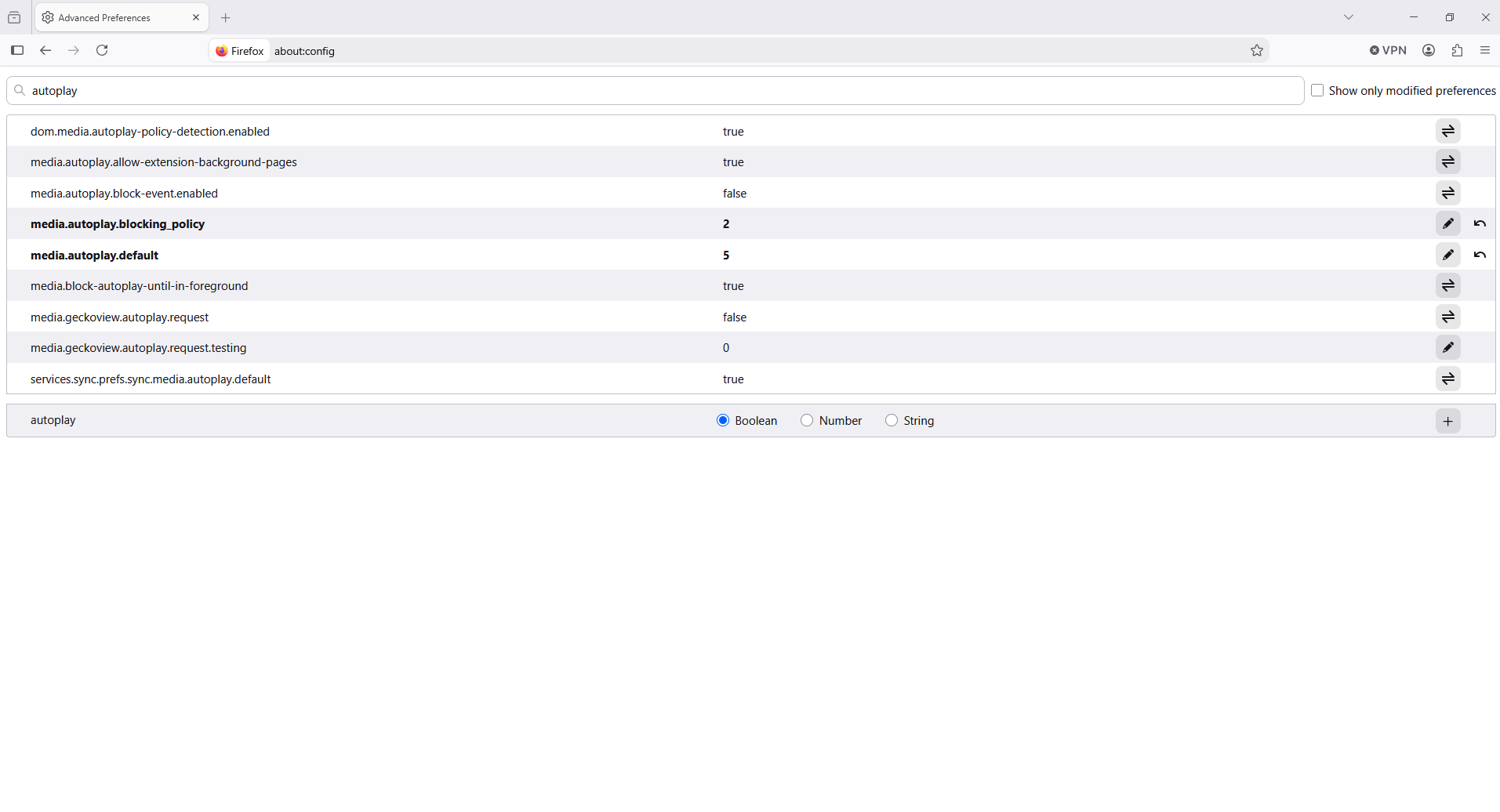
1 - Go to configuration editor https://support.mozilla.org/en-US/kb/about-config-editor-firefox 2 - Enter a search term autoplay
media.autoplay.default 1 this correspond to the situation Block Audio media.autoplay.default 5 this correspond to the situation Block Audio and Video media.autoplay.default 0 this correspond to the situation Allow Audio and Video
About, media.autoplay.blocking_policy, you can test 2
Double-click on the preference media.autoplay.blocking_policy enter a new value 2 click the Save button to save the change