Solved
My bookmark toolbar is empty
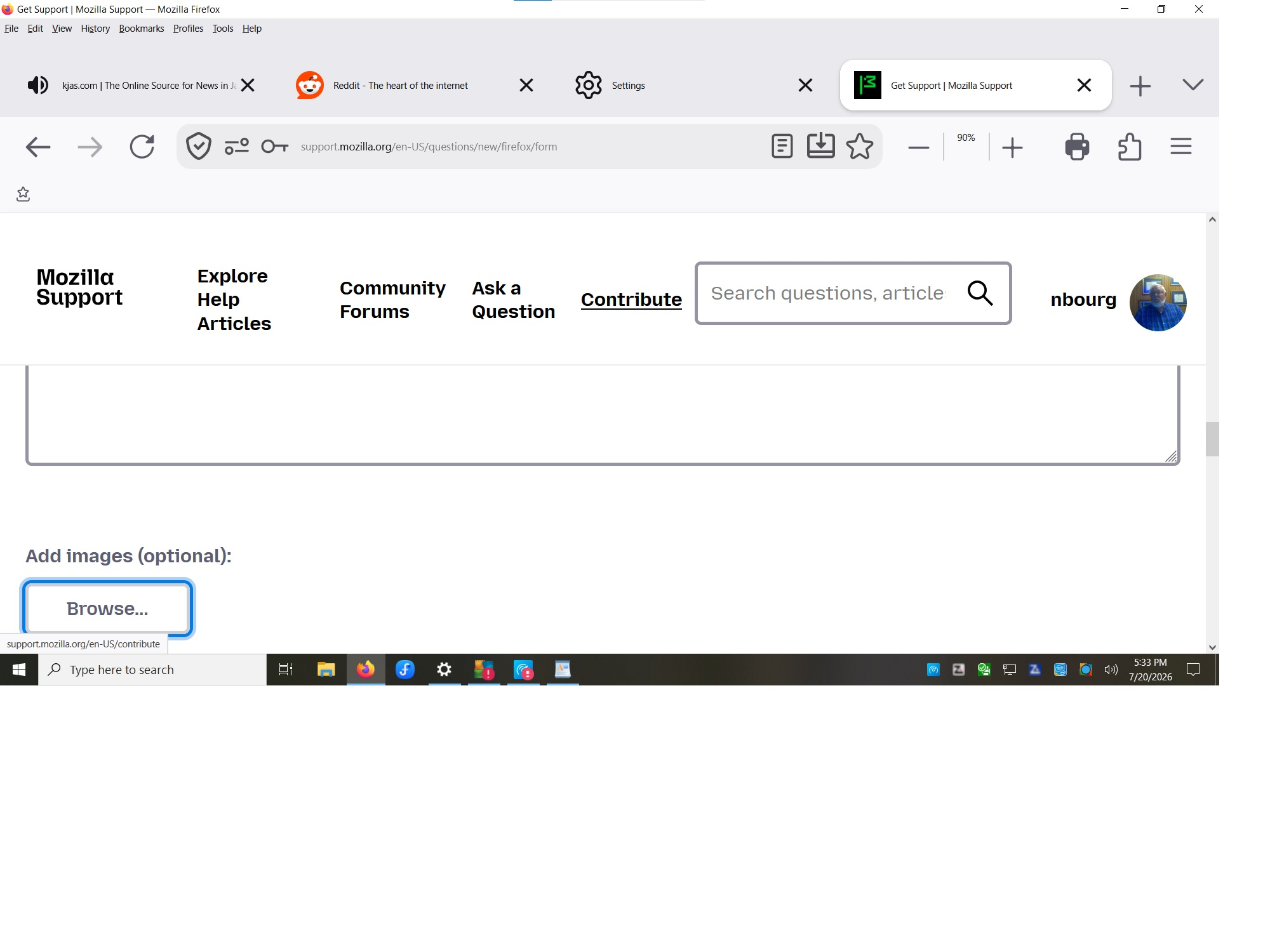
My bookmark toolbar is empty. I have made sure "Always Show" is checked. I have tried to put new Web Sites on the toolbar to no avail. Nothing seems to bring back my bookmarks. I have added the little star with the bracket under it to the bookmark toolbar. It has many of the previous bookmarks but many are also missing. Entire folders are missing. I have been messing around with the tabs toolbar because they are about 30% too tall. About 1" too tall. 3/4" above text and 1/4" below. About 1/3rd of my screen is taken by tool bars. Approx 1 1/8" by the bookmark toolbar alone which is showing only the star with the bracket under it ( Far left of line ).
My bookmark toolbar is empty. I have made sure "Always Show" is checked. I have tried to put new Web Sites on the toolbar to no avail. Nothing seems to bring back my bookmarks. I have added the little star with the bracket under it to the bookmark toolbar. It has many of the previous bookmarks but many are also missing. Entire folders are missing.
I have been messing around with the tabs toolbar because they are about 30% too tall. About 1" too tall. 3/4" above text and 1/4" below. About 1/3rd of my screen is taken by tool bars. Approx 1 1/8" by the bookmark toolbar alone which is showing only the star with the bracket under it ( Far left of line ).