


After Re-installing Window 10 on my computer

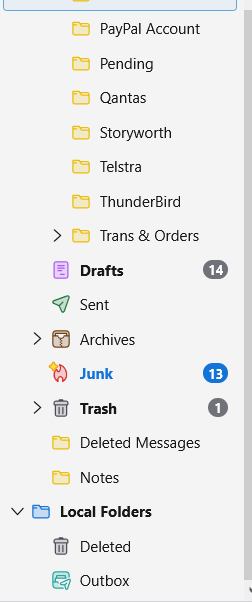
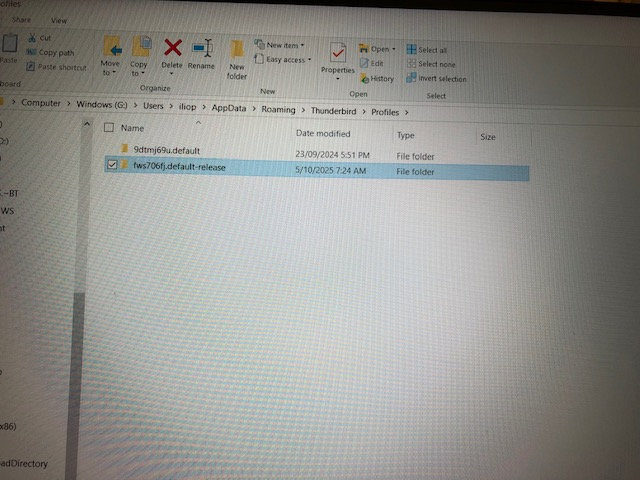
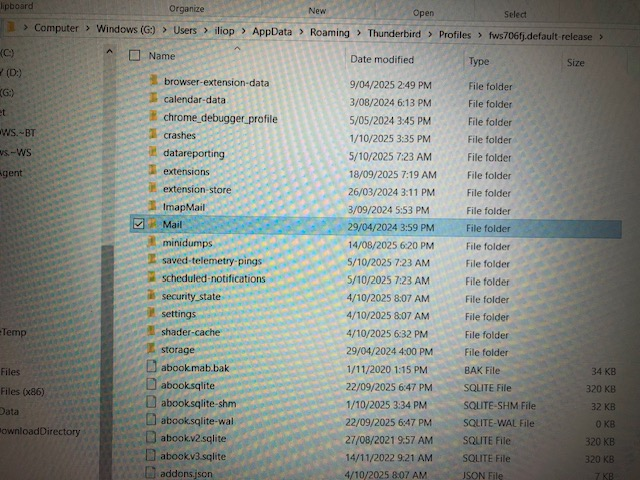
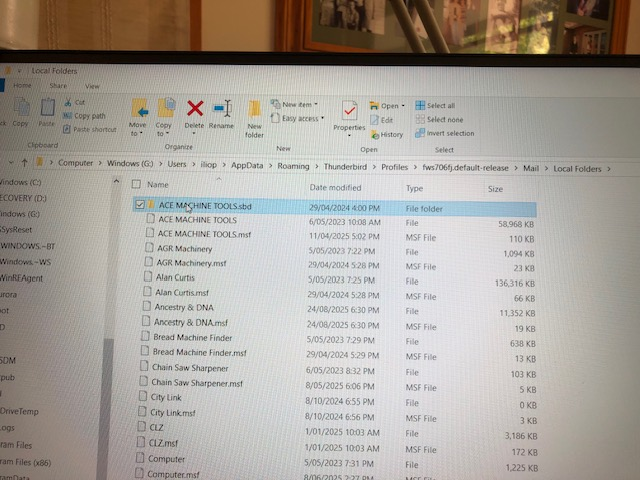
On the 20, of October I was forced to re install Windows 10. Kept my data but I had to re install all my apps. With Thunderbird I follow the same procedure I used with Firefox: After installation I copied the profile folder from my backup and replaced the new one. That worked out well. With Thunderbird, I followed the same procedure, all my emails where there but not my local folders. I am attaching several snapshots to illustrate my steps. Image 1 "local folders now" Image 2 "Profile Folder". (why there are 2 sub-folders)? Image 3 "Mail in the profile folder" Image 4 " List of folders in my Local Folders" The are there, how do I get them back on Thunderbird in the correct place "Local Folders"? Thank you for your help again. Regards Ilio Pieroni
Chosen solution
IF you want to have a copy of the Good decent sized Profiles which you have in the Windows G: iliop User Account and see the same in Windows C: iliop User Account which is where you would expect everything to run from then you need to do this:
Exit Thunderbird - it must not be running in any location.
Access: Windows G drive G://Users/iliop/Appdata/Roaming/Thunderbird And in 'Roaming' folder - Copy the 'Thunderbird' folder.
Access: Windows C drive C://Users/iliop/Appdata/Roaming folder Delete the 'Thunderbird' folder Paste the copied 'Thunderbird' folder into the 'Roaming' folder. Thus replacing the deleted one with the one that contains all your emails.
You can permanently use the one in C: drive and use the one in G: drive as a backup. But please remember - when you do a backup - do a full backup of the 'Thunderbird' folder. That means all the data includes the 'profiles.ini' file. In other words follow the process I've mentioned here.
If you really need yet another copy in Windows H drive - although I've no idea why as you already have two good copies in C and in G
Access: Windows Hdrive H://Users/iliop/Appdata/Roaming folder Delete the 'Thunderbird' folder Paste the copied 'Thunderbird' folder into the 'Roaming' folder. Thus replacing the deleted one with the one that contains all your emails.
Read this answer in context 👍 0All Replies (11)
I wonder if I should replace the 2 folders in the App data with the 2 from my backup which I saved from my backup namely 9dtmj69u.default and fws706fj.default-release?. what do you both think? Thank again Ilio Pieroni
re :Toad Hall, Thank you, I didn't find any images,
All four of them are visible in this forum question. They are thumbnail images and if you click on them, they will become larger making it easier to see. So in future if anyone says they are posting images then remember to look in the forum. That is the location where I see any images you posted.
re : but if I understood correctly, the previous version had a bug that stopped importing my Local Folders.
I presume that was based on this comment from Mapenzi.
The goal of our discussion is to allow you to start v143 in your actual profile because of bug 1990571 which came with v144 you cannot see your Local Folders.
In all fairness, in the begining it really looked like it was something to do with a bug. So it was easy to think this was the case, but after further investigation and info supplied by you, it became clear the reason for not seeing Local Folders was because your Account Settings were messed up and not pointing to the correct location. The reason you had a problem with no Local Folders displaying was simply because the 'Local Folders' in Computer User account 'iliop' was pointing to a Local Folders in a completely different User Account called 'ilio pieroni'.
It was not due to a bug. Or if the bug exists, it was not manifesting in your case because your settings were wrong, so impossible to tell.
It would be helpful if you selected my previous comment which stated how to change where the Local Folders was pointing to as the 'Chosen Solution'. As this solved the original question regarding the empty Local Folders.
re: The other folder 9dtmj... is %.48 GB, what is in it, all my emails?.
I think that's a typo :) You meant 5.48GB
The image you posted showing profiles '9dtm....' and 'vn35....' are in an entirely different computer User Name account called 'ilio pieroni' - not 'iliop'.
5.48GB is the entire profile, not just emails, it includes addons, preferences, mail accounts, emails, address books, calendar etc etc etc. There are many reasons for a profile appearing larger than another. It may include non compacted files, so basically it may include previously deleted but hidden emails which make files appear larger. If you are using an IMAP account and it's been used all the time no matter what profile name then whatever is on the server would be displayed exactly the same. No change at all. What is also not known is whether there are a load of junk/spam or Trash emails in one account but not in another. What is not known are the differences in Synchronisation & Storage settings. It's possible you have a full copy download of everything for offline/backup use in one profile and something different in another profile. It's possible you have a load of mozmsg in one account - that's just stuff used by a windows search and not Thunderbird, but it can increase overall size. Maybe a compact failed in one profile,s o you end up with additional nsmtp files. If you use a gmail email address or a server hat uses the same labels format, then seeing 'All Mail' in one profile, but not in the other will make it virtually double in size.
I could go on listing all the various things that can increase size in one profile but not in another.
If you have an Imap account for your email address, then it will not make any difference because you can only see whatever is on server.
As you can see there are many reasons. We would need to see the list of files in a mail account name folder. So in profile 9dtmj.....then select 'ImapMail' - select mail account name folder They must be displayed as a list - not icons - it usually called 'View = Details' and displays in columns.
Ilio Pieroni said
I wonder if I should replace the 2 folders in the App data with the 2 from my backup which I saved from my backup namely 9dtmj69u.default and fws706fj.default-release?. what do you both think? Thank again Ilio Pieroni
No. Those profiles are already in here: C://Users/iliop/Appdata/Roaming/Thunderbird/Profiles
In computer username 'iliop' - this is the computer user account which you have been using. You are already using this profile name folder: fws706fj.default-release It is already displaying all your folders.
You seem to be very confused about what it is you are already using.
Do you ever logon to the User Account called 'Ilio Pieroni' ? Because, if yes, then that would explain why you get confused. That User Account is also using Thunderbird, but it does not have the same profile name folders. That's because you started Thunderbird in a different User Account and it created new profiles. The Imap account would be the same because it only shows what is on the server. But there's nothing in the Local Folders because you never put anything in it. Local Folders is very specific. It does not synchronise to any server. It is specific to a profile name folder.
If you logged on to the 'Ilio Pieroni' User Account and moved emails off the imap server and put them into 'Local Folders', then the next time you log on to a different user account 'iliop' those moved emails will disappear from your Imap account because you moved them off server, but they would not appear in Local Folders, because you did not put them in that folder in that profile in that User Account. In effect you would have lost emails from that profile.
I would strongly advise that you use only one computer 'User Account' to see emails using Thunderbird and that User Account is 'iliop'.
I wonder if I should replace the 2 folders in the App data
What 'appdata' are you talking about ?
I've got a feeling you are now talking about a different computer User Account: C://Users/IIio Pieroni/Appdata/Roaming/Thunderbird/Profiles
I think you want to copy the current profile you are using eg: fws706fj.default-release which is in: C://Users/iIiop/AppdataRoaming/Thunderbird/Profiles
And put it in : C://Users/IIio Pieroni/Appdata/Roaming/Thunderbird/Profiles
What is the purpose of this ? If you never move any more emails into any Local Folder folder then both accounts would remain the same. But if you logon to one and move anything to a Local Folder folder you will need to understand you will end up with emails missing from one account and being visible in another, do you want that type of confusion.
If no, then tell me do you want to use Thunderbird in 'iliop' or in 'ilio pieroni' ? Baring in mind that 'iliop' is currently set up correctly when it comes to Thunderbird.
Personally, I would not use Thunderbird in 'ilio pieroni' as 'iliop' is set up ok.
But why have you got the two computer User Accounts ? Is one a real User Account on computer that you created and the other is actually a 'Microsoft User Account' ?
You seem to using them both based on the file date modified dates. But why ?
Do you have a preference to a particular User Account - either way - It's not advisable to use Thunderbird in both if you intend to move emails off an imap server and store them in 'Local Folders'.

Toad-Hall said
I've got a feeling you are now talking about a different computer User Account: C://Users/'IIio Pieroni'/Appdata/Roaming/Thunderbird/Profiles
Good find, Toad-Hall! Thanks for having come in! Eventually, after my initial erroneous diagnosis, I got convinced that there must be a second Thunderbird installation (my message from 11:11:25 4:31 PM) but I still was wondering where it could be. At last the screen shot from 11/12/25 3:30 PM unveiled that there is a second user account, and within it another Thunderbird installation....
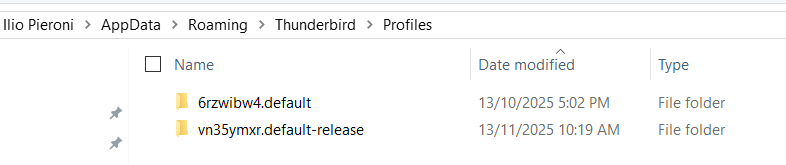
Modified by Mapenzi
I am going to show some snapshots which may clarify the present situation (I hope).
1 Only one app for Thunderbird. 2 Ilio Pieroni Profile 3 Users iliop Profile 4 Users iliop Profile 2 5 Ilio Pieroni Profile 2 So far both names have the same data.
What I am concerned here is that when I did find the correct folders under profile in my backup and considering that the profiles above are the same in my PC and my backup I copied them in the temporary folder where all this snapshots are kept. I fill that the correct think to do is copy them in AppData>Roaming > Thundbird>profile. Than follow Toad-Hall instructions to re link the local folders. What to do with the first profile? I have no idea?! Regards Ilio Pieroni

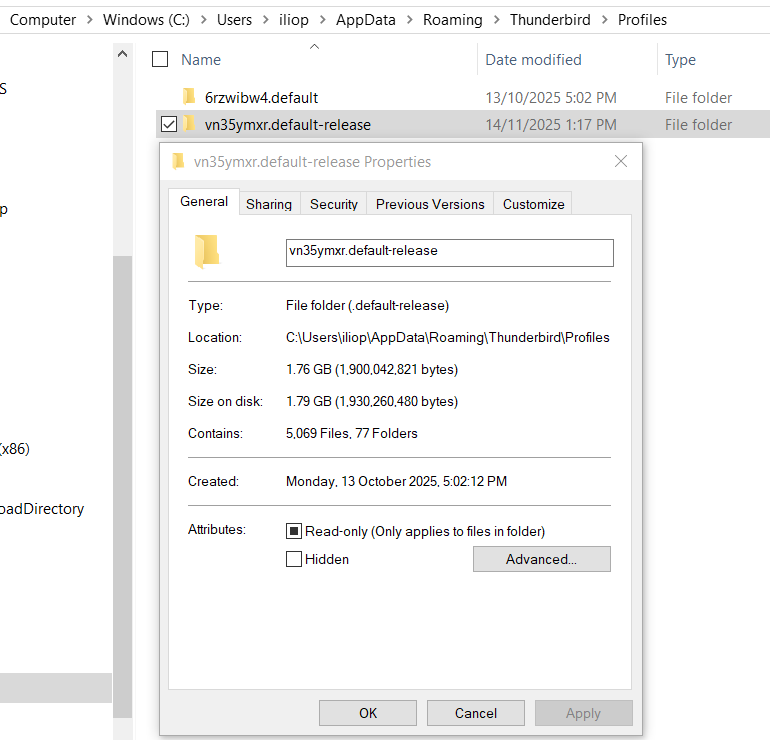
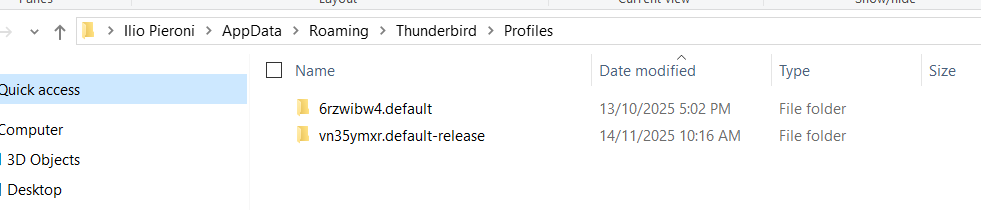
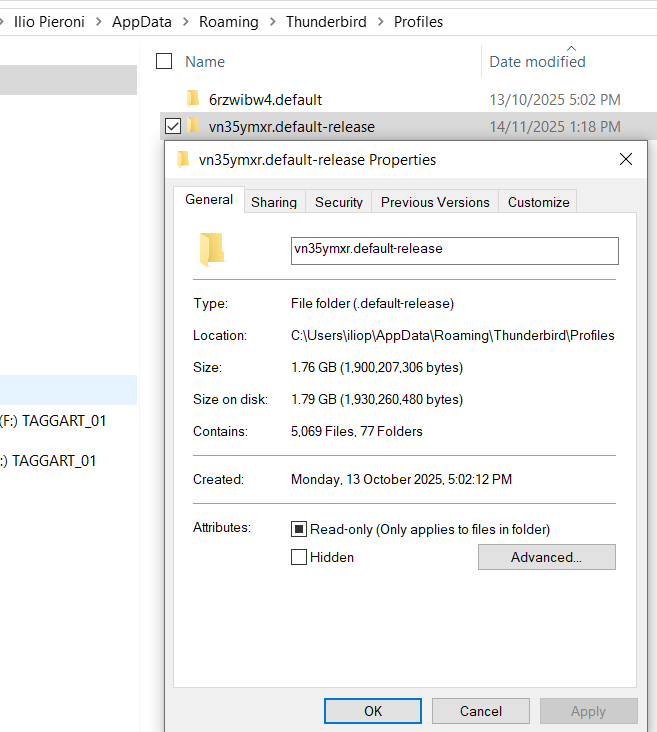
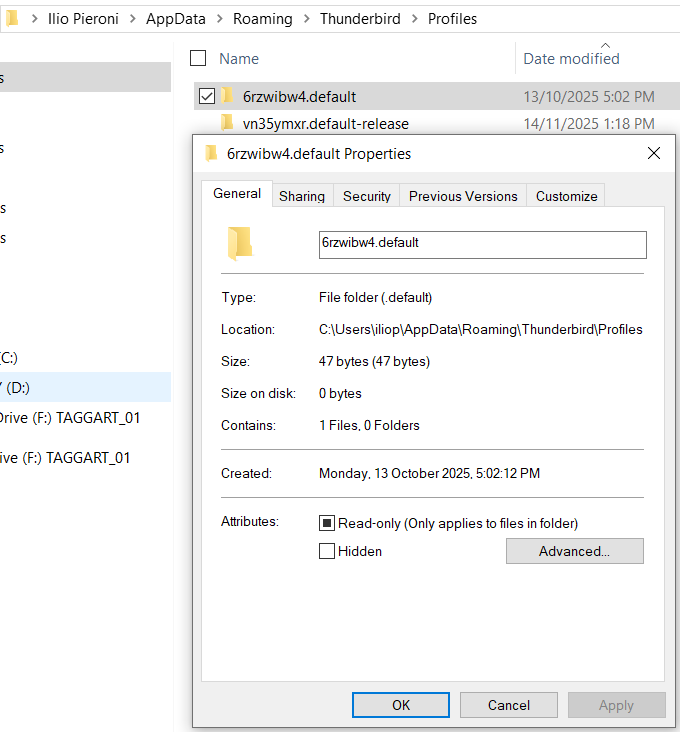
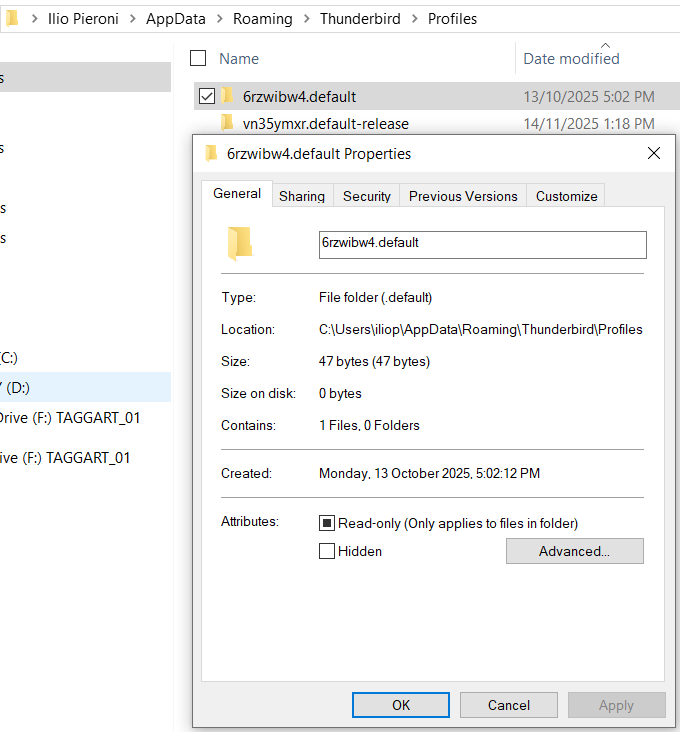
Now you are really confusing the issue.
Have you copied the two profile folders called 'vn35ymxr.default-release' and 6rzwibw.default from:
'ilio Pieroni' /Appdata/Roaming/Thunderbird/Profiles folder
and put them into
'iliop' /Appdata/Roaming/Thunderbird/Profiles folder
I ask this because previously the 'iliop' /Appdata/Roaming/Thunderbird/Profiles folder did not contain those profiles. the 'iliop' /Appdata/Roaming/Thunderbird/Profiles folder contained the 'fws706fj.default-release' profile. That was the profile you were using and it contained all your emails. Where has the 'fws706fj.default-release' profile gone ?
The fws706fj.default-release profile was the only profile you needed as it contained all your Local Folder folders.
What you posted in those images makes me wonder whether you talking about two entirely different computers ? When you say 'backup'...is that a different computer.
Modified by Toad-Hall
Hello, Thanks for your patience with me. What I was trying to demonstrate was that iliop and Ilio Pieroni are one and the same as the snapshots down below demonstrate. (I did confused with the last 2 images in the previous posting as they are both the same). Again image 1 and 2 have the same data as Image 3 & 4 . In my opinions this means that iliop and Ilio Pieroni are one and the same.
I have only one PC, all of my backups, done daily are on my Synology NAS. I am using Macrium Reflect for my backups, when I need to access a backup, the program provides a letter as a drive, in this case G: so it can be viewed in Windows Explorer. I hope this clarify why it appears I have 2 drives When I reset my computer and download a new copy of Thunderbird I replaced the profile whit the combination of the 2 below 7 & 8. I took images of both folders to see their respective sizes. This is what AppData shows now.
The backup dated 6/10/2025. This has to be the one I should have used as the next one is dated 22/10/2025 2 days after the new windows installation image 5 & 6. As I got myself quite confused I saved the (good Folders 5 & 6) on the hard drive, together with all the images I have been taken about this problem. From here I here I changed Local Folders to this location' My question now is should I transfer the good folders to AppData and reset my local folder as you showed me, and leave the other 2 folders there also? here I am not sure at all what to do. I hope I cleared all confusion, Thanks again for your assistance, I really appreciated. Regards Ilio Pieroni
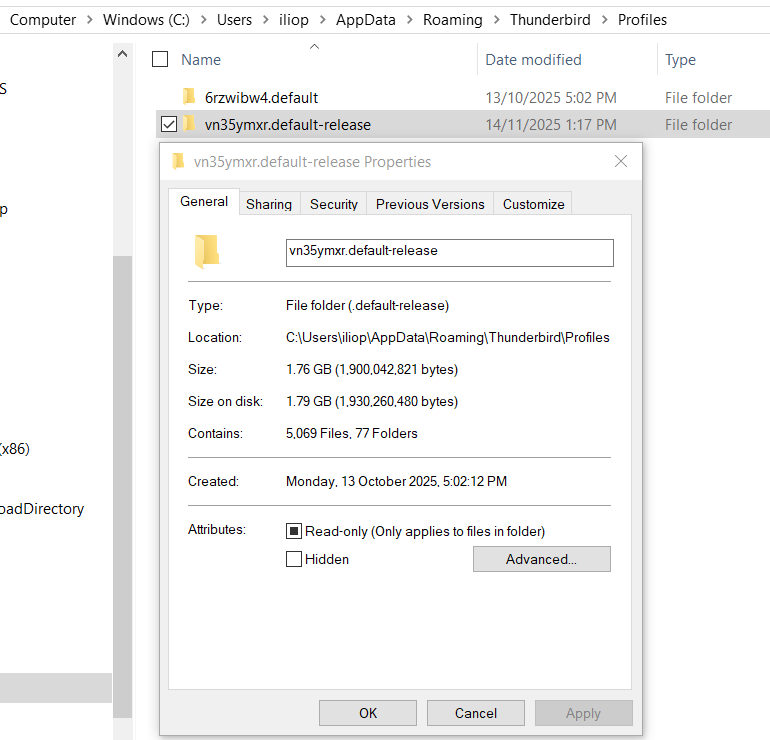
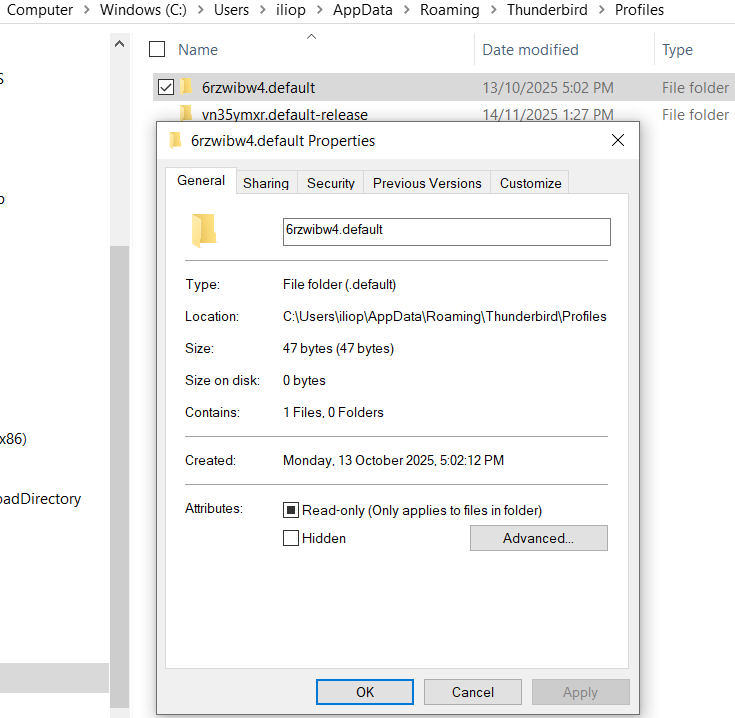
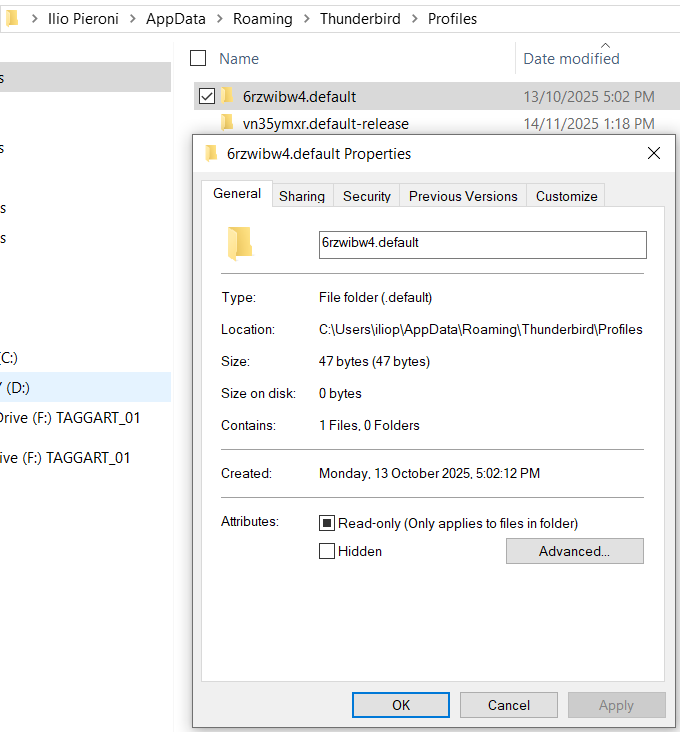
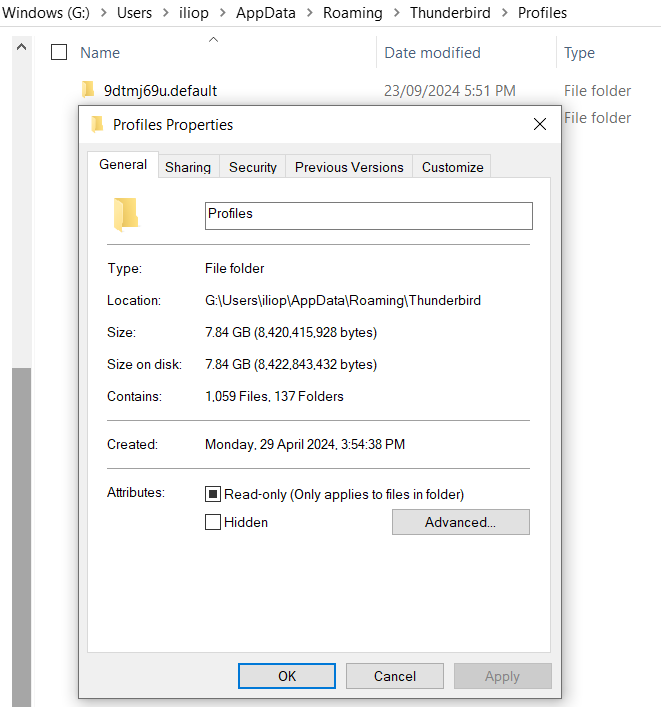
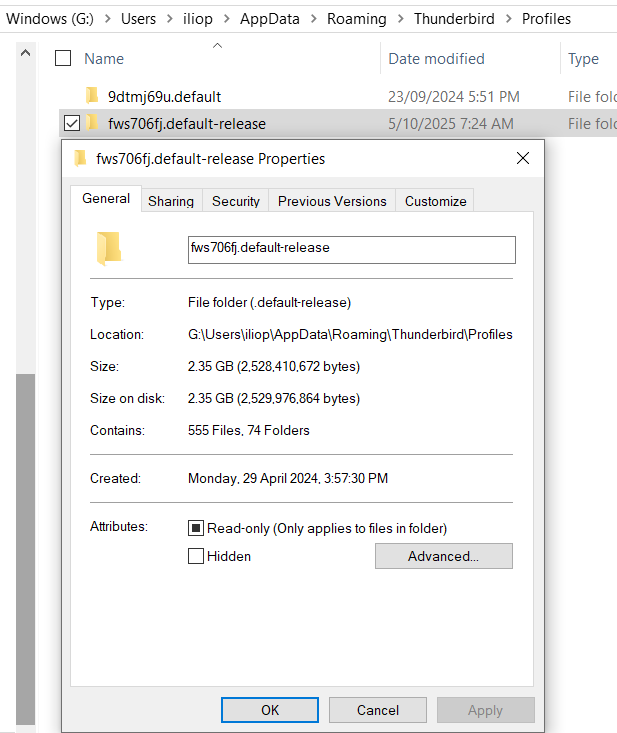
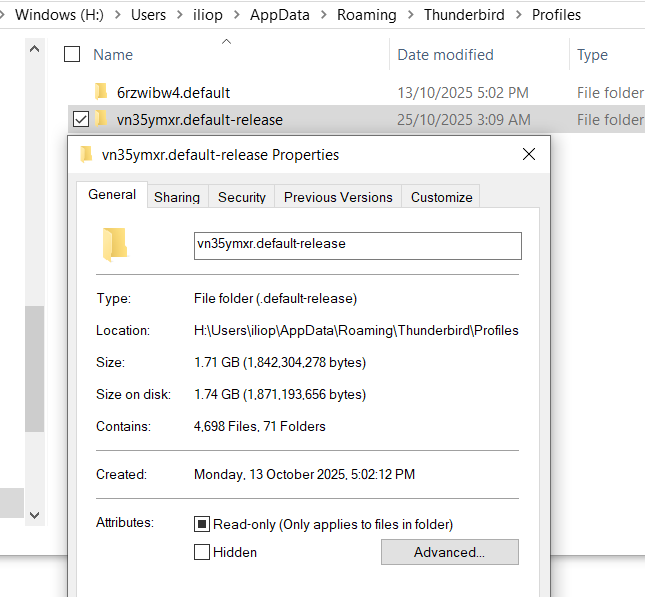
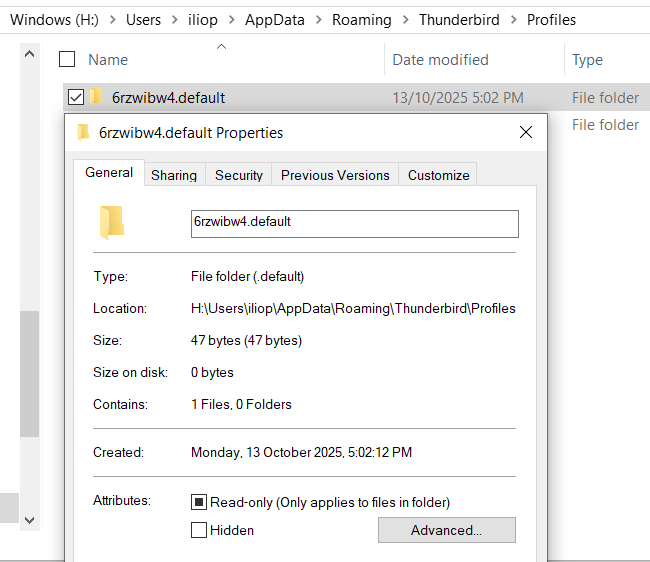
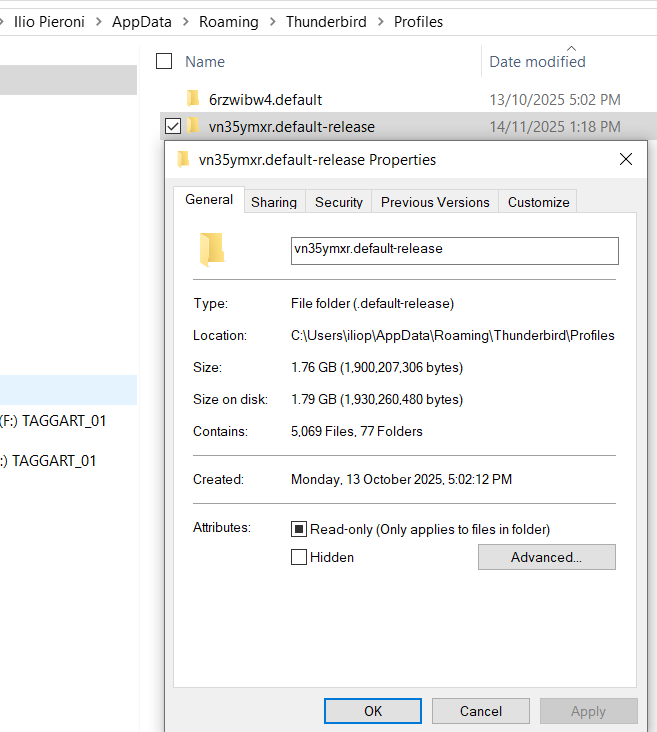
I've no idea why you have so many copies of profiles that do not contain all your Local Folders folders. You need to get rid of all the useless profile copies.
Windows C: iliop - profile name starting: vn35.... It has a size of 1.79GB and based on previous images does not contain any of your Local Folders. It probably has an Imap account - so the email would be not as important as they are available in any imap account. You should check - but if it has no 'Local Folders', I would say it's redundant. I would delete it.
Windows C: iliop - profile name starting: 6rz... Does not contain anything. Delete it.
I've just spotted something - it's a vital piece of information that has not been included in images, but is revealed in a couple of recent images.
'You have different Windows drives eg: C; H; G: and they also use same User Names.
Windows G - iliop - profile starting: 9dtm.... It has a good size 7.84GB That particular profile may contain a load of 'Local Folders' Check it out and keep it.
Windows G - iliop - profile starting: fws.... It has a good size 2.35 GB That particular profile may contain a load of 'Local Folders' Check it out and keep it.
You have another drive : Windows H: Windows H: iliop - profile name starting: 6rz... Does not contain anything. Delete it.
Windows H: iliop - profile name starting: vn35.... It has a size of 1.71GB and based on previous images does not contain any of your Local Folders. It probably has an Imap account - so the email would be not as important as they are available in any imap account. You should check - but if it has no 'Local Folders', I would say it's redundant. I would delete it.
So in the end it looks like the only decent profiles are the ones in Windows G: profile starting: 9dtm.... profile starting: fws....
Can you please get rid of all the profiles that are useless as they are confusing the issue and just keep the ones in Windows G drive. I bet those two are the ones that contain all your Local Folders.
Seçilmiş Həll
IF you want to have a copy of the Good decent sized Profiles which you have in the Windows G: iliop User Account and see the same in Windows C: iliop User Account which is where you would expect everything to run from then you need to do this:
Exit Thunderbird - it must not be running in any location.
Access: Windows G drive G://Users/iliop/Appdata/Roaming/Thunderbird And in 'Roaming' folder - Copy the 'Thunderbird' folder.
Access: Windows C drive C://Users/iliop/Appdata/Roaming folder Delete the 'Thunderbird' folder Paste the copied 'Thunderbird' folder into the 'Roaming' folder. Thus replacing the deleted one with the one that contains all your emails.
You can permanently use the one in C: drive and use the one in G: drive as a backup. But please remember - when you do a backup - do a full backup of the 'Thunderbird' folder. That means all the data includes the 'profiles.ini' file. In other words follow the process I've mentioned here.
If you really need yet another copy in Windows H drive - although I've no idea why as you already have two good copies in C and in G
Access: Windows Hdrive H://Users/iliop/Appdata/Roaming folder Delete the 'Thunderbird' folder Paste the copied 'Thunderbird' folder into the 'Roaming' folder. Thus replacing the deleted one with the one that contains all your emails.
Hello Toad-Hall. your last email is not here, but your instructions have worked OK. I thank you again I couldn't have done without your help. Have a good day, Regards Ilio Pieroni