


Thunderbird 140.2.1esr (64-bit) problems in Windows 11 25H2

Since the version 140.2.0esr (64-bit) in Windows 11 (24H2, and next 25H2), Thunderbird shows several problems, and the version 140.2.1esr did not resolve any issues. Thunderbird (version 140.2.0esr) stopped downloading emails, and stopped filtering incoming emails automatically. These problems have never occurred in previous versions of Thunderbird.
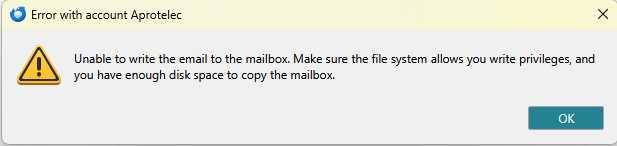
After being launched or after a check mail click, Thunderbird usually displays the following error message: "Unable to write the email to the mailbox. Make sure the file system allows you write privileges, and you have enough disk place to copy the mailbox."
I have done all the required checkings, I have removed the file "global-messages-db.sqlite" and re-opened Thunderbird but nothing worked better. So I stress that this error message is wrong because there is plenty of free space on the SSD disk and the accessed files have 'full control' privilege for the system and for the current user.
After a while, new emails are finally downloaded and written to the Input folder: this proves that write privileges are correct and that there is enough free space on the disk. However they come late in time and some emails are downloaded duplicated.
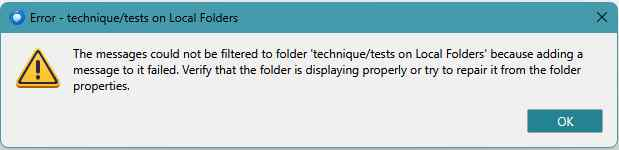
Most often incoming emails are not filtered automatically, and I receive the following error message: "Error - xxx/yyy on Local Folders. The messages could not be filtered to folder 'xxx/yyy on Local Folders' because adding a message to it failed. Verify that the folder is displaying properly or try to repair it from the folder properties". This issue occurs although the folder xxx/yyy displays correctly and repair operations have been performed. On the contrary the same filters works quite fine when I run them manually from the Thunderbird menu =>Tools>Messages Filters (selecting all filters, clicking Run Now).
Within the Local Folders, the folders and subfolders containing new emails are no more highlighted with their name written in bold character font. The subfolder is only highlighted after it has been opened by the user. A very serious consequence is that the user may have missed important new emails, unless he opens the Activity Manager to see the list of new emails.
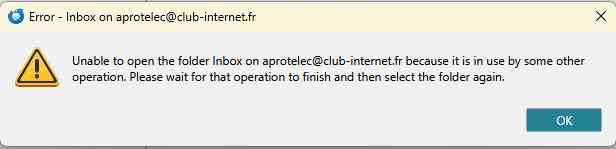
Sometimes when Thunderbird opens I get the message: "Error - Inbox on xxx@yyy. Unable to open the folder Inbox on xxx@yyy because it is in use by some other operation. Please wait for that operation to finish and then select the folder again". This message was never displayed by previous versions of Thunderbird.
All Replies (1)
1. Disk space. You apparently have your profile folder being actively scanned with an anti virus that is SLOW. 2. See the answer to 1.
I read all the rest of that and it all sounds like you have contention issues with your profile files most probably cause by your antivirus product of choice, although placing the profile in a location that is synced to the cloud or on a NAS or other remote storage device can also see these sorts of issues occur. But the antivirus being a hog and causing untold pain is by far the most common cause.
Thank you Matt for your answer. My antivirus has never been slow before Thunderbird version 140.2.1 and the antivirus version has not been upgraded. Well ! The issue of Thunderbird which could not write the emails has been resolved in the new version 140.4.0. I now have to check other problems.