


Threading

I changed settings to no threading, but it continues to show the thread column in all the folders and do threading unless I manually remove the threading column from each folder - very time consuming. How do I get rid of the threading column globally?
All Replies (8)

Do this while on your Inbox and using Table View. First, change the view to Unthreaded:
- make sure the Thread column is removed
- r. click any Message list column header (From, Subject, etc.) > click 'Apply current view to...' > 'Folder and its children...'
- navigate back to the top level (Account name) and click it

This is one of the worst designs I have seen in quite a while...
Give me a global setting. I know the developers decided that threading was cool, and if you agree great. But I have been using email since the 1980s, and I don't want it to change. Yes, I'm that old - older than Google. Older than the Internet.
It wasn't broken, but someone decided to "fix" it. Fine. You do you
Modified by DebraBk

Global settings for threading are in Settings > Appearance and can be applied to both existing and future folders.
I updated (or made sure it was set to my liking) that when I installed Thunderbird last week (this is a new PC.)
It had NO impact on the sent folder.
Try again.
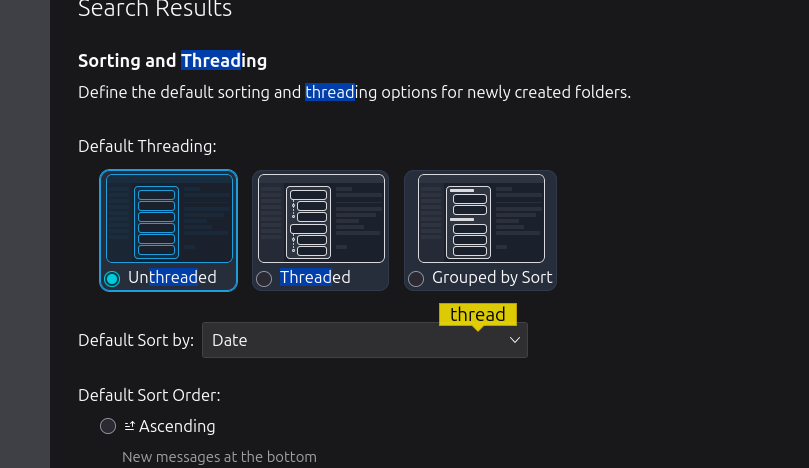
Giving me a "global setting" that doesn't impact the existing folders (because the individual folders have their own settings is NOT a GLOBAL setting. It is a "desire for future folders."
DebraBk said
Giving me a "global setting" that doesn't impact the existing folders (because the individual folders have their own settings is NOT a GLOBAL setting. It is a "desire for future folders."
As I said, global settings for threading are in Settings > Appearance and can be applied to both existing and future folders. I did not just make that up.
Do you see more settings below those in your screen image? "Propagate threading and sorting settings to:" See my screen image. If you have a recent version of Thunderbird, they are there.
The sent folder may have been created before you had a chance to set these settings because Thunderbird makes users set up an account before anything else.
I will not try again. I'm not going to offer more of my time to such an angry and argumentative person.
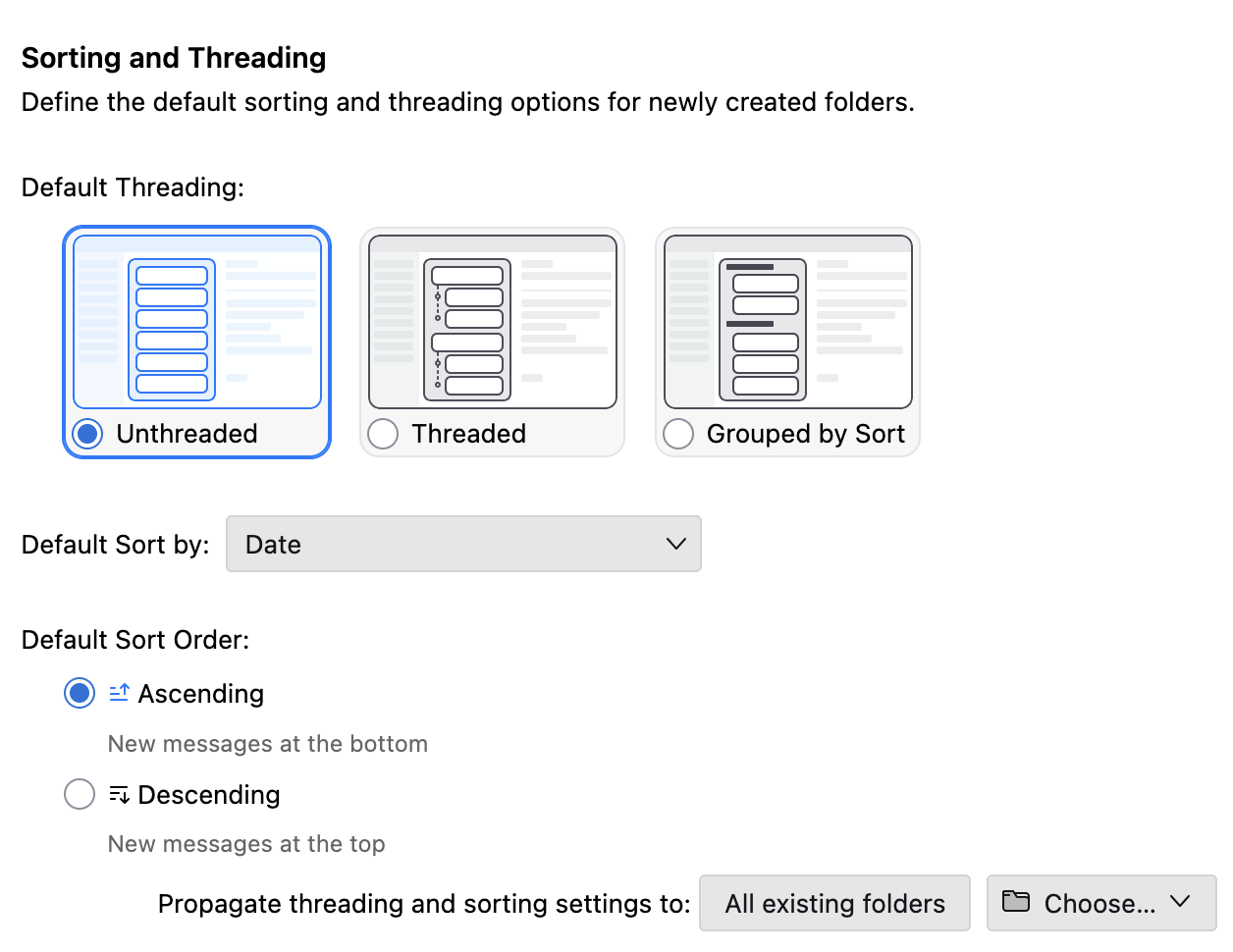
Obviously I did NOT see that.
And so I will go back to my original statement.
This is a bad design
Rick said
DebraBk said
Giving me a "global setting" that doesn't impact the existing folders (because the individual folders have their own settings is NOT a GLOBAL setting. It is a "desire for future folders."As I said, global settings for threading are in Settings > Appearance and can be applied to both existing and future folders. I did not just make that up.
Do you see more settings below those in your screen image? "Propagate threading and sorting settings to:" See my screen image. If you have a recent version of Thunderbird, they are there.
The sent folder may have been created before you had a chance to set these settings because Thunderbird makes users set up an account before anything else.
I will not try again. I'm not going to offer more of my time to such an angry and argumentative person.
I think you are missing the point = i have already changed this to no threading as i said when i started this. This issue isn't that threading is still on in any account. The issue is, when threading is off the threading column remains and i must remove it for every folder i have. One would reasonably think that if threading was turned off, it would also remove that column globally.