the small window where I enter the primary password prompt won't go away when Thunderbird starts (Win10)

I downloaded the upgrade. Now, when I open Thunderbird the small window where I enter the password won't go away. I enter it, it reappears, I enter it, it reappears. When I finally get it to go away, I wait and wait while it attempts to download emails, but no emails are downloaded. This happens on my desk top. I have a laptop as well and am not required to enter a special code and it does what it's supposed to do. I do not like this upgrade. It worked fine until I upgraded.
Modified by Wayne Mery
All Replies (13)
Please post a screen shot of what you are seeing
I can't post a screen shop because the computer involved isn't sending or receiving emails. I'm using my laptop now, which doesn't require an additional code to get email. The email on my desktop stopped working when I downloaded the upgrade.

Hello
before your upgrade had you set a master password ? what was the version before the upgrade ? what is the version now ? what happens if you go to Settings / Privacy and security and try to click Saved Passwords... , then 'Show passwords' ?
Modified by gp
Yes, before the upgrade, I set a master password required by Thunderbird a long time ago. This was in addition to the password required by AT&T.
I don't know the Thunderbird version prior to the recent upgrade or the version of the recent upgrade. You should know that. It's not about not knowing my passwords so I don't need to check on saved passwords. It's about not being able to enter a password required by Thunderbird when using my desktop computer.
An additional password is not required when using Thunderbird on my laptop. Additionally, I was able to do a screen shot that shows the small window that pops up when I open Thunderbird, but I am reluctant to send it because it shows personal information too. I'm surprised that Thunderbird doesn't know about the small, rectangular window that pops up when I click on the Thunderbird email icon. You're the ones that required it a long time ago.
Modified by Wayne Mery
Without a screen shot it's near impossible to help you - with the windows paint application or other tools you can edit out personal information.
See https://www.lifewire.com/snip-and-sketch-windows-10-4774799
Please, do not 'you should know' me. This forum is fielded by volunteers, I am a Thunderbird user and have no relation whatsoever with the Mozilla foundation and am not part of the Thunderbird project.
I have no idea of your current version. It depend of the way you install it. On Windows most people are currently on 102.5, but I am on 102.4.2 because it's the version packaged with my Linux distribution. I have even less information on the current state of Thunderbird distributions on Apple computers. Your previous version matters since if it's very old the update could have some problem requiring manual process. It could be interesting to know it, because if there is a bug it should be registered with the project.
I know about the 'little window' because I tried to set a primary password to help another user on this forum and I noticed that when the password entered by the user do not match the real primary password, there is a prompt for every account configured to download the mails when Thunderbird starts, and it's quite confusing because the prompts overlap and conflict with each other. So I was suspecting that you entered a password that did not match. Since you know the password, that could point to an upgrade problem. It's theoretically possible since the way passwords are stored has changed quite a lot since the beginning.
Do you know all the necessary passwords for your accounts ? if yes, the simpler way could be to reset the configuration manually and recreate the password database.
I guess this will go unresolved. I did a screen shot, but I can't email it because it's not working on my desk top. I drew what it looks like, but when I copied and pasted it into this box, it didn't work.
I have not changed any passwords associated with my email. It all changed when I did the upgrade.
Time to be inventive...
You don't need to email it. Your web browser still works? Below the comment field of "Post a Reply" is "Add images". Click Browse and attach your screen shot.
If you need to get the image file on a different computer, use a USB stick?
lorilori1 said
I guess this will go unresolved.
usually that's how it goes when persons trying to help are asking questions and the person don't answer them.
I answered all your question to the best of my ability. I explained the situation as best I could. I'm not as astute as you are in technical areas. You have been rude to me and have made no attempt to help. Even though you are a volunteer you should know more than you seem to know. I should have been helped by someone who knows Thunderbird, like one of their employees, not a volunteer. I have used Thunderbird for years and am one of the few who make contributions. I am looking for other email options.
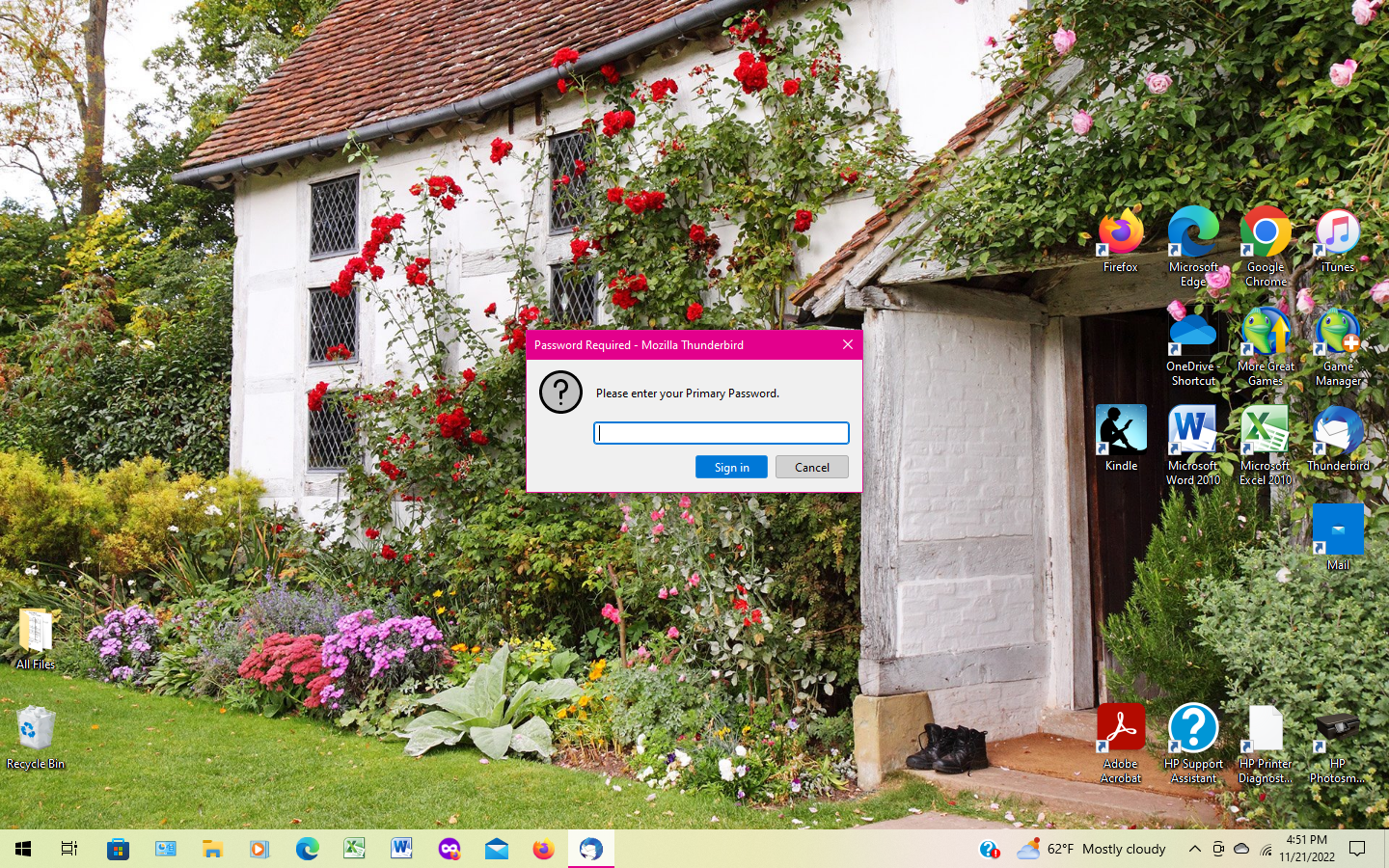
Finally, here's the small window that opens when I open Thunderbird on my desktop. I'm sending this from my laptop and the small window doesn't appear when I open T'bird on this computer.
I enter the password when the window appears and the same small window opens repeatedly. I can't send or receive emails. When I installed the latest update, this is when it began doing this. T'bird required this additional security code some time ago.
Thanks for all your help.
Do you know all the necessary passwords for your accounts ? if yes, the simpler way could be to reset the configuration manually and recreate the password database.
Thanks for the screen shot. In the future, please use the exact words of what you see on the screen, in this case "Primary Password". gp was more asute than me and correctly concluded this is about the primary password.
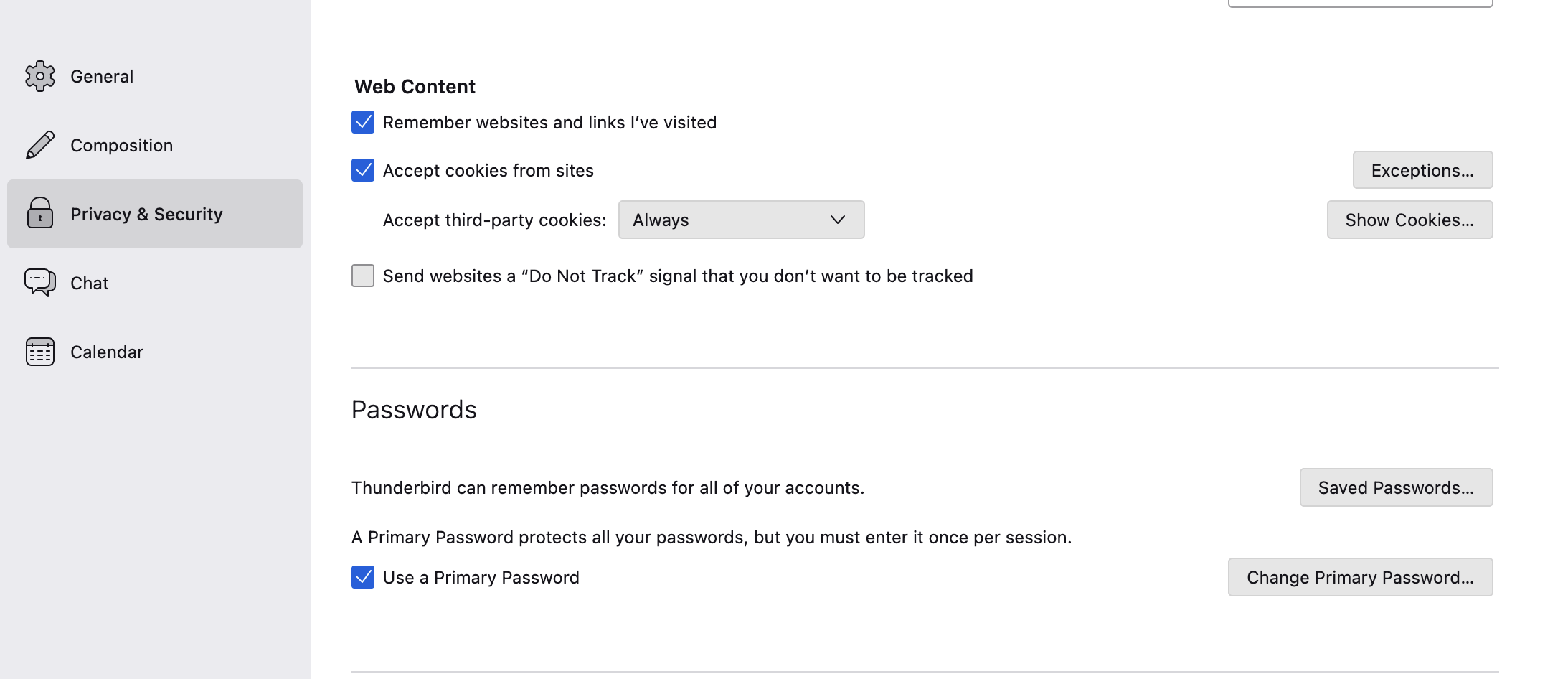
If you can't figure out the primary password then gp is headed in the right direction - Settings > Privacy > Passwords > uncheck "Use a primary password" will remove the need to use a primary password. But it will also clear the account passwords that have been saved. And if you do not have a record of your account passwords (are they stored on the laptop) then you will need to change the account passwords.
But before you go that route another possibility is the password field isn't correctly receiving what is being type into it. I suggest you type your password into a text editor so it is visible, and copy+paste it into the password prompt, being careful not to include spaces and any extraneous characters.