


Display problems (especially with add-ons)
Hello,
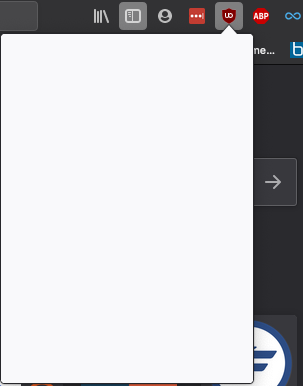
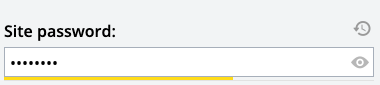
I've been experiencing display problems for a month now. Basically, most of my firefox extensions don't seem to be working. For instance, when I click on the "LastPass" icon, there's only a small triangle that appears underneath; not the usual menu bar of options. Likewise with "UBlock", as the screenshot below shows, here there is more than the weird little triangle, but the display is empty. Or when I click on the PermaCC add-on nothing happens when , usually, the PermaCC site opens up. On some websites, I can't even get small within-site pop-ups to show up (like when I want to see a password on LastPass, I click on the icon but nothing happens). Any help would be much appreciated. I've already tried deactivating-reactivating extensions; repairing permissions, repairing Firefox. So far, the latter has worked but only temporarily (like 24h). Many thanks in advance.
Regards
All Replies (2)
Does that happen when you are not using Private Browsing mode?
https://support.mozilla.org/en-US/kb/private-browsing-use-firefox-without-history
And perhaps this is part of your problem with extensions:
https://support.mozilla.org/en-US/kb/extensions-private-browsing
Thanks for responding – yes, this happens whilsts I am not using private browsing mode.