


website Counciloftime.com is off screen to the left. Can you fix this?

the webpage is offscreen to the left by many characters. I can get into the chat but it also is offscreen to the left. the leftmost column, which contains the create account and chat (and other options if you make an account with them), is almost all offscreen to the left. Can you check their html, or firefox, to see if there is a problem with firefox. My Internet Explorer 8 also has the same problem.
All Replies (2)

It looks okay for me.
Many site issues can be caused by corrupt cookies or cache.
- Clear the Cache and
- Remove Cookies
Warning ! ! This will log you out of sites you're logged in to.
Type about:preferences<Enter> in the address bar.
- Cookies; Select Privacy. Under History, select Firefox will Use Custom Settings. Press the button on the right side called Show Cookies. Use the search bar to look for the site. Note; There may be more than one entry. Remove All of them.
- Cache; Select Advanced > Network. Across from Cached Web Content, Press Clear Now.
If there is still a problem, Start Firefox in Safe Mode {web link} While you are in safe mode;
Type about:preferences#advanced<Enter> in the address bar.
Under Advanced, Select General. Look for and turn off Use Hardware Acceleration.
Poke around safe web sites. Are there any problems?
Then restart.
If you still have a problem:
Remove History For One Site Open the History Manager <Control><Shift> H. In the search bar, enter the name of the site. Right click on one of the listings and select Forget About This Site. This should remove all information, including any passwords / settings.
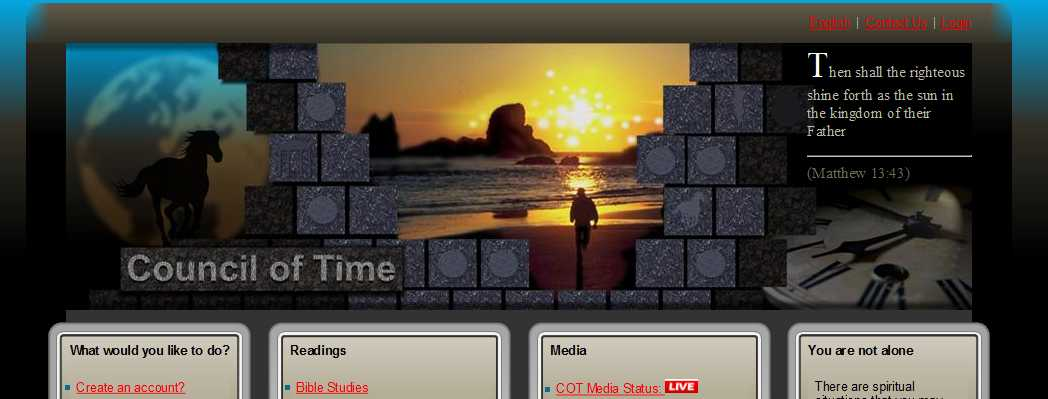
Can you attach a screenshot?
- http://en.wikipedia.org/wiki/Screenshot
- https://support.mozilla.org/kb/how-do-i-create-screenshot-my-problem
- Use a compressed image type like PNG or JPG to save the screenshot
- Make sure that you do not exceed the maximum size of 1 MB
Boot the computer in Windows Safe mode with network support (press F8 on the boot screen) as a test to see if that helps.
Do a malware check with several malware scanning programs on the Windows computer. Please scan with all programs because each program detects different malware. All these programs have free versions.
Make sure that you update each program to get the latest version of their databases before doing a scan.
- Malwarebytes' Anti-Malware:
http://www.malwarebytes.org/mbam.php - AdwCleaner:
http://www.bleepingcomputer.com/download/adwcleaner/
http://www.softpedia.com/get/Antivirus/Removal-Tools/AdwCleaner.shtml - SuperAntispyware:
http://www.superantispyware.com/ - Microsoft Safety Scanner:
http://www.microsoft.com/security/scanner/en-us/default.aspx - Windows Defender:
http://windows.microsoft.com/en-us/windows/using-defender - Spybot Search & Destroy:
http://www.safer-networking.org/en/index.html - Kasperky Free Security Scan:
http://www.kaspersky.com/security-scan
You can also do a check for a rootkit infection with TDSSKiller.
- Anti-rootkit utility TDSSKiller:
http://support.kaspersky.com/5350?el=88446
See also: