


Windows 10 reached EOS (end of support) on October 14, 2025. If you are on Windows 10, see this article.

ابحث في الدعم

Avoid support scams. We will never ask you to call or text a phone number or share personal information. Please report suspicious activity using the “Report Abuse” option.

Learn More

TB 150.0 not downloading office365 folders

  • ما من ردود
  • 0 have this problem
  • 5 views
  • Open

I have been using TB to access my Office365 account using the TB Oauth protocol, however, it got to be painfully slow when trying to download messages. I had set up rules and folders that worked, albeit slow.

To try to alleviate the slowness I started a new profile to my Office365 account again using Thunderbird's OAuth protocol. It's lightning fast! But it didn't bring down any of my Office365 folders that exist up on the Office365 servers. (see 2nd TB Install screen print below) It had brought down all the folders and previous e-mails in the 1st installation. (see 1st TB Install Redacted. Screenprint below)

I don't know why this might happen, does anyone have any ideas? Is there a workaround or could I be doing something wrong?

Thanks

Dan
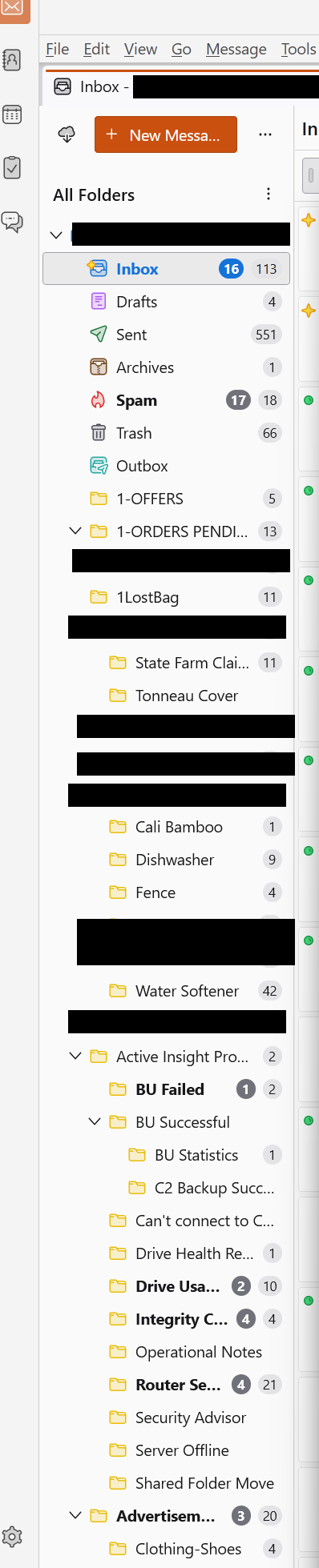
I have been using TB to access my Office365 account using the TB Oauth protocol, however, it got to be painfully slow when trying to download messages. I had set up rules and folders that worked, albeit slow. To try to alleviate the slowness I started a new profile to my Office365 account again using Thunderbird's OAuth protocol. It's lightning fast! But it didn't bring down any of my Office365 folders that exist up on the Office365 servers. (see 2nd TB Install screen print below) It had brought down all the folders and previous e-mails in the 1st installation. (see 1st TB Install Redacted. Screenprint below) I don't know why this might happen, does anyone have any ideas? Is there a workaround or could I be doing something wrong? Thanks Dan
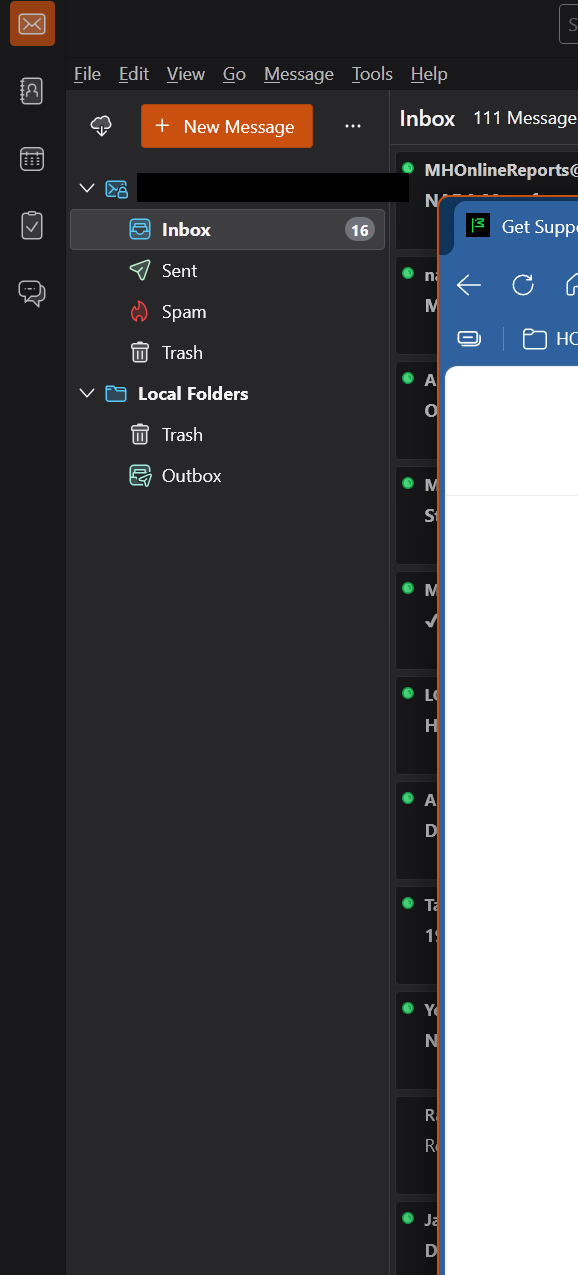
Attached screenshots

You must log in to your account to reply to posts. Please start a new question, if you do not have an account yet.