


Sign in window pops up every time I open Firefox

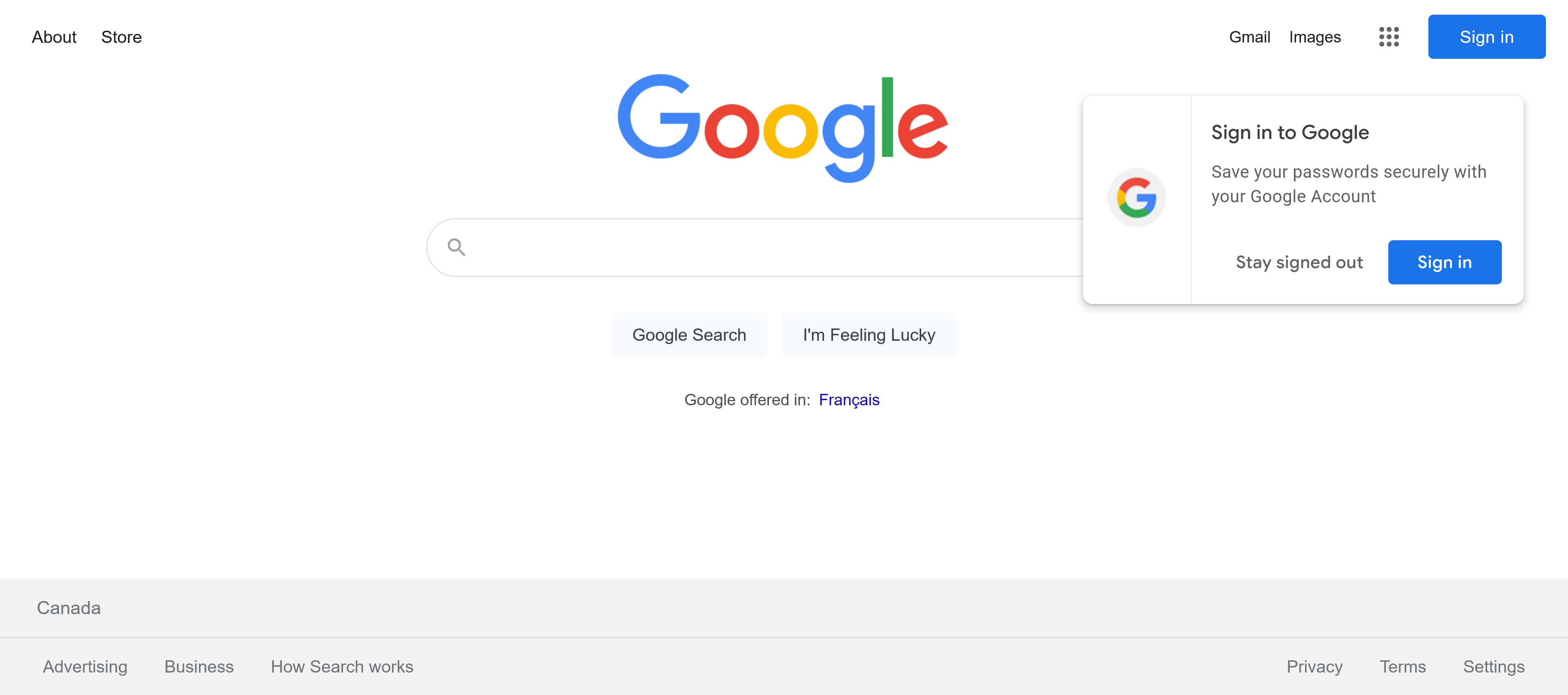
Hello, Every time I open Firefox there is the standard "Sign In" button in the top right corner and then also a second "Sign In" window that pops up to the right of the search bar partially covering the search bar. This is the window that I would like to disable or stop from opening. I would appreciate any assistance you can provide on the subject.
Thanks! :)
Hello,
Every time I open Firefox there is the standard "Sign In" button in the top right corner and then also a second "Sign In" window that pops up to the right of the search bar partially covering the search bar. This is the window that I would like to disable or stop from opening. I would appreciate any assistance you can provide on the subject.
Thanks! :)
All Replies (1)
Install uBlock Origin and enable all the Annoyances filters.