Printer Bug in Firefox mobile

In Firefox Mobile app... When I click Print option (for print pdf) It opens default printing app and it opens default letter format with header footer automatically added to the page
There is no option to remove header footer (this only appears in Firefox print...)
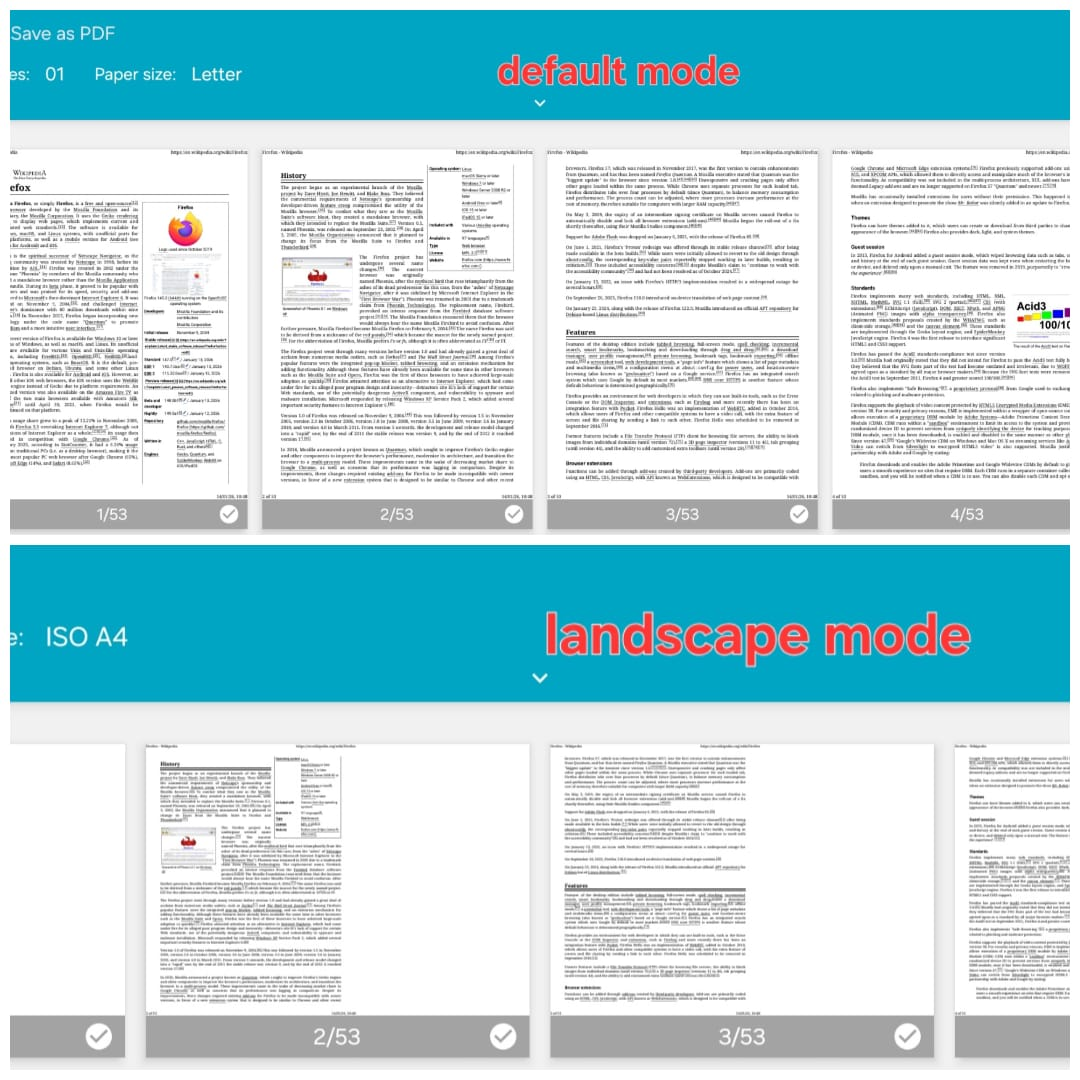
2nd problem is when I switch to landscape print it just shrink the letter size to the left and right half page is blank... Not responsive.. not automatically fits to the paper size... You can check the attachment for visuals of the problem.. Please fix this adjustment and header footer link problem or provide built it browser printer for custom printing options before launching the printing app.
In Firefox Mobile app... When I click Print option (for print pdf)
It opens default printing app and it opens default letter format with header footer automatically added to the page
There is no option to remove header footer (this only appears in Firefox print...)
2nd problem is when I switch to landscape print it just shrink the letter size to the left and right half page is blank... Not responsive.. not automatically fits to the paper size...
You can check the attachment for visuals of the problem..
Please fix this adjustment and header footer link problem or provide built it browser printer for custom printing options before launching the printing app.