


Just hitting <enter> to save a file stopped working

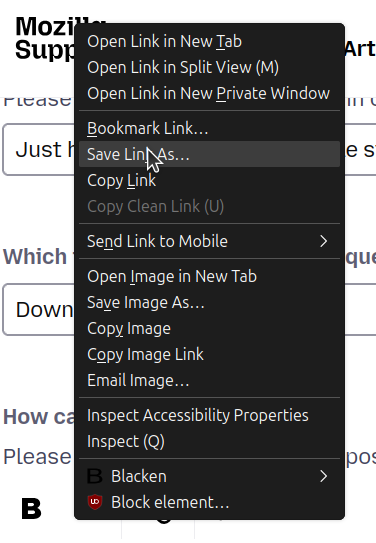
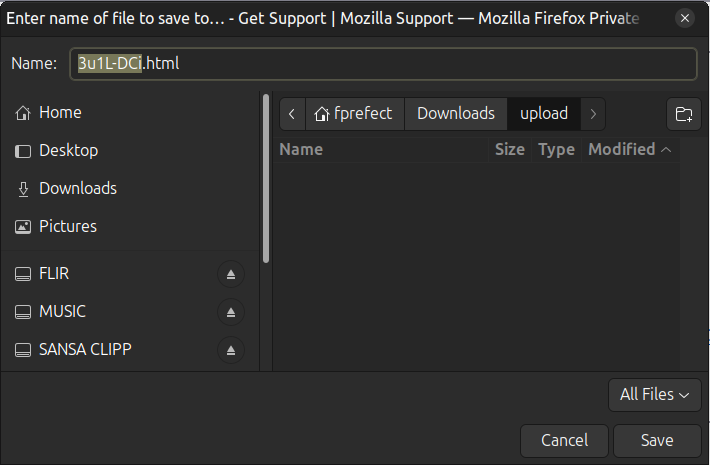
Since the latest version (152.0), right clicking on a file link, select Save As... and with the popup with the filename and saving location being OK just hitting <Enter> doesn't do anything anymore. I now have to specifically click the "Save" button (or use <Alt>+S) to get my file saved. This is highly annoying as my muscle memory gets in the way all the time. Please get the original behavior back. Just found out the same behavior is with file upload.
所有回复 (4)
选择的解决方案
I'd have imagined these controls would be handled by the system file picker itself — is this specific to Firefox now and you can still trigger the implicit action as before in any of your other apps using this same GTK or XDG portal?
Can you please add more details about your Linux distro, versions, and the source your Firefox comes from (system packager or store, binary distribution or a repository?)
Thanx for your reply! It started after I upgraded my Ubuntu 24.04-4 LTS MATE system (6.8.0-124-generic #124-Ubuntu). I discovered it is not just Firefox but everywhere. So this is not a Firefox issue but Ubuntu that has changed file handling behavior. That happened before... As this is not a Firefox issue I'm afraid I have to complain somewhere else. Like the Ubuntu forum. Or change my OS, to eg. Linux Mint. Its version 22.3 does not have this issue. Sorry about the commotion...
No that's definitely good for awareness in case it was some sort of unexpected interaction — however as in most cases the reason for that is usually the more boring, simplest explanation.
Feel free to select some of the replies above as the solution, it will help to surface that in case more folks search for the same.
I'd generally expect this to be both quite a popular functionality, and rather customizable on the system level per se — so unless it's a bug, it might just need tweaking back a bit — something a forum for your desktop environment might be the most helpful and aware of any changes…
Not a solution per se but at least I know it's not Firefox related but system wide. Linux Mint 22.3 does not exhibit this unwanted behavior so maybe it's time to migrate.