


error when sending email with PDF attachment, created via brother scan to email, there was an error attaching xyz.PDF please check that you have access to the file

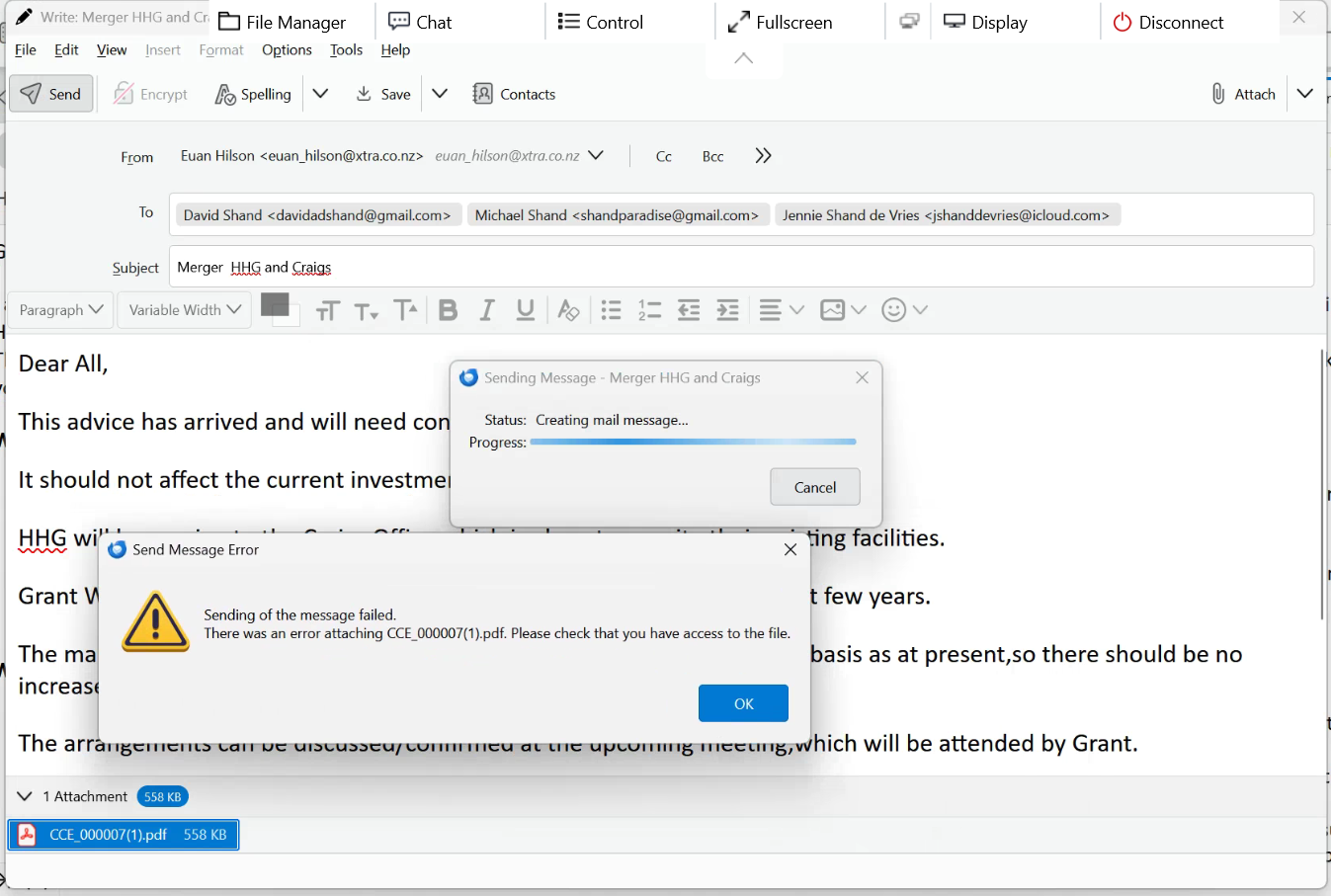
I have a client who has been using Thunderbird for years - in the last couple of weeks when doing his normal scan to email he is suddenly getting this error message, after filling in the email details and clicking send
"Sending of the message failed - there was an error attaching xyz.PDF. Please check that you have access to the file"
Process is... 1. do a Scan to Email via the Brother printer console panel 2. Scan completes and opens the TB new email message - File saves into the default folder \pictures\cc4\email 3. Fill in the recipient, subject and message body 4. Click send message in TB 5. Error above is presented
I can open the the attachment within Thunderbird to check it and it opens just fine - the scanned file is actually there... But click the send button and that error is presented.
I can fix it by removing the attachment and reattaching manually from the email folder where scan is saved.
When I try it myself (remote support), either via the brother CC4 app or getting client to trigger the scan to email, it often works, but invariably he calls back after his next scan to email and it is broken again...
Scans were saving to a Onedrive folder originally, moved the save location back to the standard user/pictures/cc4 folder assuming Onedrive may have been interfering, but it is still behaving the same.
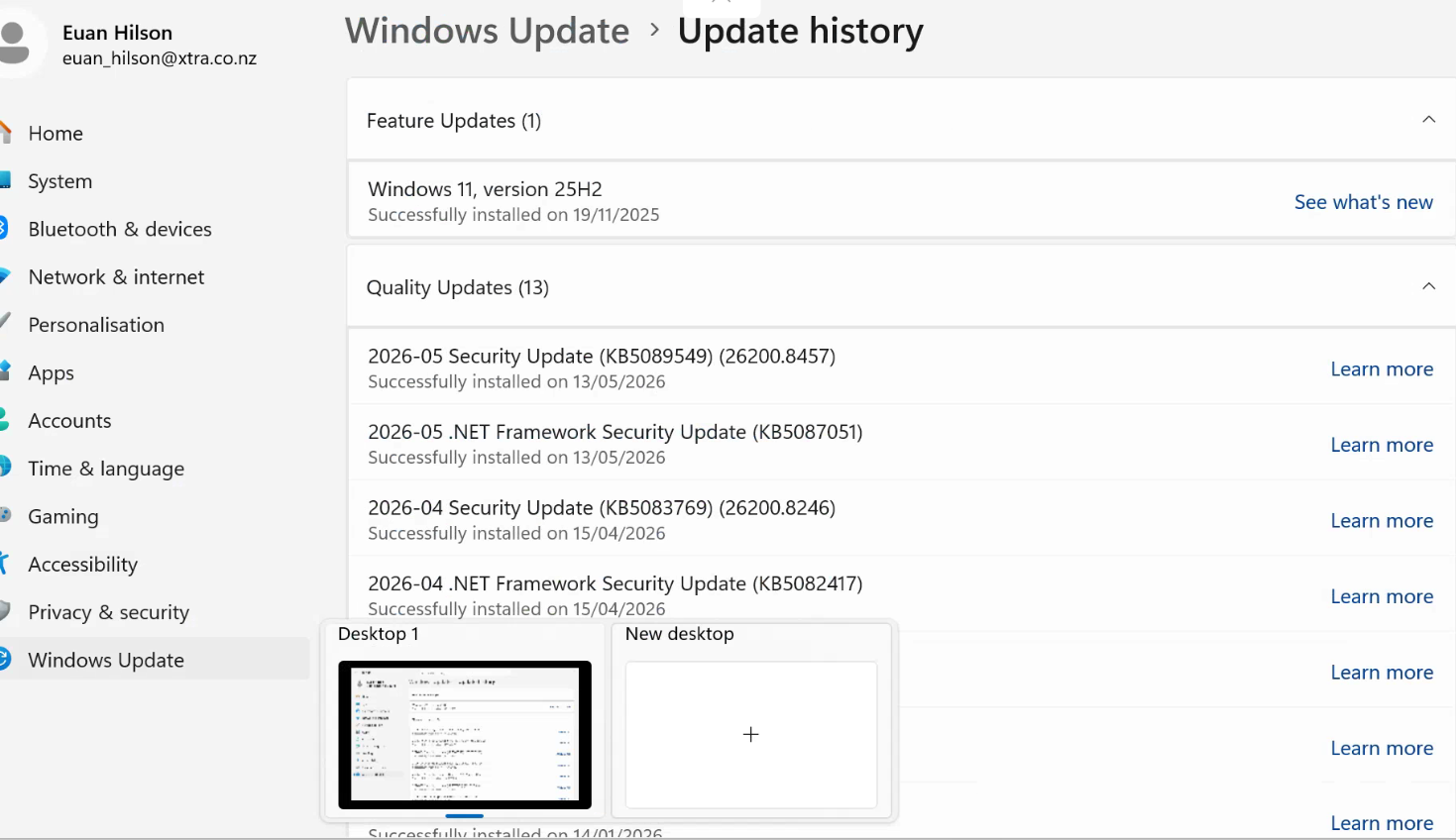
Anyone have any clues what might be going on here? The brother software seems to be doing what it is supposed to. I have reinstalled both the Brother software and Thunderbird with no change... Windows updates maybe?
In the interim I have him doing scan to file and attaching manually, but would be nice to get this sorted for him...
its an Acer laptop running Windows 11 pro 25H2, TB version was 150.0.2 originally but still doing the same on the latest 151.0 that I installed two days ago
Thanks for reading... any help appreciated
所有回复 (3)

Try having your client disable the outgoing email scanning option in their antivirus app, if there is one.
he just uses the built in MS Defender for security - I can't see any options to disable outgoing email scanning in there.
I could probably try temporarily turning it off completely and see if that makes any difference, but would be totally weird imho since all other emails without attachments and those with manual attachments all seem to send fine...
Appreciate the help though...
andrew310 said
he just uses the built in MS Defender for security - I can't see any options to disable outgoing email scanning in there. I could probably try temporarily turning it off completely and see if that makes any difference, but would be totally weird imho since all other emails without attachments and those with manual attachments all seem to send fine... Appreciate the help though...
¯\_(ツ)_/¯ Might be best to file a bug at https://bugzilla.mozilla.org/enter_bug.cgi/.