


Some sites/pages have messed up characters

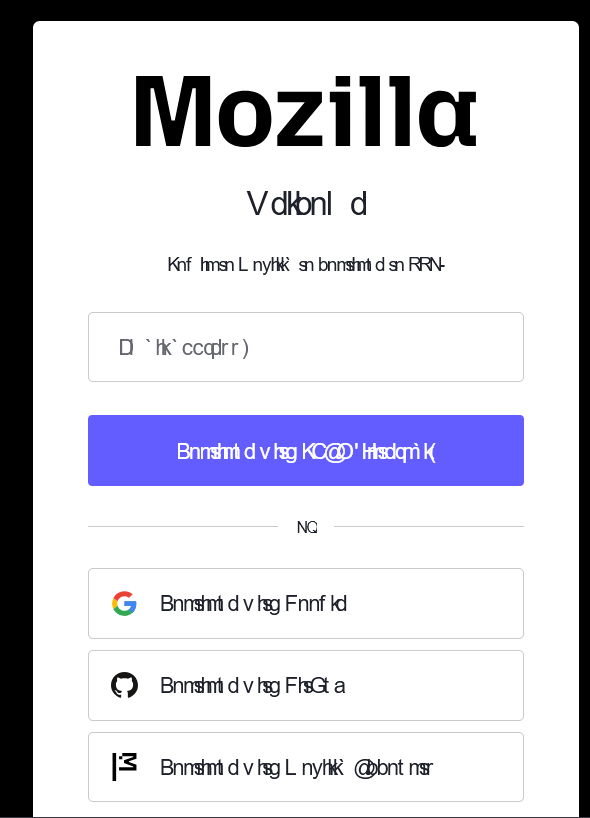
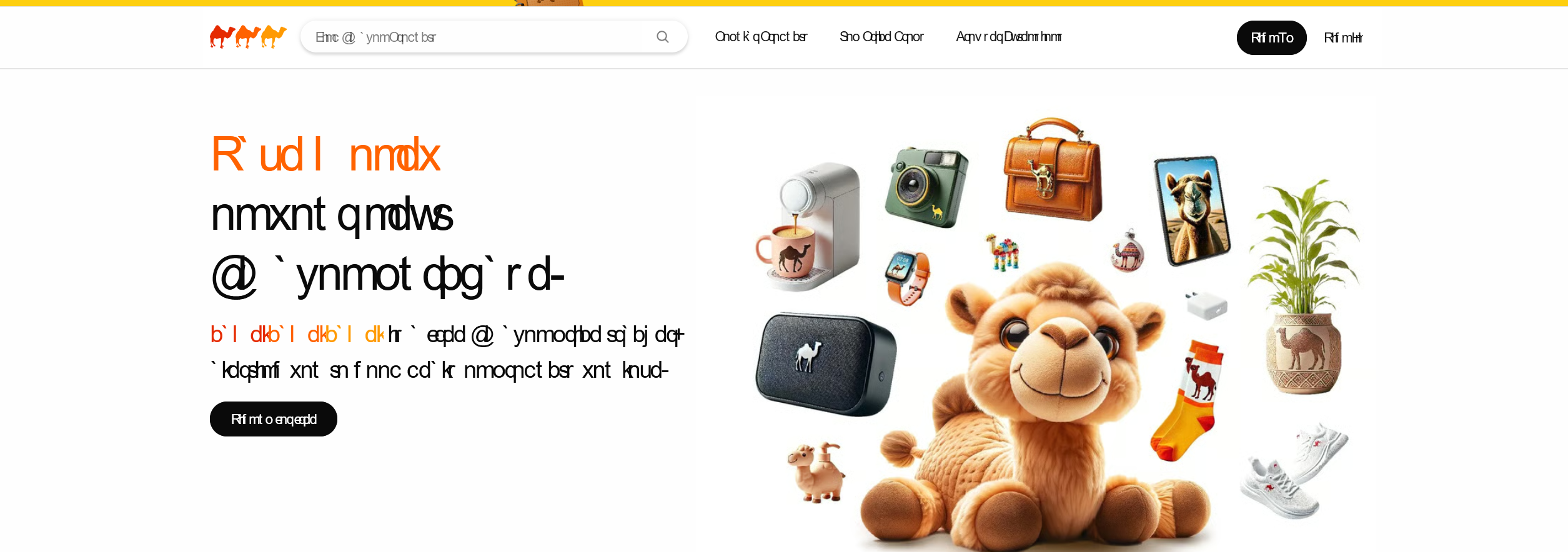
See attachment, some sites are not loading correctly at all, which ironically includes the mozilla sign in page. I also noticed it on camelcamelcamel.com. See attachments.
I already tried clearing cookies etc. Unchecking the "allow sites to choose their own fonts" fixes it but obviously I don't really want that disabled. I switched off Chrome recently so I'm already quite disappointed tbh.
所有回复 (5)
+++ I think it's something to do with the roboto font, because removint it from the font family on the page after pressing F12 fixes it, but it works fine in other browsers..
Could it be you have versions of Roboto installed locally, these would take priority over the remote ones, but the local ones have trouble loading? Could you try removing any local Roboto fonts to see if it improves? (Or, generally, clean up duplicate instances or remove all older local occurrences of that font and upgrade to current versions if you need them on your local system?)
There isn't away to remove it in the fonts page in Settings and it doesn't even appear in the Windows/Fonts folder. One time I restarted my PC and it wasn't anywhere, which allowed the pages to load correctly, but now it's broken again.
Just seems to be random, sometimes the font displays correctly and other times it doesn't. Kinda makes the program difficult to use.
FWIW this is a local font issue. I just checked the camel3x site since I didn't see any Roboto there, and, alas, it has a system(~ish) font stack, so for me it's actually using San Francisco — it does not serve any own webfonts, only defers to what the underlying users' OS provide.
Roboto is there on the top of the stack. But they don't serve it. So if it gets picked up for you, then your OS must have it available and provide it to the browser.
If you can't find any corrupt or duplicate font files, try installing a fresh official Roboto type package over it, in hopes it fixes the setup for you.