


Always Show The Address In The Location Bar

Firefox 145.0.1 (64 bit) - Until recently the full URL address always displayed in the Location Bar. About a month ago the full address disappeared completely and a blue globe icon at the end had to be clicked to display the full address.
I have changed "browser.urlbar.trimURLs" to false per https://support.mozilla.org/en-US/questions/1493782#answer-1712662. Now when I do a new search the full URLs still do not display. I still have to click the blue globe. But if I click on any of the search result pages the full URLs display. How can I fix this?


所有回复 (4)
Hello
A illustration https://support.mozilla.org/en-US/questions/1529798#answer-1757532 You can try, the checkbox Show search terms in the address bar on results pages. Take a look at the screenshot.
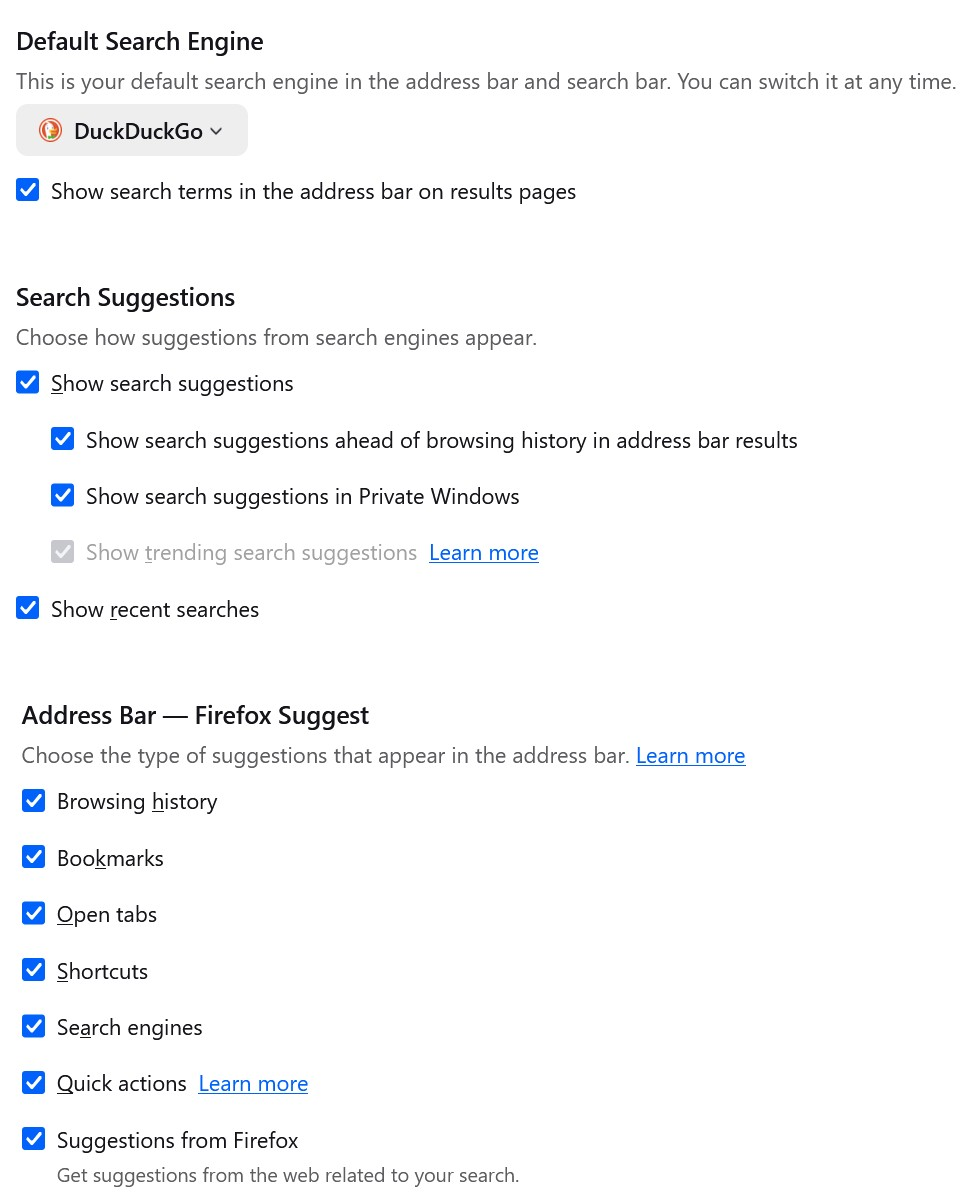
You can try, uncheck the box Show search terms in the address bar on results pages.
