


Firefox Bookmarks Add goes where?

iOS 18.5 -> Firefox app Firefox 141.2 (59350) -> Menu (3 horizontal dots bottom near right) -> Bookmarks (top left) -> Add (top right) -> where does this added bookmarks go to? I cannot find it? I suspect Bookmarks are not being added from the phone. I sync between desktop and phone, currently having to add bookmarks via the desktop.
选择的解决方案
Hi there,
It looks like you're using an outdated version. Can you update your app to 144 and see if it help solve the issue?
所有回复 (5)
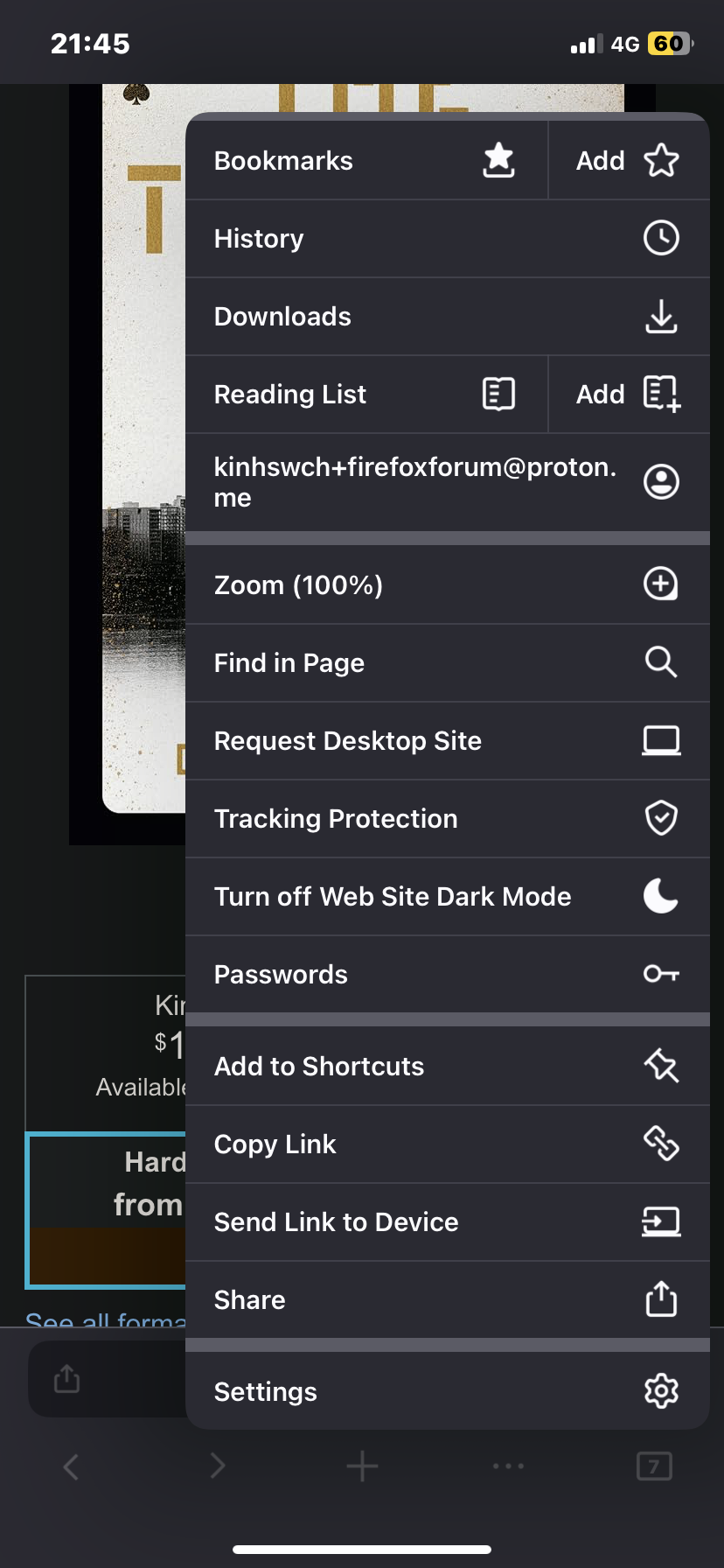
Screenshot of Add Bookmark attempt

Hi
If you select "Bookmarks" from the Firefox for iOS menu, you should see your saved bookmarks.
Yes indeed. Bookmarks -> Desktop Bookmarks -> Unsorted Bookmarks -> This folder is empty Bookmarks Toolbar -> correct bookmarks synced between desktop and phone Bookmarks Menu -> Bookmarks -> This folder is empty
However, my question is not what happens when I select Bookmarks...rather, what happens when I select Add? As per screenshot in my previous post, when I have a new web page on the phone browser Firefox, that I would like to add to my bookmarks, where and how to do this? I indeed tap Add, however nothing happens.
选择的解决方案
Hi there,
It looks like you're using an outdated version. Can you update your app to 144 and see if it help solve the issue?
Thanks, helpful, however the solution is convoluted. Firefox 141 on iOS 18.5 was failing to Add bookmarks, so bookmarks where going nowhere.
Previous to this investigation into fixing my Firefox browser bookmarks, which I try to sync between desktop Firefox browser and iOS 18.5 Firefox browser, there was a problem of out of sync folders. Indeed as you say the phone default stored in Firefox bookmarks Mobile Bookmarks folder. However desktop default storage was in Firefox bookmarks Bookmarks Menu.
I then corrected this Bookmarks location to Bookmarks Toolbar. Sync was confused and I ended up losing 1000's of bookmarks, even with a backup export/import where I tried to manually clean up bookmarks' structure, inadvertently only exporting text headers and titles and the urls disappeared...nightmare!
Anyway, Firefox 144 on iOS 18.5 is now adding bookmarks, to the last opened Bookmarks folder -> title, or so it seems. Syncing seems to run smoothly after my looooooong investigation into Firefox browser and bookmarks structure. The phone Firefox browser now has a Bookmarks folder structure Bookmarks -> Desktop Bookmarks -> Unsorted Bookmarks -> This folder is empty Bookmarks Toolbar -> my bookmarks for phone and desktop are correctly here now Bookmarks Menu -> Bookmarks -> This folder is empty
Let's hope and pray to the almighty flying spaghetti monster that newbies and learners to Firefox don't experience my bookmarks and sync nightmare, rather a 5 year old UX experience that sets up like magic.