Adding Icons to Firefox Focus Home Screen

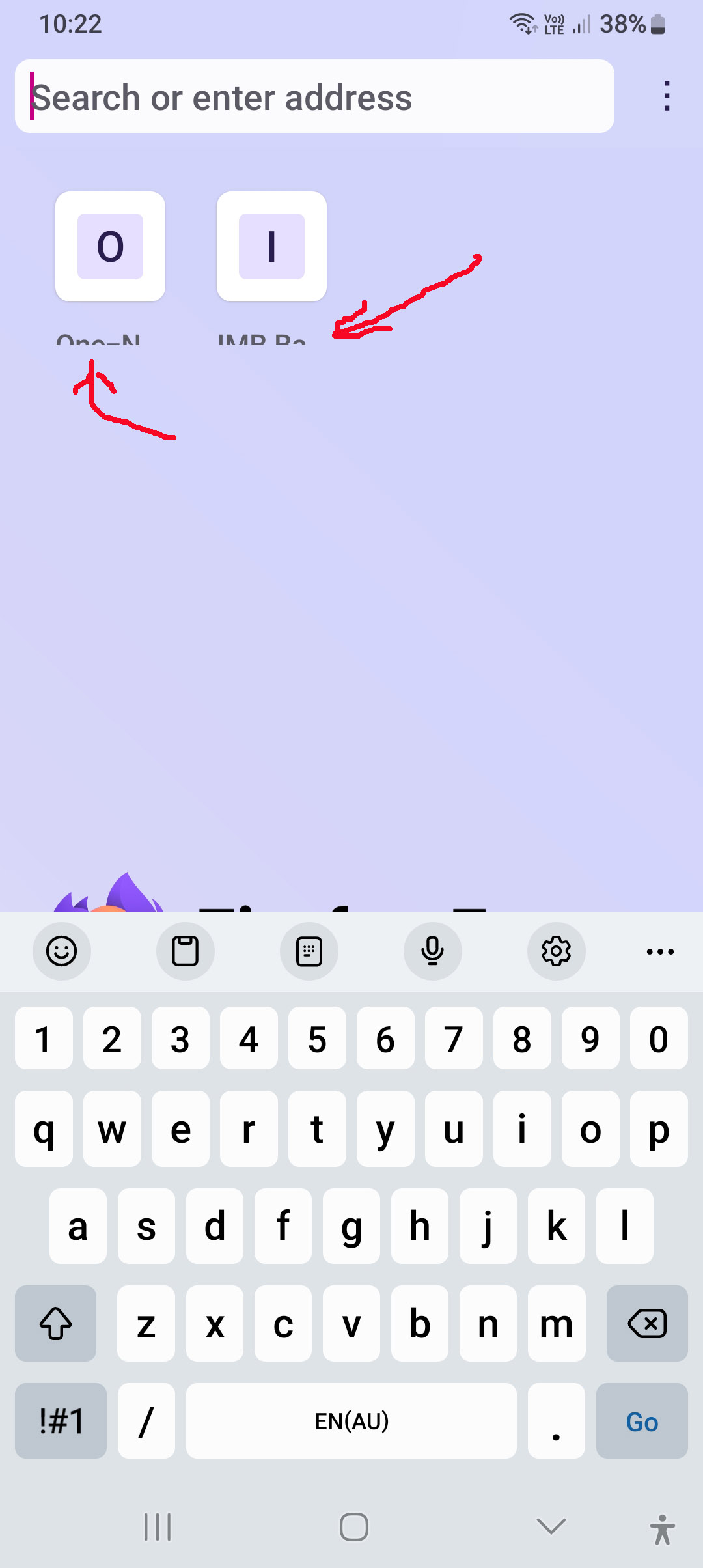
I have a question elsewhere about "trimmed" icons, but now I can't recall, or find, exactly how to add shortcut icons (to web pages) to the Focus home page. NOT to the phone Home Page, but to the page that opens when I start the browser. My current two are clipped, but I want to try adding another to see if it, too, gets clipped or not. Help wanted, please.
所有回复 (2)

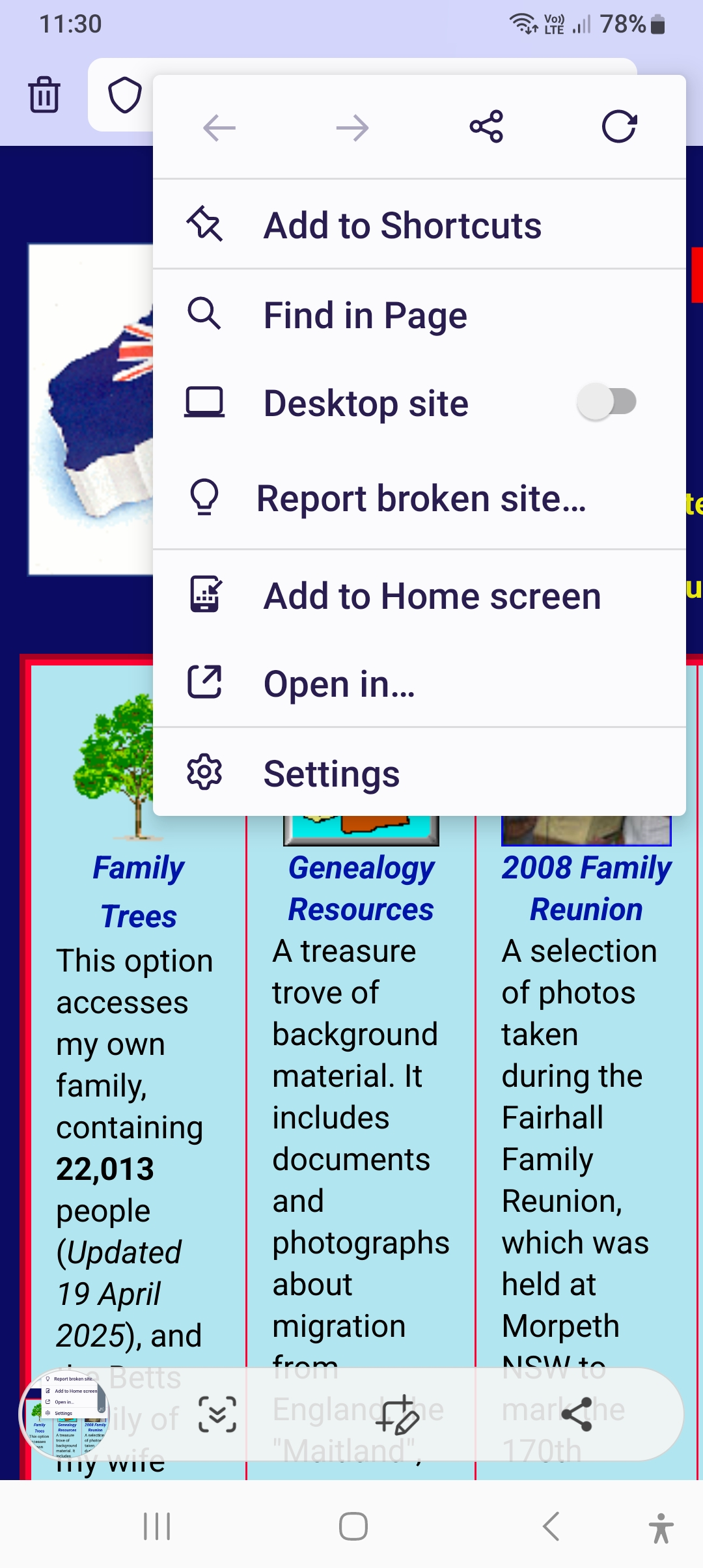
To add a shortcut icon to the Firefox Focus start page, you can visit the website you want to add, then tap the three-dot menu (⋮) and choose "Add to top sites" or "Add to home screen" depending on your version. Since you're referring to the Focus start page (not your phone's home screen), it's the "Top Sites" section you want to update.
If the icons are appearing clipped, it might be due to the site not having a properly formatted favicon. Try adding a different site to compare — that should help confirm if it's the site or the browser's display.
Hope that helps!
Thanks for your speedy reply. Appreciated. My Focus Menu has no option to "Add to top sites" but it does have the Home Screen option. See attached. I tried this option and it added an icon to my phone home screen. Not what was wanted, so I deleted it.
Then, later looking at Firefox Focus I see a shortcut has been added there! Maybe both happened together? Well, that got the shortcut, but it's still very "short". A problem to be solved... Bruce