


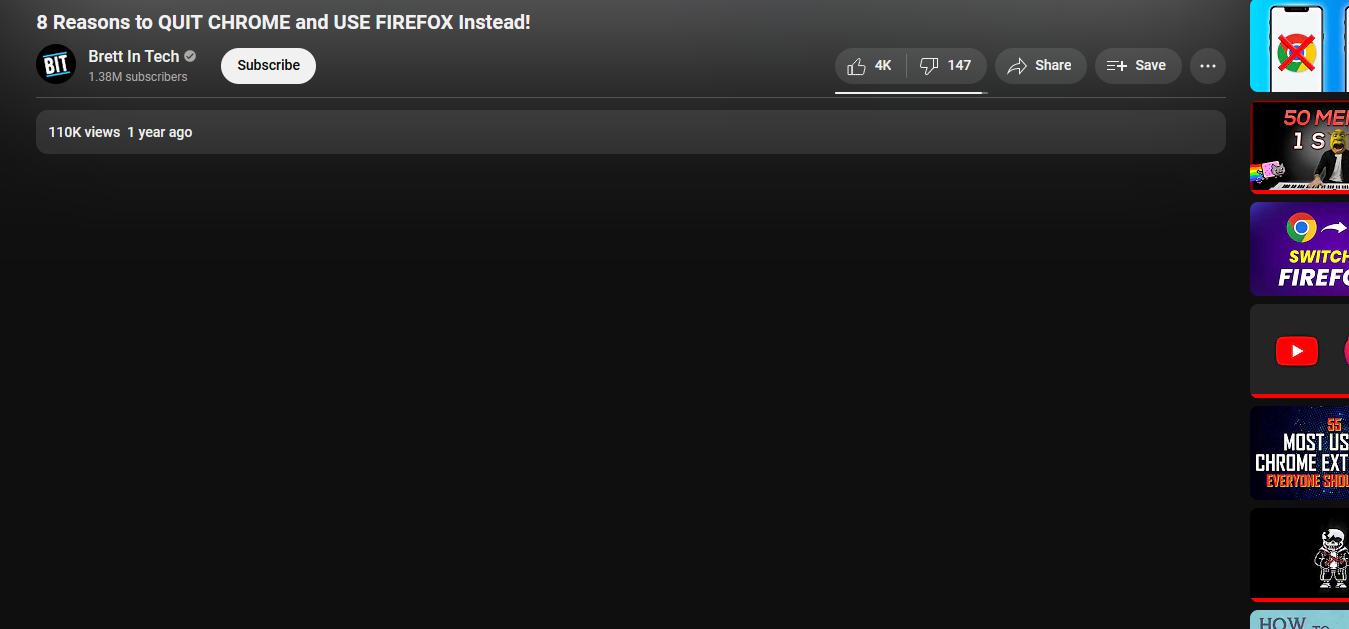
Youtube comments are gone

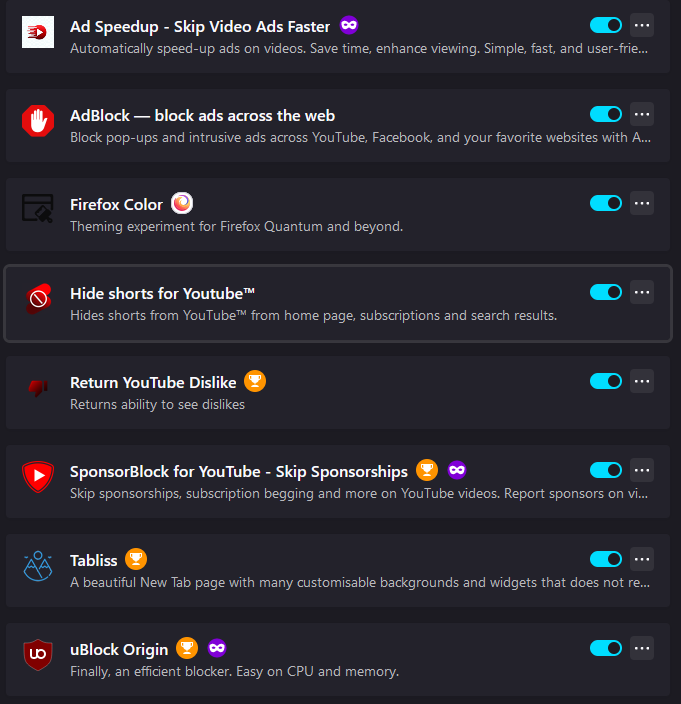
I don't know what happened, I haven't been tinkering with anything. This happens for every video, not just this one. I've also posted my addons as well, in case that helps with anything.
所有回复 (2)
选择的解决方案
If you use extensions ("3-bar" menu button or Tools -> Add-ons -> Extensions) that can block content (Adblock Plus, NoScript, DuckDuckGo PE, Disconnect, Ghostery, Privacy Badger, uBlock Origin), always make sure such extensions do not block content.
- make sure your extensions and filters are updated to the latest version
- https://support.mozilla.org/en-US/kb/troubleshoot-extensions-themes-to-fix-problems
You can try these steps in case of issues with webpages:
You can reload webpage(s) and bypass the cache to refresh possibly outdated or corrupted files.
- hold down the Shift key and left-click the Reload button
- press "Ctrl+F5" or press "Ctrl+Shift+R" (Windows,Linux)
- press "Command+Shift+R" (Mac)
Clear the Cache and remove the Cookies for websites that cause problems via the "3-bar" Firefox menu button (Settings), click the padlock icon (Clear cookies and site data) for the domain in the selected tab.
"Remove the Cookies" for websites that cause problems:
- Settings -> Privacy & Security
Cookies and Site Data: "Manage Data"
"Clear the Cache":
- Settings -> Privacy & Security
Cookies and Site Data -> Clear Data -> [X] Cached Web Content -> Clear
- https://support.mozilla.org/en-US/kb/clear-cookies-and-site-data-firefox
- https://support.mozilla.org/en-US/kb/how-clear-firefox-cache
Start Firefox in Troubleshoot Mode to check if one of the extensions ("3-bar" menu button or Tools -> Add-ons -> Extensions) or if hardware acceleration or if userChrome.css/userContent.css is causing the problem.
- switch to the Default System theme: "3-bar" menu button or Tools -> Add-ons -> Themes
- do NOT click "Refresh Firefox" in the Troubleshoot Mode start window
- https://support.mozilla.org/en-US/kb/diagnose-firefox-issues-using-troubleshoot-mode
- https://support.mozilla.org/en-US/kb/troubleshoot-extensions-themes-to-fix-problems
You can check for issues with Enhanced Tracking Protection. Firefox shows a purple shield instead of a gray shield at the left end of the location/address bar in case Enhanced Tracking Protection is blocking content.
- click the shield icon for more detail and possibly disable the protection
You can check the Web Console for relevant-looking messages like about blocked content.

Just in case anyone has the same issue I just had, I'm posting my experience here (since this seems to be an early Google hit for youtube comments issues) and I seem to have fixed the issue *I* was having. I just had a situation where all newly opened Firefox tabs with youtube videos in weren't showing comments. Refreshing misbehaving tabs did nothing. Killing and restarting Firefox did nothing. I then tried in Chrome and had the exact same issue. Turned off my VPN (Malwarebytes), and things started working straight away on both browsers. Turned VPN back on with a different server location and things kept working. Went back to the original server location after a while, and things still work, though I have no idea if they would have worked if I'd gone right back to the original server.