


Missing text on top menu

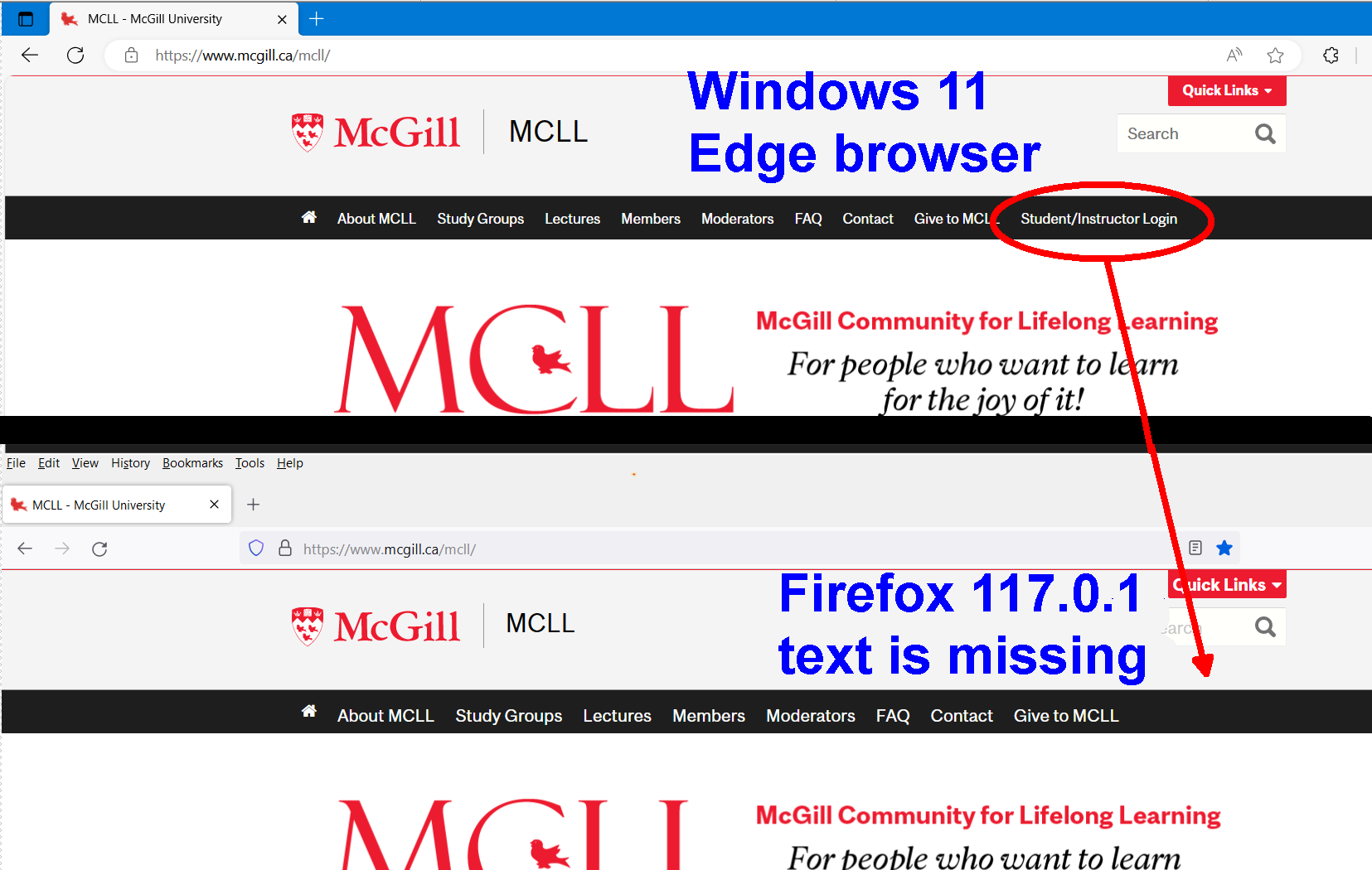
On a site with a menu along the top the rightmost item is missing, and only in Firefox, not Chrome or Edge. It happens on various pages with the same menu setup. I cleared cookies & cache, turned off extensions, no luck. See attached image. What could the problem be ?
被采纳的解决方案
You need to hover the mouse cursor over the items in the second row for them to appear.
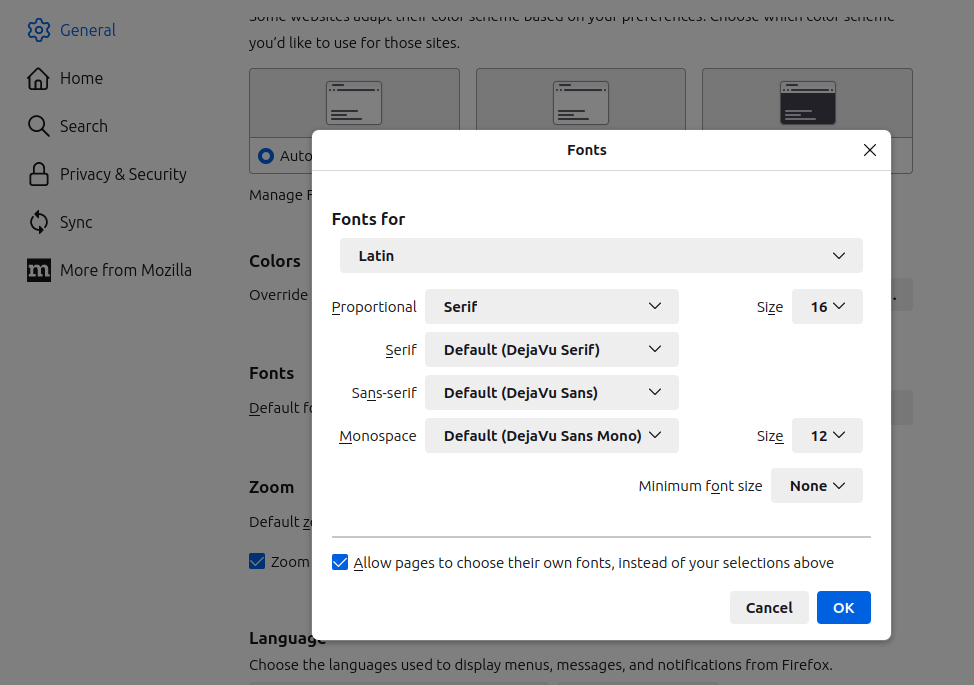
Your font size is larger than default based on your screenshot. You can see the default font sizes in the attached screenshot. Make sure "Minimum font size" is set to "None".
定位到答案原位置 👍 0所有回复 (4)
I see this with "Zoom text only" enabled and 120% zoom. The last "Student/Instructor Login" item wraps onto a second line which is invisible unless you hover the cursor there.
It's best not to use "Zoom text only" as it will affect page layout in unexpected ways.

My screenshot is at 100% and zoom text only is off. If I zoom to 170% with it on the last item goes to the next line but the missing text still doesn't appear. I can't get what your image shows. What could be different between yours & mine, some settings?
选择的解决方案
You need to hover the mouse cursor over the items in the second row for them to appear.
Your font size is larger than default based on your screenshot. You can see the default font sizes in the attached screenshot. Make sure "Minimum font size" is set to "None".
Thank you that fixed the problem.