


Bookmarks are BROKEN

Took me a long time to nail this issue down. Recently (past 1-2 years?), Firefox has started suggesting the base website when you have bookmarks that include the base domain - and it's really bothersome from a UX perspective. E.g. if i have "adobe.com/express" or any other adobe bookmarks, the FIRST autocompleted url Firefox gives me is "adobe.com" which I DO NOT have as a bookmark. In my Firefox settings I also have Shortcuts and other search suggestions disabled.
Why is Firefox doing this?
被采纳的解决方案
If you want to search or browse from the address bar, autofilling specific URLs can be intrusive. You can still get to bookmark suggestions quickly by pressing the down arrow key.
Some full URL autofilling for regularly visited URLs is being experimented with recently, you can try it by going to about:config and changing browser.urlbar.autoFill.adaptiveHistory.enabled to true.
定位到答案原位置 👍 1所有回复 (5)
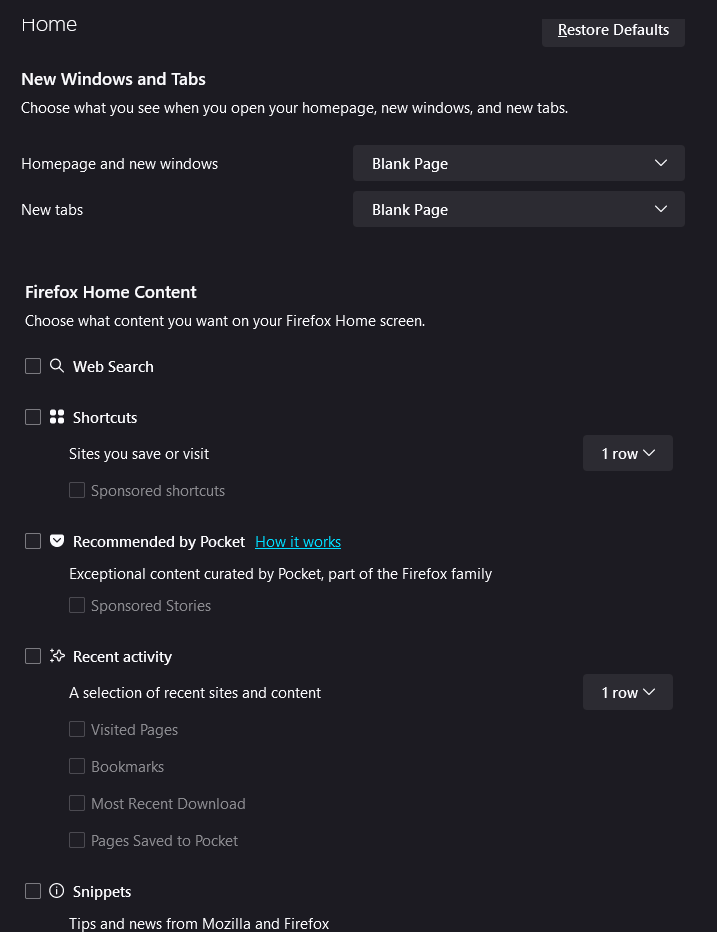
Everything seems to be disabled
This is what the bug looks like:

This has always been the case, autofill is incremental for each component of the address. If you want a bookmark to autofill in its entirety, you can give it a keyword.
zeroknight said
This has always been the case, autofill is incremental for each component of the address. If you want a bookmark to autofill in its entirety, you can give it a keyword.
I don't think that's the case - but my next question (for Mozilla/Firefox) would be: why is it like that? I obviously want to go to my bookmark, not the root URL - that's what bookmarks are for.
选择的解决方案
If you want to search or browse from the address bar, autofilling specific URLs can be intrusive. You can still get to bookmark suggestions quickly by pressing the down arrow key.
Some full URL autofilling for regularly visited URLs is being experimented with recently, you can try it by going to about:config and changing browser.urlbar.autoFill.adaptiveHistory.enabled to true.