


Making the search box auto selected insead of address bar
I want to try to use the search bar in the bar menu. What is preventing me from that is, when I open a new tab/window/private window, it auto selects the address bar, not the search bar. I am using macOS if that helps somehow. I've attached a screenshot.

所有回复 (4)
I don't think that is possible with Firefox's built-in features, but there is an add-on that lets you choose whether you want the cursor in the page or in the address bar:
https://addons.mozilla.org/firefox/addon/new-tab-override/

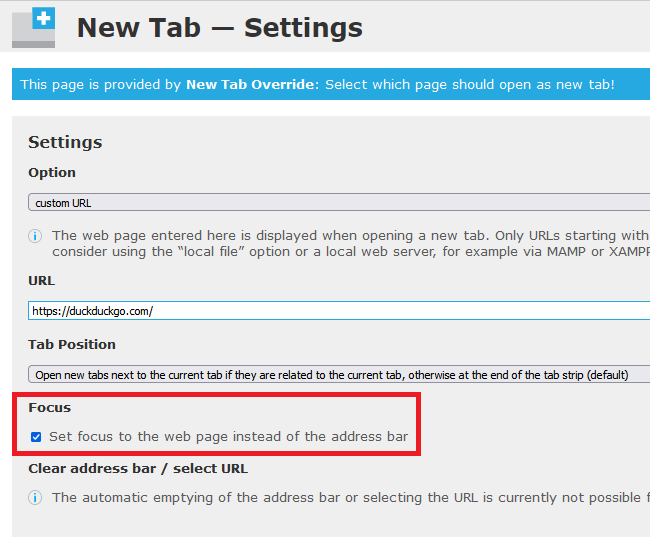
sorry, that didn't help. You know if you want to search something on some website for example, you need to click on the search box, right? Well, the search box isn't auto selected, but the address box is.
Are you using the built-in page Firefox Home page for your home page and new tab page? (How to set the home page)
With that page (or a blank page), Firefox will place the cursor in the address bar. I'm not aware of a way to change that, but maybe someone else has an idea.
If you are using a web page for your home page, and that page has code to move the cursor to the search box (like the Google home page), the cursor should be moved there.
You can possibly use the Tab key to switch from the location bar to the search bar.
Note that on Mac you may have to set accessibility.tabfocus = 7 on the about:config page.
由cor-el于修改