


firefox extensions

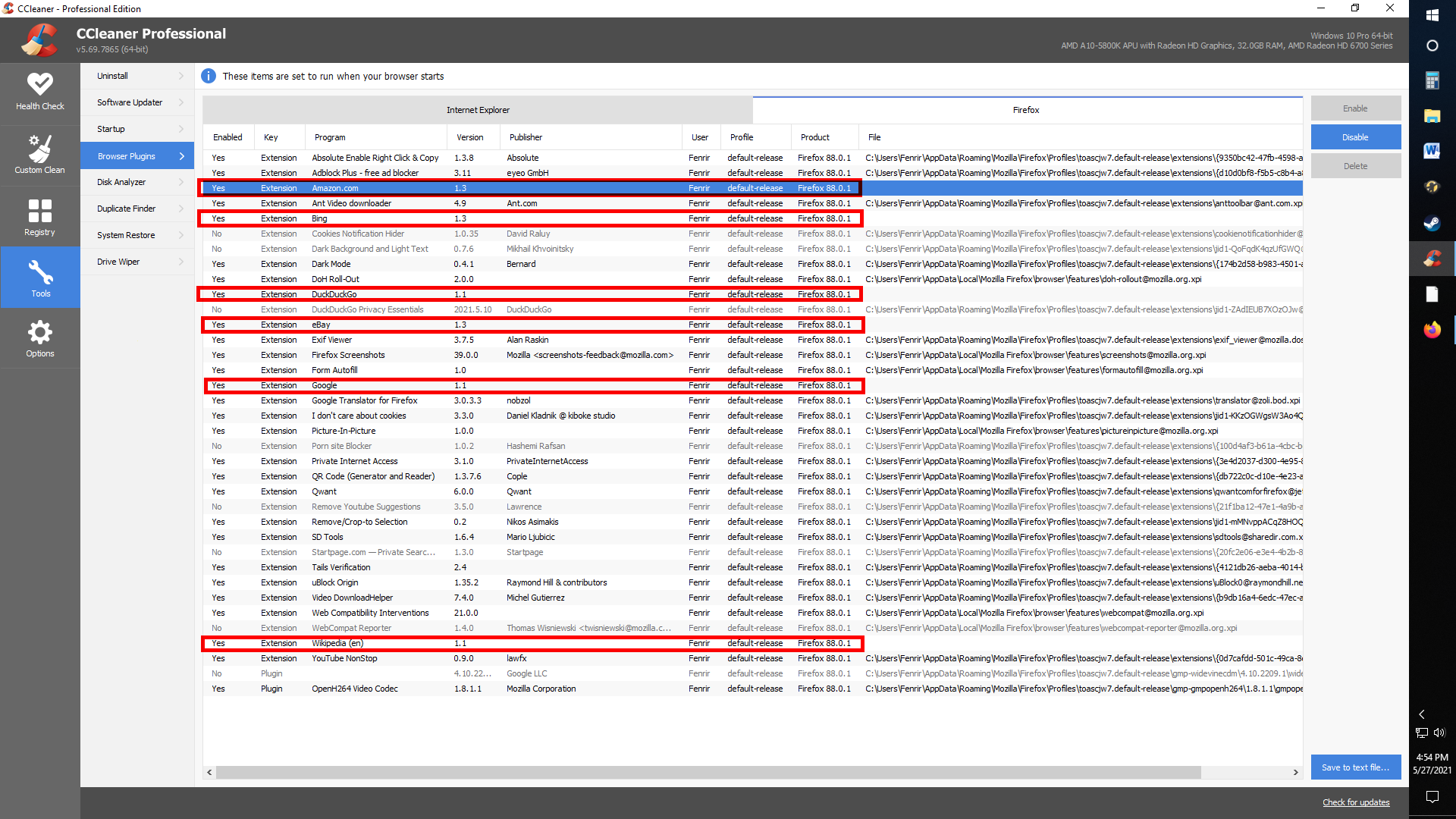
I use CCleaner on a regular basis and have been for over a decade and a half now. With CCleaner, I have the ability to disable unwanted browser extensions. Typically, this works just fine but lately, I've been running into an issue where CCleaner shows several Firefox extensions that do not show up in the browser's options menu: Bing, Amazon, Google, Wikipedia and DuckDuckGo. I disable these in CCleaner like I usually do yet they re-appear in CCleaner as extensions when I open a new browser window after disabling them. Are these really some sort of hidden extensions in Firefox? And if so, how the heck do I get rid of them permanently? I don't want any of these extensions. Thanks in advance.
被采纳的解决方案
The search engine extensions are built-in and can't be physically removed. Even if CCleaner disappears them from the extensions.json file (extension registry), Firefox will restore them to that file at the next startup.
Your choice of which search engines to "remove" or disable on the Preferences page is stored in a different file named search.json.mozlz4. That has no effect on the extension registry file.
定位到答案原位置 👍 1所有回复 (5)

Those are search engines. Not add-ons.
Type about:preferences#search<enter> in the address bar. You can select any search engine to be your default from here.
You can also remove any engine from here.
I appreciate your response but they aren't search engines unless Firefox really doesn't remove them after you click on "remove". That was my first thought too when it happened a couple of weeks ago. And before that time also. I checked again today in the preferences and the search engines aren't there but these extensions keep reappearing.
In other words, I already removed the search engines from Firefox. I only use Qwant and maybe on rare occasions, Google but I will go to their website and search.
选择的解决方案
The search engine extensions are built-in and can't be physically removed. Even if CCleaner disappears them from the extensions.json file (extension registry), Firefox will restore them to that file at the next startup.
Your choice of which search engines to "remove" or disable on the Preferences page is stored in a different file named search.json.mozlz4. That has no effect on the extension registry file.
Thank you jscher2000. That makes sense now.