


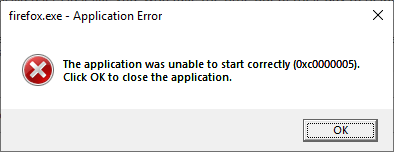
Keeps showing "unable to start correctly (0xc0000005)" even after uninstalling and reinstalling.
It was working OK on Friday but now it keeps showing the same message. I went to the Mozilla website and redownloaded the app after uninstalling it but the message keeps coming up the same. Thank you for any advice you can give me.
所有回复 (4)

Is this on a Windows 10? Did you completely remove the Firefox program folders? (clean reinstall) Do Not remove the profile folders located in your user folder.
Thank you for your reply. I deleted the folders and tried to reinstall it but it is coming up with the same message. It has now gone totally beyond my capabilities. Thank you for trying to help me.
Did you check the Windows Event log to see if there is an entry for this issue with more detail?
Many have reported issues using the 64bit Firefox. Install the 32bit version from; Download Firefox For All languages And Systems {web link}