


I cannot turn on spellcheck for outlook
I have tried in the setting in firefox, turned on spellchecking and installed a dictionary, but outlook mail still doesnt show spelling mistakes, might have to go to Chrome
所有回复 (8)

Hi steveellson, In Outlook mail, in a New message window, right-click and select Check Spelling.
That option isnt shown unfortuntely
You should be able to right-click in any text box which is more than two lines (not a login field) and see Check Spelling and Languages, where you can add a dictionary.
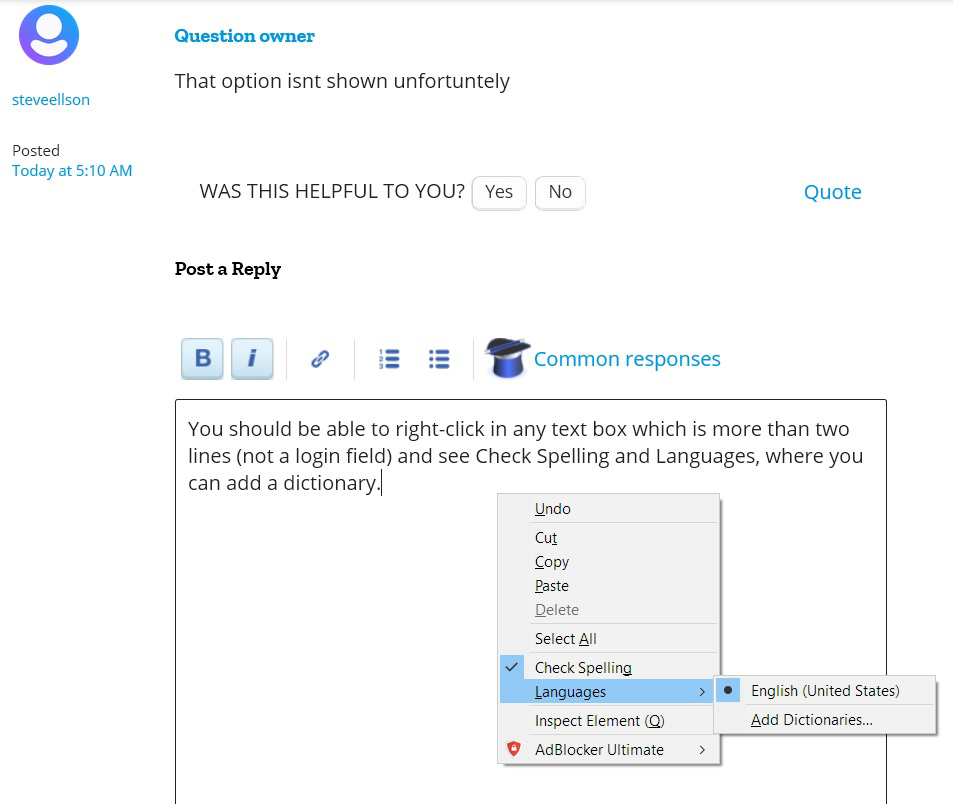
I have 2 outlooks, one for business which is 365 and that works, but for personal use I cannot get that option on outlook (not 365) even though in firefox it says check spelling as you type, or something similar.
I went to Outlook to confirm before my first reply. The only thing that I can suggest is try clearing Cookies & Site Data for only that site. See this article: Clear cookies and site data in Firefox (If you visit the site do this it will log you out).
steveellson said
That option isnt shown unfortuntely
Hello steveellson,
Would you please take a look at this article :
https://www.lifewire.com/hotmail-spell-checker-1174278
And next, please see the posts in this thread :
My_Cheese_Is_Slippin' said
(If you visit the site do this it will log you out).
(If you visit the site to do this it will log you out).
I need a grammar checker. I don't just make spelling mistakes, I leave out whole words.
Anyway, I confirmed again. See the screenshot.
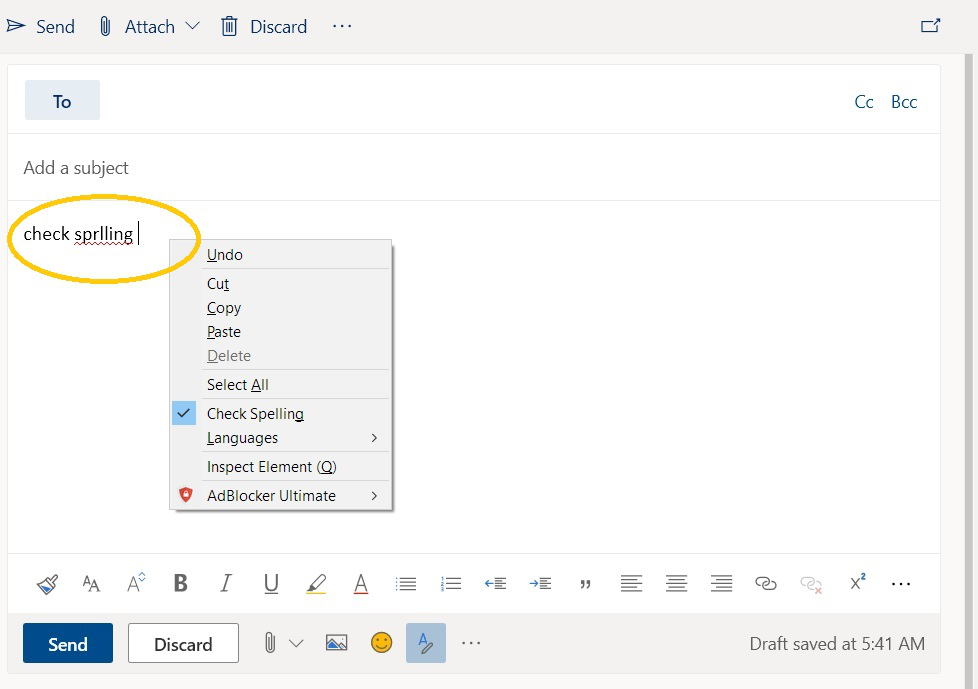
Looking at "My_Cheese_Is_Slippin' 's" screenshot, I opened my Outlook mail account - pressed the three bar key on my keyboard and chose "Check Spelling" on the dialog that appeared, then clicked "New message", made a huge spelling mistake and lo and behold : red squiggly lines......
Of course in Options => General, under "Language" I had first checked "Check your spelling as you type".
So : "My_Cheese_Is_Slippin'" is right !