


warning for not secure sites

I just downloaded and installed Firefox because I'm not thrilled with chrome. One major thing I'm trying to solve is getting the warnings for not secure (http) sites. I spend all day logging into network devices and I'm so sick of all the warning. I know the sites (IP addresses) I go to don't have security certificates and i don't wanna hear about it. I just wanna go straight to the site. :) Is there a way to get rid of these warnings? I've tried about:config security.insecure_field_warning.contextual.enabled and changing it to false. That didn't work.
所有回复 (5)
What kind of warnings do you see?
You can disable the warning that opens when you type in a name/password field by setting this pref to false.
- security.insecure_field_warning.contextual.enabled = false
You can remove the warning in the location bar by setting this pref to false on the about:config page.
- security.insecure_password.ui.enabled = false
See also:
This is what I get.
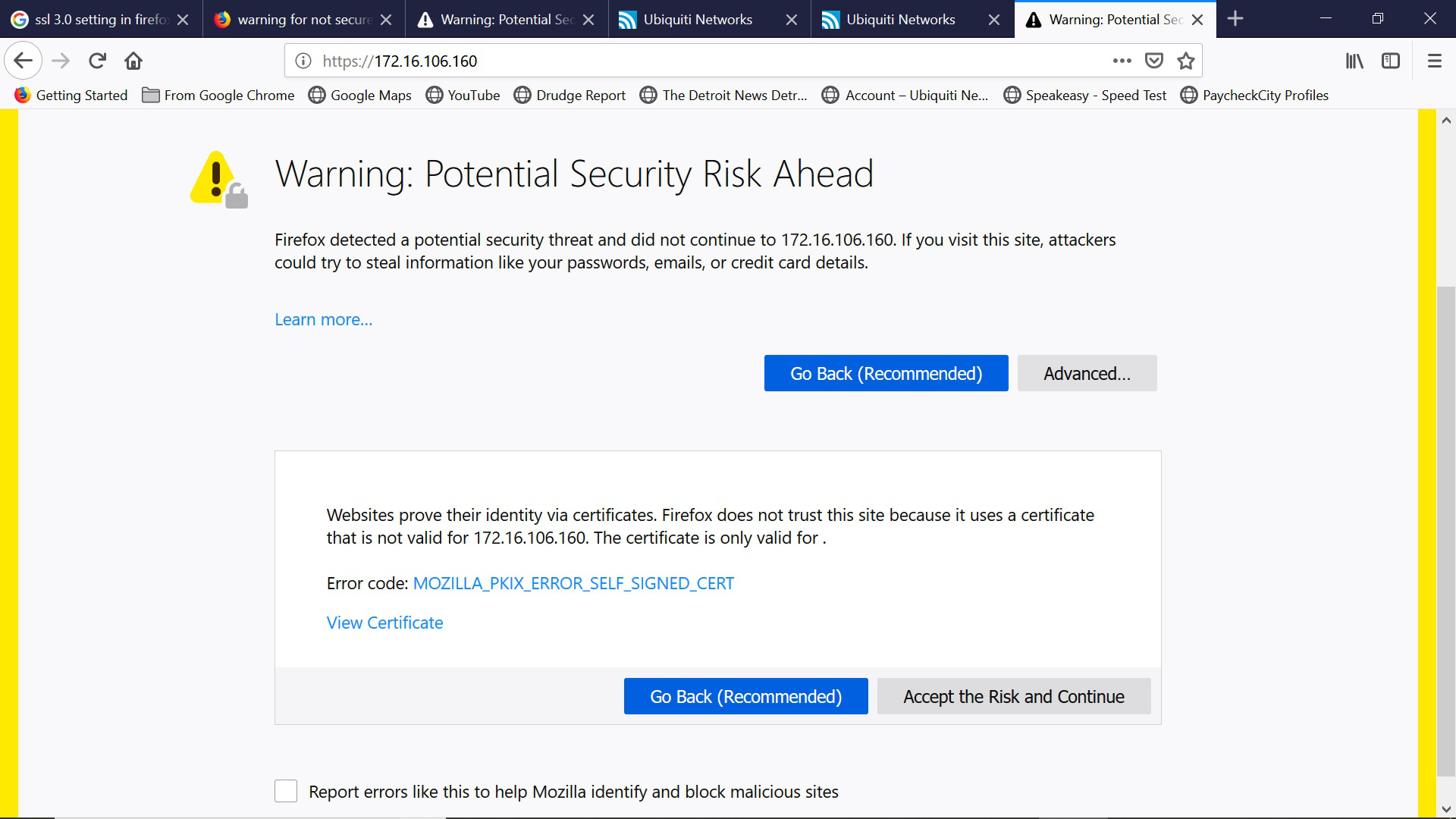
Hi brianrohr13, there is no feature to tell Firefox to automatically accept non-verifiable certificates for all non-routable network addresses. I assume the non-verifiable certificates on these devices are fairly stable. In that case, it would make sense for you to save an exception.
I don't see the "Add Exception" button on the new Firefox 66 where you can keep it permanently (i.e., beyond your current session). Hopefully someone else knows where it went.
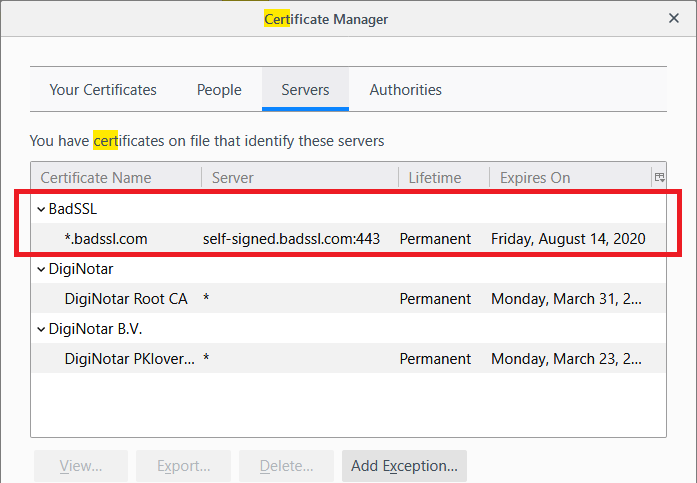
There is always the "Add Exception" button in the Certificate Manager under the Servers tab to add an exception manually.
Actually, when I used the "Accept the Risk and Continue" button on this page
https://self-signed.badssl.com/
Firefox saved a permanent exception:

I assumed it would be temporary. That is a little bit annoying, to me since I never save Permanent exceptions. Hmm...
But anyway, for your needs, after a day or two, you may have saved all the exceptions you need?
UPDATE
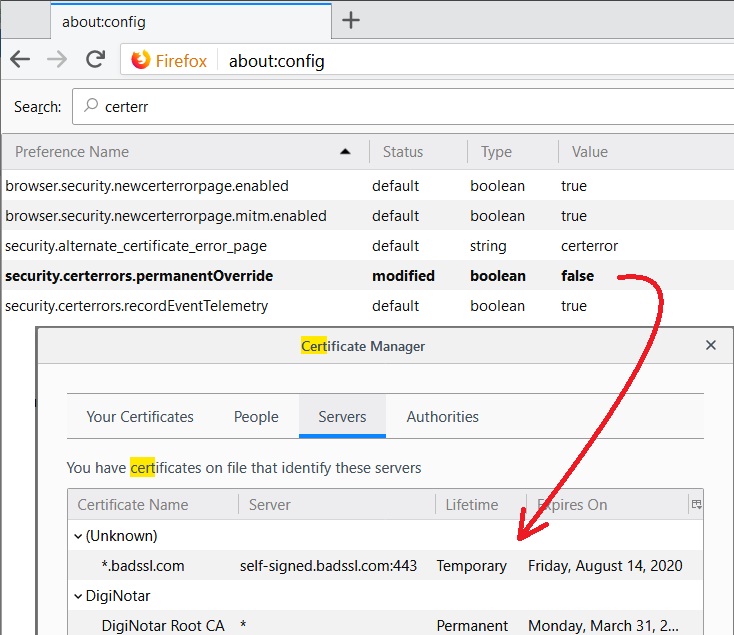
To address my own concern, there is a preference to make the exception temporary instead of permanent:
(1) In a new tab, type or paste about:config in the address bar and press Enter/Return. Click the button promising to be careful or accepting the risk.
(2) In the search box above the list, type or paste certerr and pause while the list is filtered
(3) Double-click the security.certerrors.permanentOverride preference to switch the value from true to false
This won't affect existing exceptions, but should change what Firefox does going forward. (I didn't check whether it is necessary to restart Firefox.)

由jscher2000 - Support Volunteer于修改