


Mozilla Firefox after update from 57.0.x to 59.0.x UI fonts are blurry. How to fix?
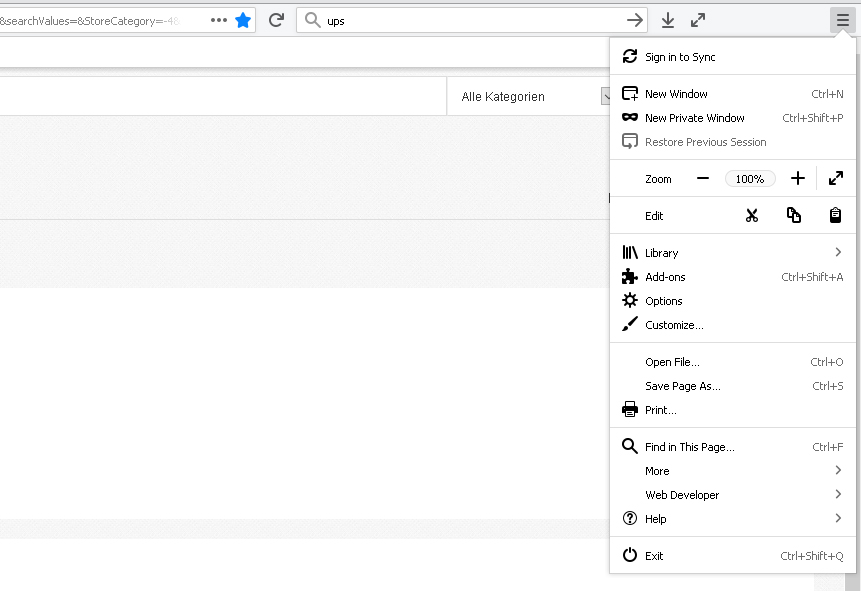
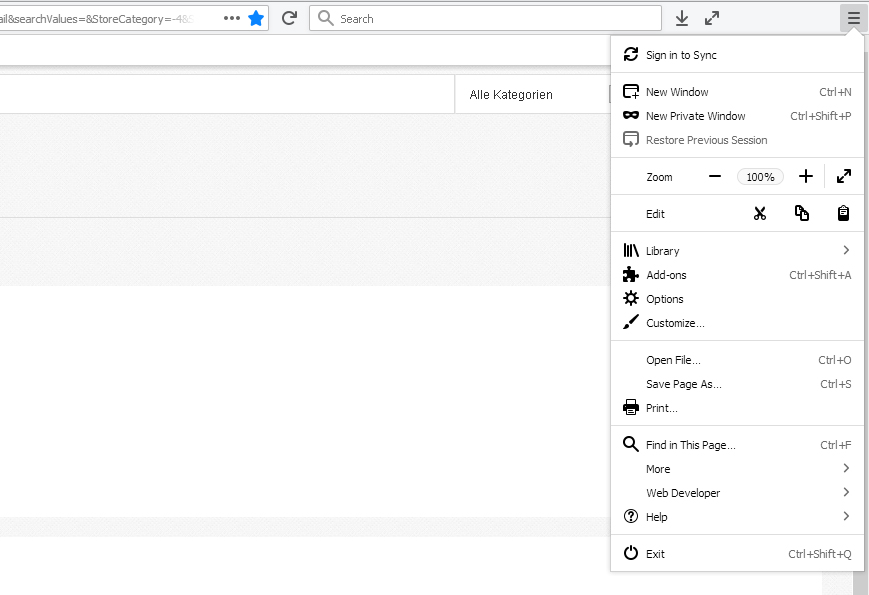
Recently my Firefox on Win10 was automatically updated to 59.0.x from 57.0.x and after that UI fonts (not HTML pages) became blurry. HTML pages displayed correctly, because at `about:config` setting `gfx.canvas.azure.backends` and `gfx.content.azure.backends` are set to `direct2d1.1,cairo,skia` (not to `direct2d1.1,skia,cairo`). But now the problem with Firefox UI fonts - menus, text fields, etc. - they are blurry. Here are the screenshots:
FF 57.0.x - UI fonts ok - the first picture.
FF 59.0.x - UI fonts blurry - the second picture.
To see the difference - right-click -> "View Image".
At the moment downgraded to 57.0.x version. Is there some way to fix these blurry fonts?
由Ernestas Gruodis于修改
所有回复 (3)

选择的解决方案
Have you tried a Refresh?
The Refresh feature (called "Reset" in older Firefox versions) can fix many issues by restoring Firefox to its factory default state while saving your bookmarks, history, passwords, cookies, and other essential information.
Note: When you use this feature, you will lose any extensions, toolbar customizations, and some preferences. See the Refresh Firefox - reset add-ons and settings article for more information.
To Refresh Firefox:
- Open the Troubleshooting Information page using one of these methods:
- Click the menu button
 , click help
  and select Troubleshooting Information. A new tab containing your troubleshooting information should open.
- If you're unable to access the Help menu, type about:support in your address bar to bring up the Troubleshooting Information page.
- Click the menu button
- At the top right corner of the page, you should see a button that says "Refresh Firefox" ("Reset Firefox" in older Firefox versions). Click on it.
- Firefox will close. After the refresh process is completed, Firefox will show a window with the information that is imported.
- Click Finish and Firefox will reopen.
Did this fix the problem? Please report back to us!
Thank you.
Yes indeed, it helped :) Now UI fonts are ok. Hope cairo rendering will be not dropped soon. I would agree to use skia if display would have lets say 10000 x 6000 px resolution - but at the moment those blurry fonts are not acceptable, displays are not HD yet.
由Ernestas Gruodis于修改
j-f-k said
Recently my Firefox on Win10 was automatically updated to 59.0.x from 57.0.x At the moment downgraded to 57.0.x version.
The only way you could have been updated from 57.0 to 59.0 is if you were on Beta or developers edition (Aurora) channel instead of Release.
Firefox 57.0.4 should only update to 58.0 or rather the current 58.0.1 Release (out on January 29) and not to a version on separate channel.