


Browser Text randomly turns red or white

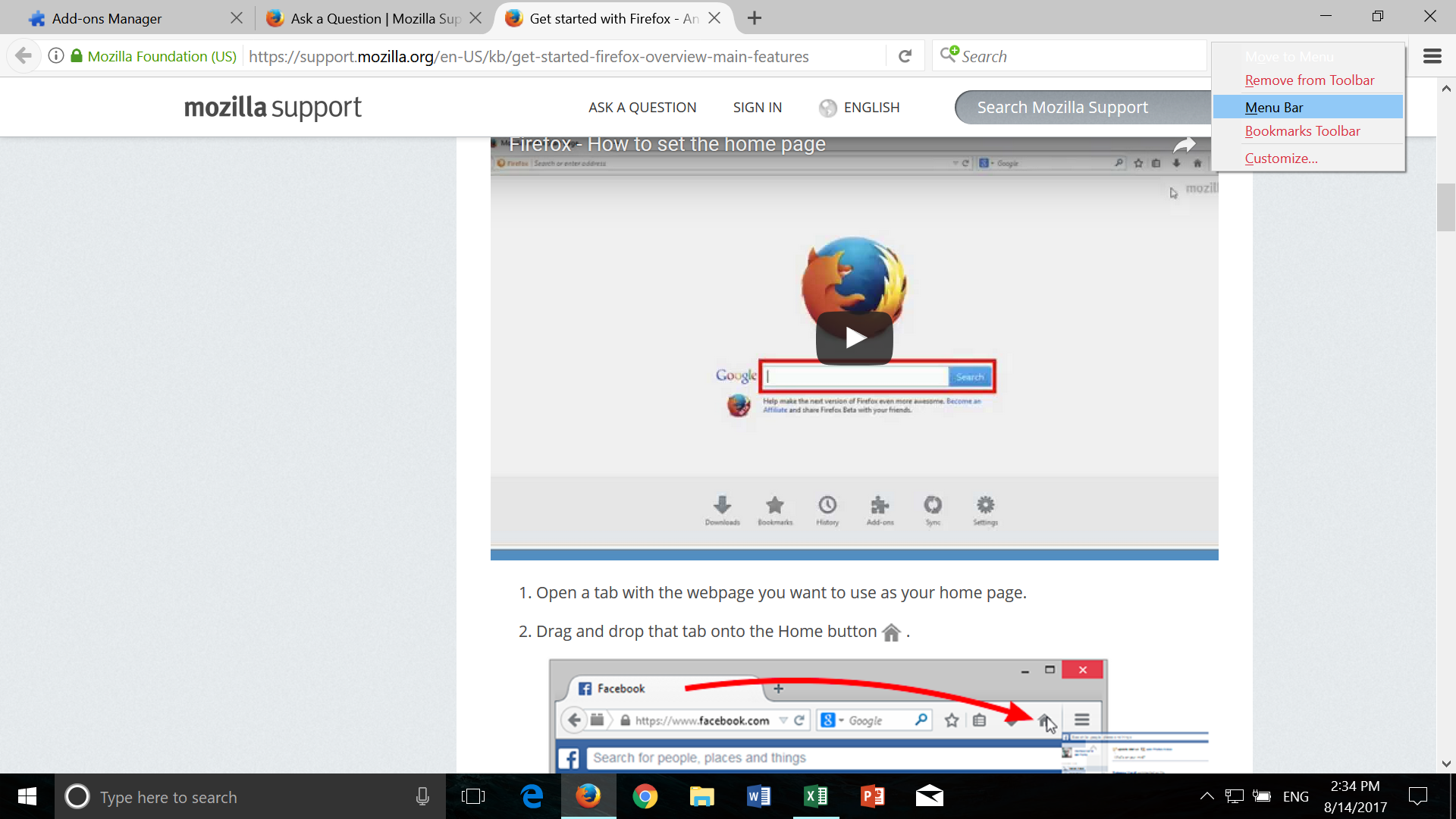
I've upgraded to the latest version of Firefox recently and noticed that after some use some of the text that appears when you right click or select bookmarks will turn red or white in color. What text turns what color is seemingly random, but it is annoying, especially the white text that makes the option very hard to see with hovering the mouse over it. The text resets to black after exiting the browser and restarting it, but I don't want to do this every time.
I've upgraded to the latest version of Firefox recently and noticed that after some use some of the text that appears when you right click or select bookmarks will turn red or white in color. What text turns what color is seemingly random, but it is annoying, especially the white text that makes the option very hard to see with hovering the mouse over it. The text resets to black after exiting the browser and restarting it, but I don't want to do this every time.
所有回复 (2)
Picture didn't upload in original post so I'll attach it here.
Start Firefox in Safe Mode to check if one of the extensions ("3-bar" menu button or Tools -> Add-ons -> Extensions) or if hardware acceleration is causing the problem.
- switch to the DEFAULT theme: "3-bar" menu button or Tools -> Add-ons -> Appearance
- do NOT click the "Refresh Firefox" button on the Safe Mode start window