


Yea Help Please

Firstly, These support type systems that throw forums in your face are horribly annoying, i can understand flushing out alot of common questions, but still...
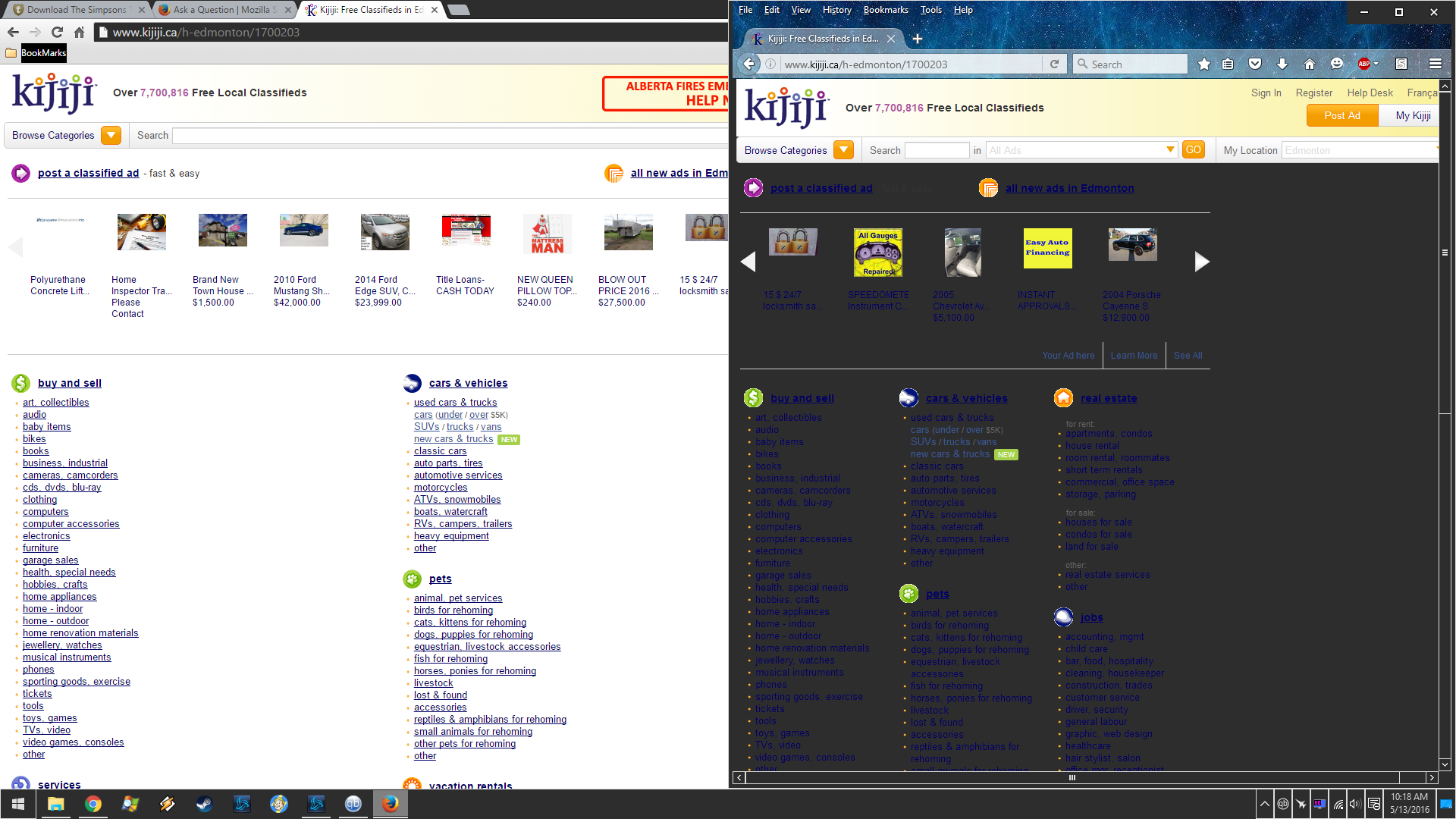
I want to use Firefox, But its horribly ugly with my high contrast theme, and i have already tried the options in colors, i found a old redit forum on the same issue but they never fixed it? Sadly im stuck switching to chrome, which really really really sucks, i do not want to use chrome....Please firefox, make it so having a high contrast theme in windows will not affect your browse, because even with the options you have, the page still does not load images and ya, it sucks. CHrome worked fine,
所有回复 (3)
Make sure that you allow pages to choose their own colors.
- Tools > Options > Content : Fonts & Colors > Colors : "Override the colors specified by the page with my selections above"
Try "Never" if the default "Only with High Contrast themes" is causing problems.
Note that this setting affects background images.
You can look at the NoSquint extension to set font size (text/page zoom) and text color on web pages.
cor-el said
Make sure that you allow pages to choose their own colors.Try "Never" if the default "Only with High Contrast themes" is causing problems. Note that this setting affects background images. You can look at the NoSquint extension to set font size (text/page zoom) and text color on web pages.
- Tools > Options > Content : Fonts & Colors > Colors : "Override the colors specified by the page with my selections above"
I have tried all of them and thats the closest it came was that picture, where the header was normal but the body was fine, vs chrome where the whole page was fine :( please help, i hate chrome so much. I do not want to set pages custom, i want the pages the way they are normally.
Only with high contrast, will not even load the google picture or header on that kijiji page, never is what i had it set to with that screenshot, Need this fixed asap >.<. I want pages to load the way they are supposed to